


 O‘zbekcha
  English (UK)
  Русский
  বাংলা
বাংলা  العربية
  日本語
日本語  한국어
한국어  Magyar
  Norsk nynorsk
  Türkçe
  עִבְרִית
  Español
  Čeština
  Svenska
  Português
  Ελληνικά
  Suomi
Suomi  Nederlands
  Română
  Italiano
  Français
  Polski
  Українська
  Deutsch
  简体中文
简体中文  Slovenčina
  Српски језик
  اردو
اردو  Azərbaycan dili
  አማርኛ
አማርኛ 

Kruiz Wi-Fi paketini sotib oling kemaga chiqishdan oldin oldindan taxmin qilinadigan narxlarni qulflash va bortda uzluksiz ulanish uchun. Sizning ehtiyojlaringizga mos keladigan ushbu paketlardan birini tanlang, xoh u matnlar bo'ladimi yoki striming bo'ladimi va ularni sayohat uchun asos qilib oling.
Kemaga ulanishdan so'ng, rouming sukut bo'yicha o'chirilgan bo'ladi; ko'p aloqa uchun Wi-Fi dan foydalaning va faqat portda bo'lganingizda va ishonchli bo'lganingizda mobil ma'lumotlarga o'ting tashuvchi tarmoq. Aloqada bo'lish uchun do'stlar and fellow sayohlar, Wi-Fi orqali xabar yozing va ovozli qo'ng'iroqlarni port qamrovi yaxshi bo'lgan paytlarga saqlang. Agar kemadan tashqarida roumingdan foydalanishga to'g'ri kelsa, kunlik yo'llanmalarni taqqoslang tashuvchi va portda mahalliy SIM-karta variantlari bor; narxlar har xil, ammo toʻlashingiz mumkin. $5–$15 kuniga qarab yoki undan ham ko'proq bo'lishi mumkin.
Sayohatga chiqishdan oldin xarita, port jadvali va sevimli qo'shiqlar ro'yxatini yuklab olishdan afzalroq narsa yo'q. Ofline resurslardan foydalanib, internet-trafikni tejashdan afzalroq narsa yo'q; ma'lumotlarni tejash rejimini yoqing va striming ilovalarida avtomatik ijroni cheklang. Ushbu amallar internet-trafikni behuda sarflamasdan aloqada bo'lishga yordam beradi, ayni paytda sizning do'stlar va oila tezkor javoblarni qadrlaydi.
Kemalardagi sifat signallari har xil bo'ladi: o'rta darajadagi paketlar odatda eng yuqori vaqtlarda har bir foydalanuvchi uchun 1-3 Mbps ta'minlasa, premium to'plamlar tinchroq soatlarda 4-6 Mbps ga yetishi mumkin. Agar siz strimingda bo'lsangiz, telefonlarda ilovalarni 360p va planshetlarda 480p ga sozlang; yuqoriroq quality uy sharoitida Wi-Fi yoki port kunlari uchun. maqola muallif yozishicha, bu tezliklar kemaga va marshrutga qarab o'zgaradi, shuning uchun bortdagi ilovadagi kemaga oid eng so'nggi raqamlarni tekshiring. Bu quality Dengiz tarmoqlarida tebranish odatiy hol.
Guruhingiz bilan aloqada bo'lish uchun, quyidagilarga ishoning matnlar va Wi-Fi orqali chat ilovalarida. Matnlar odatda tez yetkaziladi va qo'ng'iroqlar yoki strimingga qaraganda ancha kam ma'lumot sarflaydi. Sayohatchilar muvofiqlashtirilgan reja uchun minnatdor bo'lamiz: agar kemada ruxsat etilsa, bir nechta oqimdan qochish uchun bitta qurilmaning ulanish nuqtasini guruh bilan bo'lishing. Faqat batareya zaryadini va ma'lumot sarfini kamaytirish uchun zarur bo'lganda ulaning.
Mana amaliy reja, siz unga amal qilishingiz mumkin: 1) tanlang paketlar yondashuv; 2) oflayn resurslarni yuklab oling; 3) portgacha roumingni o'chiring; 4) mavjud bo'lganda Wi-Fi qo'ng'iroqlarini yoqing; 5) kemaning ilovasida ma'lumotlarni kuzatib boring. Ushbu reja sizga kutilmagan hodisalarsiz aloqada bo'lishga va ma'lumotlar isrofini kamaytirishga yordam beradi. Siz uni bu yerda sozlashingiz mumkin.
Mashhur sayyoh yozuvchilar va mashhurlar oddiygina maslahatlar: marshrutingizni yuklab oling, xabarlarni faqat eng zaruriy narsalarga qoldiring matnlar, va port kunlari uchun qo'ng'iroqlarni rejalashtiring. Ularning tajribasi shuni ko'rsatadiki, oldindan rejalashtirish vaqt va pulni tejaydi va bortda navigatsiyani osonlashtiradi.
Kruizda Mobil Telefoningizdan Foydalanish: Wi-Fi, Rouming, Ma'lumotlarni Tejash; Dengizdagi Uyali Aloqa Tushuntiriladi
Hozir ma’lumotlar roumingini o‘chiring va xarajatlarni nazorat qilish uchun kemaning Wi-Fi tarmog'i yoki esimlarga tayaning. Bu roaming to'lovlarining bugungi portga qo'ng'iroqlarda, yolg'iz sayohat qilasizmi yoki o'z kabinangizda biror kishi bilan sayohat qilasizmi, sizni kutilmaganda ushlab qolishiga yo'l qo'ymaydi. Hammasini boshqarishingiz uchun nima qamrab olinganligini bilishingizga ishonch hosil qiling.
Bugungi liniya takliflarini tekshiring; ko'plab kruiz liniyalari ta'minlaydi bepul kabinalarda va umumiy joylarda internetga ulanish imkoniyati mavjud, garchi qamrov kemaga va marshrutga qarab farq qilishi mumkin. Umumiy joylarda signal chegarasi uchun rejalashtiring va rejangizni behuda sarf qilmasdan aloqada bo'lish uchun iloji boricha oflayn ma'lumotlardan foydalaning.
Ma’lumotlarni tejash uchun, invest amaliy odatlarda: fonni cheklash tekshirish, ilovalarni qoʻlda yuklab olishga sozlang va download Ommaviy axborot vositalari va images foydalanishni kamaytirish uchun Wi-Fi ga ulanganida. Agar qurilmani baham ko'rayotgan bo'lsangiz, ortiqcha to'lovlardan qochish va saqlash uchun har bir kishining ehtiyojlarini ularning hisoblariga bog'lang. elektron pochta xabarlari ularni muhtoj bo'lganingizda tartibli va oson foydalanish mumkin.
Dengizdagi uyali aloqa haqida: rouming imkoniyatlari operatoringiz va kemaga bog'liq, garchi esimlar tarmoqlar o'rtasida yanada silliq o'tishni ta'minlashi mumkin. Check eSIM-lar qo'llab-quvvatlanadimi va qaytadan sotib olmoq agar imkoni boʻlsa, oʻtish; variantlarni baholash before you sail senga qolishga yordam beradi ular sizning ehtiyojlaringizga moslashtirilgan rejalar va ortiqcha to'lovlardan qoching koʻra kutilganidek.
Portda siz mahalliy tarmoqlarga o'tishingiz mumkin; qamrov chegarasida sizning connection tushishi mumkin, shuning uchun muhim narsalarni saqlang elektron pochta xabarlari va o'tish kodlarni tayyorlang va katta foydalanish uchun mahalliy SIM-kartadan foydalanishni ko'rib chiqing. Ushbu yondashuv sizni saqlaydi qoplangan va sizga qolishga yordam beradi albatta Siz portni o'rganayotganingizda ortiqcha pul to'lamaysiz.
Ma'lumotlaringizni himoya qilish uchun xavfsizidan foydalaning connection va asosiy imkoniyatni yoqing protection measures. If you want rewards, choose lines that provide mukofotlar dasturlar va ta'minlash complimentary access when possible, so you can enjoy enjoying the voyage without sacrificing essential access to elektron pochta xabarlari yoki images you need for day‑to‑day ehtiyojlar.
Using Your Cell Phone on a Cruise: Wi-Fi, Roaming, and Data Management–What Cellular at Sea is and how it works
Set airplane mode on, then connect only to the ship’s wireless network when you need online access. This keeps data use low and prevents roaming charges while you sail, enabling texting through ship Wi-Fi.
What Cellular at Sea means: you won’t see the familiar land towers; the ship provides a private wireless network backed by satellite connectivity to access the internet. Guests connect to the onboard guest network and purchase a data plan or pay per minute. Calls may use Wi‑Fi calling or ship‑based voice services. This case keeps costs predictable while you’re on board.
Data management on board: speeds are shared among devices, and a robust onboard network supports those who need quick messages, checking emails, posting updates, or sharing photos. Typical throughput ranges from 1–5 Mbps per user at off‑peak times, with speeds dropping during busy hours. Download essential files before departure, check emails offline, and limit streaming. Use data saver modes and disable auto‑sync to reduce background traffic. For those who must post photos, use ship’s network to upload later when you have a stable connection, and coordinate with friends online to avoid extra data usage.
Roaming near port: Roaming outside the ship’s network can trigger charges, especially near beaches when you dock. Turn off roaming while at sea and use the ship’s wireless access for internet; if you need a quick check, send a message rather than place a call. You will keep a good link while you travel the world and avoid a big bill.
Booking and planning tips: Compare options before you cruise; check if a plan includes texting; identify whether the option fits your pattern of use. If you only need occasional access, a daily pass saves money; for heavy use, a robust unlimited package can be worth it. Techbuzz notes that celebritys share tips you can mirror on your trip.
| Plan type | Typical cost | Pros | Cons |
|---|---|---|---|
| Daily onboard pass | $9–$15 | Predictable, easy to manage | Data caps, slower speeds at peak times |
| Metered data (per MB) | varies by ship | Pay only for what you use | Costs can add up with background apps |
| Unlimited social/video | higher tier | Best for heavy users | May be wasted if you mainly text or check email |
What Cellular at Sea is and how ship networks differ from onshore networks
Plan ahead: purchasing a dedicated data package for the voyage and downloading photos, maps, tickets, and other content before you sail keeps your devices ready. If you have purchased a plan, you can stay within your budget and avoid big charges while at sea. This approach reduces worrying about unexpected bills and helps you stay connected for moments in ports.
Cellular at sea relies on satellite networks routed through the ship’s onboard router. This experience differs from onshore networks that connect to local cell towers, as ship connections share limited satellite bandwidth among many passengers, which yields higher latency and slower peak speeds. Streaming is often throttled, while emails and messaging stay responsive if you limit file sizes and use low‑resolution media.
Within the ship, a private Wi‑Fi network distributes the connection. In ports, you may pick up shore cellular signals briefly, but only if the operator allows roaming or you have a local plan. The transition in port may be smoother if your phone automatically selects the port’s network; check roaming settings and whether you should stay on the ship or switch to local coverage.
Strategies to stay connected without wasting data include planning with a data budget, turning off roaming by default, and using messaging apps with offline modes. Here are practical tips to apply during your cruise: On the ship, use the ship’s messaging services for quick updates, and practice sharing photos and pictures from ports when you have a stable link. For traveling between ports, consider purchasing local eSIM options if your device supports it, or use offline maps and saved routes to guide your planning. Keep devices updated and back up critical files before a day at sea so you can post later from a stable connection.
How to connect to ship Wi-Fi: access methods, login steps, and reliability tips
Connect to the ship’s Wi-Fi by selecting the network name shown in your cabin information or on the ship’s map, then open any browser to trigger the login portal. The landing page will guide you through access methods and available packages, so you can choose what fits your plans and start enjoying online activities right away.
Access methods vary: a captive portal launched in your browser, an onboard app that prompts for login, or SMS verification for guest access. Some networks let you sign in with your loyalty ID, cabin number, or a guest pass; others require you to buy a data package before you can browse. If you’re near a café or lounge, the signal may be stronger, so move there to surf more reliably.
Login steps: on connecting, load the portal, choose Guest or Loyalty, and enter the requested details (cabin and last name, or loyalty number). Pick a data package, confirm terms, and tap Start Online. You’ll likely land on a confirmation page; if you see a payment screen, complete the checkout or redeem loyalty rewards. When you’re done, log out to keep the network available for others.
Reliability tips: position yourself midship on a higher deck where signals tend to be steadier; avoid cabins with thick walls if possible. If your device supports it, switch to the best compatible band and limit the number of devices online at once. Disable a VPN during login, and turn off background apps that auto-update; streaming movies or other large files can slow the network for everyone. If a page fails to load, check onboard signals, then retry or switch to the ship’s app for access.
Data-saving and usage: plan with flexible packages and check coverage in port areas; if you’re traveling with others, consider loyalty or sharing options so one pass can serve multiple ones. Download videos or show episodes before going online, or in café areas with a stronger signal, so you can enjoy content offline. When you’re online, limit auto-play, pause cloud backups, and log out when not using to reduce data consumption. If you need help, visit the onboard support desk or ask staff near the café to guide you to the quickest login path and best access method.
Roaming on a cruise: charges, when to enable roaming, and how to minimize costs

Turn off roaming by default and rely on ship Wi‑Fi or a VOIP app over Wi‑Fi to control costs.
On most cruises, charges come from satellite connections: voice calls cost about $1–$5 per minute, texts about $0.50–$2 each, and data can run $4–$20 per MB unless purchasing a package. Ship Wi‑Fi programs offer daily, multi-day, or weekly options; calculate cost per day against your expected usage. Costs vary depending on route and package. If you enjoy staying online and sharing photos around the world, a cost-effective plan can still fit your budget by purchasing data as needed; you can also save favorite images and files for offline access. This protects your money by avoiding big roaming fees.
Enable roaming only in port when you can purchase a local SIM or access affordable Wi‑Fi; at sea keep it off. Depending on your itinerary and carrier, a cruise roaming option may exist, but rates at sea remain high. Users in your party arent aware of the exact rates, so verify before enabling roaming.
To minimize costs, rely on the ship’s data package for online needs and use offline features for photos and files. Simply set your mobile mode to airplane mode with Wi‑Fi on, so you can browse and message over the ship’s network. Download maps, images, and favorite content while on Wi‑Fi, and back up photos to the cloud only when you are online with a secure connection. Turn off auto-sync and background updates to protect data and provide added protection for online accounts. Look for the cruise line’s data program; available services and purchasing windows vary by ship and itinerary.
If you travel with a guest or as a contributor to a shared budget, align usage: set a data cap, turn off background refresh, and use a single device as a hotspot to provide connectivity for photos, images, and files that need uploading later. Guests and contributors can also avoid heavy streaming to keep costs predictable, and they can browse the world with ease.
Data-saving playbook: limits, settings, offline content, and app management
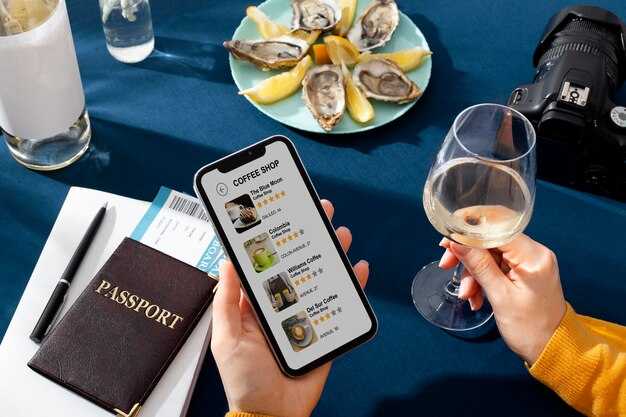
Turn off data roaming by default and download essential maps, playlists, and documents before you sail. Ship Wi‑Fi runs on a limited network and charges per megabyte, so you’ll likely save money by keeping light browsing and posting to a minimum; thanks to offline content, you can stay enjoying beaches and activities without constantly checking your bill. When you check your device, the indicator shows you’re on the ship’s network, and your offline downloads remain accessible.
Enable Data Saver mode on your device, restrict background data per app, and set updates to Wi‑Fi only. Disable auto‑updates and backups over cellular; set a daily cap of 25-50 MB for general use and reserve 100-200 MB only if you’ve purchased a plan, applying a limit for each app. Some ships offer complimentary messaging within the network; enable that as a lightweight alternative for posting and staying in touch with a favorite person.
Since you’ll often lack reliable signal between ports, pre-download your favorite podcasts, ebooks, and playlists, and save offline maps for the routes you’ll sail. In this article, you’ll find concrete steps to enable offline content and reduce data use. Use offline mode in navigation and streaming apps, so you can look up restaurant hours or movies without data. For those looking to stay connected with minimal cost, this approach is worth trying.
Review your installed apps, keeping only your favorite ones and removing the rest. Simply switch to a guest profile if you’re sharing the device, with tighter limits to avoid unexpected charges; turn off nonessential push notifications, and schedule checks so you’re not constantly monitoring usage. When you reconnect at the dock, your data can sync seamlessly, and rewards from your loyalty program could help with discounted or complimentary access during promotions.
Troubleshooting and security on cruise networks: common issues and protective practices
Disable auto-connect to open cruise wifi networks and enable roaming only on trusted networks, doing this beforehand.
On todays cruise networks, you’ll encounter issues across areas like staterooms, lounges, and edge decks. For example, a captive portal may fail to load, pages stall, or speeds drop when a large number of guests connect near water or in port areas.
- Spotty coverage in staterooms and in areas near the edge of the ship over waters, causing pages to load slowly or calls to drop.
- Captive portals fail to load after docking at port or while moving between zones.
- Koʻp foydalanuvchiga ega katta tarmoqlarda eng yuqori soatlarda sekin tezliklar.
- Tarmoqqa qayta ulanishni talab qiladigan qo'ng'iroqlar yoki video oqimlar vaqtida ulanishning uzilishi.
- Agar kemadan tashqarisida, Wi-Fi ishlamayotganida uyali aloqa roumingi yoqilsa, to‘lovlar yuqori bo‘lishi mumkin; safardan oldin tarif rejangizni tekshiring va kerak bo‘lmaganda roumingni o‘chirib qo‘ying.
- Bugungi sayohat davomida mashhur mehmon ulanib, translyatsiya qilishi mumkin, bu trafikning keskin oshishiga olib kelishi mumkin; shunga mos ravishda rejalashtiring va eng yuqori vaqtda og'ir foydalanishdan saqlaning.
Himoya amaliyotlari
- VPN kontentni himoya qilish uchun foydalaning; VPN kemalar tarmog'ida shifrlash imkonini beradi va ommaviy Wi-Fi tarmog'ida sezgir ma'lumotlarni xavfsizroq saqlaydi.
- Shaxsiy ko'rish rejimini yoqing yoki umumiy qurilmalarda parolni avtomatik to'ldirishni o'chiring; parol menejerini o'rnating va muhim hisoblar uchun MFA-dan foydalaning.
- Ochiq tarmoqlarga avtomatik ulanishni o'chiring va kemaning rasmiy kirish portaliga tayaning; shubhali so'rovlarni ko'rsatadigan qurilmalarni tokdan uzing va imkon qadar sozlamalarni shaxsiyga o'tkazing.
- Fonda ma'lumotlar va sinxronizatsiyani cheklang; kruiz paytida katta yangilanishlardan saqlaning; bugungi sayohat uchun zaruriy kontentni oldindan yuklab oling.
- Ishonchsiz tarmoqlarda xabar yozishda ehtiyot bo'ling; uchma-uch shifrlangan ilovalarni afzal ko'ring va oddiy xabarlarda shaxsiy ma'lumotlarni yuborishdan saqlaning.
- Operator ilovasidagi to‘lovlar va ma’lumotlardan foydalanishni kuzatib boring; agar mavjud bo‘lsa, ma’lumotlar bo‘yicha ogohlantirish o‘rnating va port uchun maxsus tarif rejasini tanlang.
- Qurilmalarni eng soʻnggi xavfsizlik tuzatmalari bilan yangilab turing; kajut sozlamalarini ko'rib chiqing va kemaning tarmog'i xavfsizligicha qolishini ta'minlang.
- Atrofingizdagi muhitdan xabardor bo'ling va kemaning chetida turishdan ko'ra, imkon qadar kuchliroq signallar bo'lgan joylarda qoling.
- Bugungi kruizlarda kontentingizni himoya qilish uchun shubhali soʻrovlarni koʻrsatuvchi qurilmalarni doimiy ravishda elektrdan uzib qoʻying va ishonchli tarmoqlarga tayaning.
Rahmat; shubhasiz, tayyorgarligingiz kontentni himoya qilishga va bugungi kruiz sarguzashtlaringizda sayohatingizga yordam beradi. Agar sizga qo'shimcha ma'lumot kerak bo'lsa, himoya amaliyotlarini sizning ehtiyojlaringizga moslashtirish uchun misol stsenariylarini o'rganish mumkin.