


 Nederlands
  English (UK)
  Русский
  বাংলা
বাংলা  العربية
  日本語
日本語  한국어
한국어  Magyar
  Norsk nynorsk
  Türkçe
  עִבְרִית
  Español
  Čeština
  Svenska
  Português
  Ελληνικά
  Suomi
Suomi  Română
  Italiano
  Français
  Polski
  Українська
  Deutsch
  简体中文
简体中文  Slovenčina
  Српски језик
  اردو
اردو  Azərbaycan dili
  O‘zbekcha
  አማርኛ
አማርኛ 

Koop een wifi-pakket voor cruises voordat je aan boord gaat, om voorspelbare kosten vast te leggen en naadloos verbinding te maken aan boord. Kies uit deze pakketten die passen bij je behoeften, of het nu om sms'jes of streaming gaat, en gebruik ze als je basis voor de reis.
Zodra je verbinding maakt met het netwerk van het schip, blijft roaming standaard uitgeschakeld; gebruik wifi voor de meeste communicatie en schakel alleen over op mobiele data wanneer je in de haven bent en op een vertrouwde carrier netwerk. Om contact te houden met vrienden and fellow travelers, sms via wifi en bewaar telefoongesprekken voor momenten waarop je een goede poortdekking hebt. Als je buiten het schip moet roamen, vergelijk dan dagpassen van je carrier en lokale simkaarten op de luchthaven; de prijzen variëren, maar het kan zijn dat u $5–$15 per dag of meer, afhankelijk van het land.
Er gaat niets boven offline plannen: download kaarten, dienstregelingen van havens en je favoriete afspeellijsten voordat je gaat varen. Er gaat niets boven het gebruik van offline bronnen om je dataverbruik te verminderen; schakel databesparende modi in en beperk het automatisch afspelen in je streaming apps. Deze acties helpen om verbonden te blijven zonder je databundel te verspillen, terwijl je vrienden en familie waarderen snelle reacties.
De kwaliteit van het signaal op schepen varieert: pakketten uit het middensegment leveren doorgaans 1-3 Mbps per gebruiker tijdens piekuren, terwijl premium bundels 4-6 Mbps kunnen halen op rustigere momenten. Als je streamt, stel apps dan in op 360p op telefoons en 480p op tablets; bewaar een hogere quality voor wifi thuis of op dagen in de haven. De artikel Deelnemers merken op dat deze snelheden variëren per schip en reisroute, dus controleer de meest recente schip-specifieke cijfers in de onboard-app. Dit quality Schommeling is normaal op maritieme netwerken.
Om verbonden te blijven met je groep, vertrouw op teksten en chat-apps via wifi. Tekstberichten worden meestal snel bezorgd en verbruiken veel minder data dan bellen of streamen. Reizigers een gecoördineerd plan wordt gewaardeerd: deel de hotspot van één apparaat met de groep, indien toegestaan door het schip, om meerdere streams te vermijden. Alleen Verbinding maken wanneer nodig om batterijverbruik en dataverbruik te verminderen.
Hier is een praktisch plan dat je zou kunnen volgen: 1) kies een packages aanpak; 2) offline bronnen downloaden; 3) roaming uitgeschakeld houden tot de haven; 4) Wi‑Fi-bellen inschakelen waar beschikbaar; 5) data monitoren in de app van het schip. Dit plan helpt je verbonden te blijven zonder verrassingen en vermindert dataverspilling. Je kunt het hier aanpassen.
Bekende reisjournalisten en beroemdheden simpele trucjes: download je reisschema, beperk berichten tot de essentie teksten, en plan gesprekken in voor havendagen. Hun ervaring leert dat vooruit plannen tijd en geld bespaart en de navigatie aan dek vergemakkelijkt.
Je mobiele telefoon gebruiken op een cruise: wifi, roaming, data besparen; Cellular at Sea uitgelegd
Schakel dataroaming nu uit. en vertrouw op de Wi-Fi van het schip of esims om kosten te beheersen. Zo voorkom je dat roamingkosten je verrassen tijdens de huidige havenbezoeken, of je nu alleen reist of met iemand in je hut. Zorg ervoor dat je weet wat er gedekt is, zodat je alles kunt beheren.
Bekijk het aanbod van vandaag; veel cruisemaatschappijen bieden complimentary toegang in hutten en openbare ruimtes, hoewel de dekking varieert per schip en route. Houd rekening met een zwakker signaal in de openbare ruimtes en gebruik offline data waar mogelijk om verbonden te blijven zonder je bundel te belasten.
Om data te besparen:, investeren in praktische gewoonten: beperk achtergrond checking, apps instellen op handmatig ophalen, en downloaden media en images wanneer verbonden met wifi om het verbruik laag te houden. Als je een apparaat deelt, kun je de behoeften van iedereen aan hun account koppelen, zodat je extra kosten vermijdt en e-mails georganiseerd en toegankelijk wanneer je ze nodig hebt.
Cellular at Sea uitgelegd: roamingopties zijn afhankelijk van je provider en het schip, hoewel esims een soepelere overgang tussen netwerken kunnen bieden. Check of e-sims worden ondersteund en redeem een pass indien beschikbaar; opties evalueren before you sail helpt je te blijven their nodig is. than dat verwacht je.
In de haven kunt u overschakelen naar lokale netwerken; aan de rand van het dekkingsgebied kunt uw verbinding kan vallen, dus hou het belangrijk e-mails en pass codes gereed en overweeg het gebruik van een lokale SIM voor intensiever gebruik. Deze aanpak houdt je covered en helpt je om zeker je betaalt niet te veel tijdens je verkenning van de haven.
Om uw gegevens te beschermen, gebruikt u een beveiligde verbinding en schakel basis protection maatregelen. Als je beloningen wilt, kies dan regels die beloningen programma's en verstrekken complimentary access when possible, so you can enjoy enjoying the voyage without sacrificing essential access to e-mails of images you need for day‑to‑day needs.
Using Your Cell Phone on a Cruise: Wi-Fi, Roaming, and Data Management–What Cellular at Sea is and how it works
Set airplane mode on, then connect only to the ship’s wireless network when you need online access. This keeps data use low and prevents roaming charges while you sail, enabling texting through ship Wi-Fi.
What Cellular at Sea means: you won’t see the familiar land towers; the ship provides a private wireless network backed by satellite connectivity to access the internet. Guests connect to the onboard guest network and purchase a data plan or pay per minute. Calls may use Wi‑Fi calling or ship‑based voice services. This case keeps costs predictable while you’re on board.
Data management on board: speeds are shared among devices, and a robust onboard network supports those who need quick messages, checking emails, posting updates, or sharing photos. Typical throughput ranges from 1–5 Mbps per user at off‑peak times, with speeds dropping during busy hours. Download essential files before departure, check emails offline, and limit streaming. Use data saver modes and disable auto‑sync to reduce background traffic. For those who must post photos, use ship’s network to upload later when you have a stable connection, and coordinate with friends online to avoid extra data usage.
Roaming near port: Roaming outside the ship’s network can trigger charges, especially near beaches when you dock. Turn off roaming while at sea and use the ship’s wireless access for internet; if you need a quick check, send a message rather than place a call. You will keep a good link while you travel the world and avoid a big bill.
Booking and planning tips: Compare options before you cruise; check if a plan includes texting; identify whether the option fits your pattern of use. If you only need occasional access, a daily pass saves money; for heavy use, a robust unlimited package can be worth it. Techbuzz notes that celebritys share tips you can mirror on your trip.
| Plan type | Typical cost | Pros | Cons |
|---|---|---|---|
| Daily onboard pass | $9–$15 | Predictable, easy to manage | Data caps, slower speeds at peak times |
| Metered data (per MB) | varies by ship | Pay only for what you use | Costs can add up with background apps |
| Unlimited social/video | higher tier | Best for heavy users | May be wasted if you mainly text or check email |
What Cellular at Sea is and how ship networks differ from onshore networks
Plan ahead: purchasing a dedicated data package for the voyage and downloading photos, maps, tickets, and other content before you sail keeps your devices ready. If you have purchased a plan, you can stay within your budget and avoid big charges while at sea. This approach reduces worrying about unexpected bills and helps you stay connected for moments in ports.
Cellular at sea relies on satellite networks routed through the ship’s onboard router. This experience differs from onshore networks that connect to local cell towers, as ship connections share limited satellite bandwidth among many passengers, which yields higher latency and slower peak speeds. Streaming is often throttled, while emails and messaging stay responsive if you limit file sizes and use low‑resolution media.
Within the ship, a private Wi‑Fi network distributes the connection. In ports, you may pick up shore cellular signals briefly, but only if the operator allows roaming or you have a local plan. The transition in port may be smoother if your phone automatically selects the port’s network; check roaming settings and whether you should stay on the ship or switch to local coverage.
Strategies to stay connected without wasting data include planning with a data budget, turning off roaming by default, and using messaging apps with offline modes. Here are practical tips to apply during your cruise: On the ship, use the ship’s messaging services for quick updates, and practice sharing photos and pictures from ports when you have a stable link. For traveling between ports, consider purchasing local eSIM options if your device supports it, or use offline maps and saved routes to guide your planning. Keep devices updated and back up critical files before a day at sea so you can post later from a stable connection.
How to connect to ship Wi-Fi: access methods, login steps, and reliability tips
Connect to the ship’s Wi-Fi by selecting the network name shown in your cabin information or on the ship’s map, then open any browser to trigger the login portal. The landing page will guide you through access methods and available packages, so you can choose what fits your plans and start enjoying online activities right away.
Access methods vary: a captive portal launched in your browser, an onboard app that prompts for login, or SMS verification for guest access. Some networks let you sign in with your loyalty ID, cabin number, or a guest pass; others require you to buy a data package before you can browse. If you’re near a café or lounge, the signal may be stronger, so move there to surf more reliably.
Login steps: on connecting, load the portal, choose Guest or Loyalty, and enter the requested details (cabin and last name, or loyalty number). Pick a data package, confirm terms, and tap Start Online. You’ll likely land on a confirmation page; if you see a payment screen, complete the checkout or redeem loyalty rewards. When you’re done, log out to keep the network available for others.
Reliability tips: position yourself midship on a higher deck where signals tend to be steadier; avoid cabins with thick walls if possible. If your device supports it, switch to the best compatible band and limit the number of devices online at once. Disable a VPN during login, and turn off background apps that auto-update; streaming movies or other large files can slow the network for everyone. If a page fails to load, check onboard signals, then retry or switch to the ship’s app for access.
Data-saving and usage: plan with flexible packages and check coverage in port areas; if you’re traveling with others, consider loyalty or sharing options so one pass can serve multiple ones. Download videos or show episodes before going online, or in café areas with a stronger signal, so you can enjoy content offline. When you’re online, limit auto-play, pause cloud backups, and log out when not using to reduce data consumption. If you need help, visit the onboard support desk or ask staff near the café to guide you to the quickest login path and best access method.
Roaming on a cruise: charges, when to enable roaming, and how to minimize costs

Turn off roaming by default and rely on ship Wi‑Fi or a VOIP app over Wi‑Fi to control costs.
On most cruises, charges come from satellite connections: voice calls cost about $1–$5 per minute, texts about $0.50–$2 each, and data can run $4–$20 per MB unless purchasing a package. Ship Wi‑Fi programs offer daily, multi-day, or weekly options; calculate cost per day against your expected usage. Costs vary depending on route and package. If you enjoy staying online and sharing photos around the world, a cost-effective plan can still fit your budget by purchasing data as needed; you can also save favorite images and files for offline access. This protects your money by avoiding big roaming fees.
Enable roaming only in port when you can purchase a local SIM or access affordable Wi‑Fi; at sea keep it off. Depending on your itinerary and carrier, a cruise roaming option may exist, but rates at sea remain high. Users in your party arent aware of the exact rates, so verify before enabling roaming.
To minimize costs, rely on the ship’s data package for online needs and use offline features for photos and files. Simply set your mobile mode to airplane mode with Wi‑Fi on, so you can browse and message over the ship’s network. Download maps, images, and favorite content while on Wi‑Fi, and back up photos to the cloud only when you are online with a secure connection. Turn off auto-sync and background updates to protect data and provide added protection for online accounts. Look for the cruise line’s data program; available services and purchasing windows vary by ship and itinerary.
If you travel with a guest or as a contributor to a shared budget, align usage: set a data cap, turn off background refresh, and use a single device as a hotspot to provide connectivity for photos, images, and files that need uploading later. Guests and contributors can also avoid heavy streaming to keep costs predictable, and they can browse the world with ease.
Data-saving playbook: limits, settings, offline content, and app management
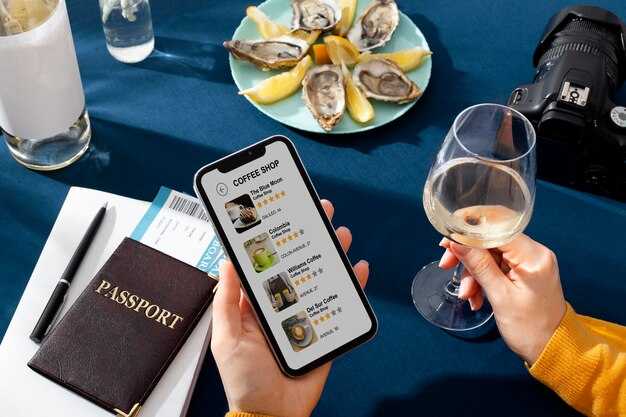
Turn off data roaming by default and download essential maps, playlists, and documents before you sail. Ship Wi‑Fi runs on a limited network and charges per megabyte, so you’ll likely save money by keeping light browsing and posting to a minimum; thanks to offline content, you can stay enjoying beaches and activities without constantly checking your bill. When you check your device, the indicator shows you’re on the ship’s network, and your offline downloads remain accessible.
Enable Data Saver mode on your device, restrict background data per app, and set updates to Wi‑Fi only. Disable auto‑updates and backups over cellular; set a daily cap of 25-50 MB for general use and reserve 100-200 MB only if you’ve purchased a plan, applying a limit for each app. Some ships offer complimentary messaging within the network; enable that as a lightweight alternative for posting and staying in touch with a favorite person.
Since you’ll often lack reliable signal between ports, pre-download your favorite podcasts, ebooks, and playlists, and save offline maps for the routes you’ll sail. In this article, you’ll find concrete steps to enable offline content and reduce data use. Use offline mode in navigation and streaming apps, so you can look up restaurant hours or movies without data. For those looking to stay connected with minimal cost, this approach is worth trying.
Review your installed apps, keeping only your favorite ones and removing the rest. Simply switch to a guest profile if you’re sharing the device, with tighter limits to avoid unexpected charges; turn off nonessential push notifications, and schedule checks so you’re not constantly monitoring usage. When you reconnect at the dock, your data can sync seamlessly, and rewards from your loyalty program could help with discounted or complimentary access during promotions.
Troubleshooting and security on cruise networks: common issues and protective practices
Disable auto-connect to open cruise wifi networks and enable roaming only on trusted networks, doing this beforehand.
On todays cruise networks, you’ll encounter issues across areas like staterooms, lounges, and edge decks. For example, a captive portal may fail to load, pages stall, or speeds drop when a large number of guests connect near water or in port areas.
- Spotty coverage in staterooms and in areas near the edge of the ship over waters, causing pages to load slowly or calls to drop.
- Captive portals fail to load after docking at port or while moving between zones.
- Slow speeds during peak hours on large networks with many users.
- Disconnections during calls or video streams that require re-connecting to the network.
- Hoge kosten als u carrier roaming inschakelt buiten de scheeps-wifi; controleer uw abonnement voor de reis en schakel roaming uit wanneer niet nodig.
- Tijdens de trip van vandaag kan een bekende gast verbinding maken en streamen, wat tot piekbelasting kan leiden; plan hierop en vermijd zwaar gebruik tijdens piekuren.
Beschermende maatregelen
- Gebruik een VPN om inhoud te beschermen; VPN staat encryptie toe op scheepsnetwerken en houdt gevoelige informatie veiliger op openbare wifi.
- Schakel privé browsen in of schakel het automatisch invullen van wachtwoorden uit op gedeelde apparaten; stel een wachtwoordbeheerder in en gebruik MFA voor belangrijke accounts.
- Schakel automatisch verbinden met open netwerken uit en vertrouw op de officiële inlogportal van het schip; ontkoppel apparaten die verdachte meldingen tonen en pas de instelling indien mogelijk aan naar privé.
- Beperk achtergrondgegevens en synchronisatie; vermijd zware updates tijdens de cruise; download voor de reis van vandaag essentiële content vooraf.
- Wees voorzichtig met sms'en op onbetrouwbare netwerken; geef de voorkeur aan end-to-end versleutelde apps en vermijd het verzenden van gevoelige informatie in gewone berichten.
- Controleer je kosten en dataverbruik in de app van je provider; stel een datawaarschuwing in en kies indien mogelijk een poortspecifiek abonnement.
- Houd apparaten up-to-date met de nieuwste beveiligingspatches; controleer de hutinstellingen en zorg ervoor dat het netwerk van het schip veilig blijft.
- Wees je bewust van je omgeving en blijf waar mogelijk in gebieden met een sterker signaal, in plaats van aan de rand van het schip te blijven hangen.
- Haal altijd de stekker uit apparaten die verdachte meldingen weergeven en vertrouw op betrouwbare netwerken om uw inhoud te beschermen tijdens het cruisen van vandaag.
Bedankt; ongetwijfeld helpt uw voorbereiding om inhoud te beschermen en uw reis tijdens de cruise-avonturen van vandaag. Als u meer details nodig heeft, kunnen voorbeeldscenario's worden bekeken om beschermende maatregelen aan uw behoeften aan te passen.