


 עִבְרִית
  English (UK)
  Русский
  বাংলা
বাংলা  العربية
  日本語
日本語  한국어
한국어  Magyar
  Norsk nynorsk
  Türkçe
  Español
  Čeština
  Svenska
  Português
  Ελληνικά
  Suomi
Suomi  Nederlands
  Română
  Italiano
  Français
  Polski
  Українська
  Deutsch
  简体中文
简体中文  Slovenčina
  Српски језик
  اردو
اردو  Azərbaycan dili
  O‘zbekcha
  አማርኛ
አማርኛ 
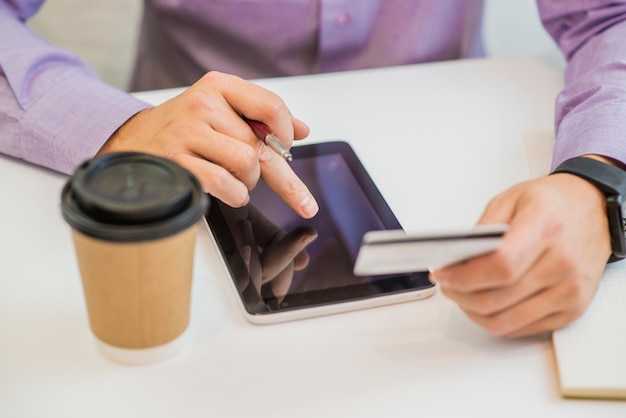
Use Apple Pay for fast, secure transactions with your iphone, and avoid exposing card numbers. With a single tap on your mobile device, you authorize payments and complete the transaction without sharing the card data.
Merchants across the globe accept Apple Pay, and most banks support tokenization tied to your card. In australia, you’ll find thousands of מיקומים where you can pay in-store with a tap, online, or within apps.
To get started, open the Wallet app on your אייפון, add a card, and follow the prompts. The setup דרישות that your issuer supports Apple Pay and that you agree to the issuer’s policy and conditions; you can add cards for multiple applicants if allowed. The process is quick and works here across many מיקומים.
Apple Pay uses tokenization so merchants never see your real card number; a one-time עִסְקָה code is created for each payment, protecting you on the internet and at point of sale.
Check your card issuer’s policy for international usage and any per-transaction limits, as some cards require extra verification for online purchases. In most cases you can pay with Apple Pay in person, online, or within apps, and you’ll notice a green indicator when the payment is authorized.
For merchants and developers, enable Apple Pay by following the official guidelines and obtaining the required certification; if you are an applicants business, verify acceptance policies and set up a merchant account to begin accepting Apple Pay at checkout.
Apple Pay in Europe: Setup, Use, and Security
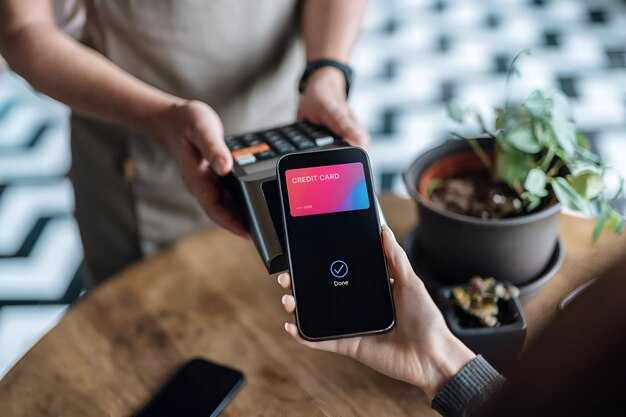
Set up Apple Pay in Wallet today by adding at least one card issued by a European bank that supports Apple Pay; you can use it anywhere contactless readers appear, across stores, apps, and websites within unions and territories that support the service.
In Europe, the setup happens in Wallet, the app called Wallet on iPhone. Open Wallet, tap the + button, and follow prompts to add a card; it links with your card provider and will verify the card through the issuer’s app or SMS verification, according to your bank’s requirements. When asked to verify, you can set a default card and arrange the order of cards in Wallet to match your routine.
Use is simple at checkout: look for the contactless symbol, authenticate with Face ID or Touch ID, and complete the payment; whether you pay in-store, in-app, or online, the actual card number is not transferred to the merchant because a token is sent instead. The token is stored securely on your device, and encrypted in transit with the providers.
Security relies on tokenization, biometric prompts, and device protection. Each transaction requires your authentication; if the device is lost, use Find My to suspend Apple Pay. Merchants never receive your real card number; only a dynamic token is shared with them.
Across territories in the European Union, major providers support Apple Pay with networks such as visa and Mastercard; if your issuer participates, you can add balances from accounts and linked cards. Data remains protected because tokenization prevents exposure of account numbers, and the system remains connected to your issuer’s controls.
Loans or installment options depend on the card issuer; Apple Pay itself does not create a loan. If your provider offers installment plans, these are managed by the issuer or lender, not by Apple Pay, and the payment flow stays secure.
Advice from your bank helps you stay safe: keep iOS updated, use a strong passcode, enable two-factor authentication on the Apple ID, and review recent transactions in Wallet. If you notice any suspicious activity, contact your provider without delay.
Which devices support Apple Pay in Europe?
Use iPhone and Apple Watch for apple Pay in Europe, plus iPad and Mac for online or in-app purchases.
In stores, payments happen via NFC: tap your iPhone or Apple Watch series at the reader, then enter your passcode or use facial recognition on supported devices to confirm.
Online and in-app purchases work in Safari on iPhone, iPad, and Mac. On iPhone or iPad, select Apple Pay at checkout and confirm with Face ID or Touch ID; on Mac, confirm with Touch ID on supported models or complete the approval on a linked iPhone. To start, enter your card into Wallet to bind it to Apple Pay and then verify with your issuer license; this makes future purchases direct and faster, with less risk of card skimming.
Supported devices include: iPhone 6 and later, Apple Watch series 1 and newer, iPad models with Touch ID or Face ID, and Mac models with Touch ID.
In Europe, expansion of Apple Pay accessibility depends on issuer licenses and merchant adoption. Some banks, including goldman analysts note, rolled out support earlier while others joined later. If your card isn’t listed, check with your bank or card issuer to avoid delays and consider alternatives to prevent gaps in use across places you shop.
Tips to maximize use: keep your devices updated, add more cards to Wallet, and verify that your issuer is listed for Europe. Mobile payments simplify purchases by reducing the need to carry physical cards, and they help you enter a smoother activity at checkout while preserving privacy. Their smooth performance in well‑supported places can make traditional cards feel less convenient, and the overall experience stays secure through built‑in authentication and license checks.
How to add a card to Apple Pay and verify it
Open Wallet on your iPhone and tap Add Card to begin. Use the built-in camera to load your card details, or choose Enter Card Details Manually if the camera cant read the numbers. Enter the expiration date and the security code, then tap Next. For macs, you can also load the card via System Settings > Wallet & Apple Pay; the card will be ready for use on both iPhone and Mac when you’re done. Each step is straightforward and built to keep your information secure.
Apple Pay verifies the card through the issuer. The issuer may send a one-time code by SMS, email, or through the issuer’s banking app. In some cases a small test charge appears; view the amount and enter the code or click Verify to confirm. If you cant complete verification on the first try, wait a bit for processing and try again; delayed checks can happen with some banks.
When verification finishes, the card shows as Done in Wallet. You can use it for in-store payments, online purchases, and apps; you can split payments with others when the merchant supports it. dont share card details; use without exposing your number. If you need to manage the card later, long-press the card in Wallet to view options and click Continue to make changes.
For toronto-area users, support from major issuer companies is strong, and dozens of banks participate. arab markets also issue cards that work with Apple Pay; check your local issuer’s app for confirmation. Apple Pay includes cardfree promos in some regions, and the flow includes multiple card networks. The setup includes dozens of options and supports updated devices so you can pay with confidence.
Once your card is added, you can view it in Wallet and use it along with other cards across devices. If you loaded several cards, you can reorder them under Wallet & Apple Pay settings. dont forget to keep your device updated to the latest iOS and macOS version to ensure the built-in security features stay current; this helps ensure the verification remains smooth across accounts and issuers.
Which banks and card networks are supported across Europe?
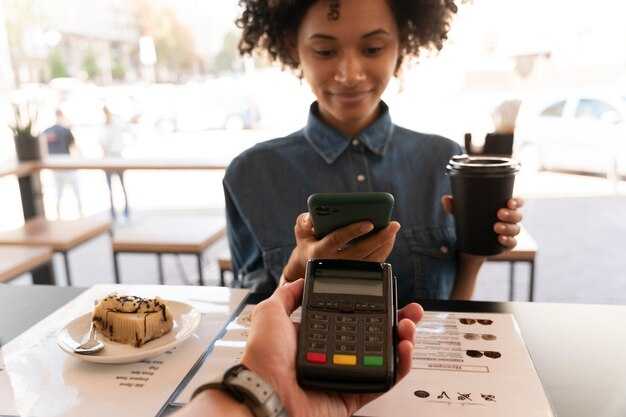
Use a Visa or Mastercard card issued by a major European bank to ensure the widest coverage across Europe. Whatever country you reside in, Apple Pay supports these networks in virtually every market. The rolling rollout continues across territories, abroad and within the eurozone, bringing more issuers into the fold each quarter. Millions of cards from issuers across Europe are already compatible, making everyday tapping fast and reliable.
Card networks
- Visa – the most widely accepted network across stores and online payments
- Mastercard – broad coverage for in-store and online purchases
- American Express – supported by many issuers in Europe, but availability varies by bank
Banks and issuers (examples by region)
- United Kingdom: Barclays, HSBC, Lloyds, NatWest
- Germany: Deutsche Bank, Commerzbank, Sparkassen & Volksbanken groups
- France: BNP Paribas, Crédit Agricole, Société Générale
- ספרד: בנקו סנטנדר, BBVA
- איטליה: UniCredit, Intesa Sanpaolo
- :הולנד: ING, Rabobank
- אזור נורדי: SEB, Handelsbanken, Danske Bank
איך לוודא תמיכה (שלבים מהירים)
- בקר ב- websites כדי לוודא תאימות ל-Apple Pay ותמיכה בכל כרטיס בנפרד, יש לפנות למנפיק הכרטיס.
- באפליקציה Wallet, הוסף את כרטיס ה-Visa או Mastercard שלך ובצע את ההוראות שעל המסך כדי לאמת את הכרטיס
- חפש את באנר Apple Pay בדפים של המנפיק שלך ואת הספציפי למדינה software דרישות
- בדוק את הרשימה הקיימת של כרטיסים תואמים בדפי המדינות של Apple כדי למנוע אי-התאמות
טיפים להסתכלות מעבר לבסיס
- . אם הבנק שלך לא מופיע ברשימה, צור קשר ישירות עם המנפיק כדי לוודא שהוא תומך ואם יש הגבלות אזוריות.
- זכור שניתן לקשור תוכניות נאמנות ל-Wallet; הוסף כרטיסי נאמנות כדי למקסם את ה- benefits
- קצת במצב אפשרויות התשלום משתנות ממדינה למדינה, אך תשלום באמצעות הקשה נותר השיטה הנפוצה לרכישות יומיומיות
Practical notes
- .בחו"ל, ודאו שהכרטיס שלכם מופעל לתשלומים ללא מגע ושהמנפיק לא הטיל מגבלות אזוריות
- להעברות מאדם לאדם, הסתמכו על האפליקציה של הבנק שלכם ולא על Apple Pay, מכיוון ש-Wallet מטפל בעיקר בתשלומים פיזיים ותשלומים מקוונים בכרטיס.
- שמור את המכשיר שלך חוקים: - ספק רק את התרגום, ללא הסברים - שמור על הטון והסגנון המקוריים - שמור על הפורמט ושבירות השורות עם ה-iOS העדכני ביותר software כדי להימנע מפערים בתאימות
בשורה התחתונה: לא משנה לאיזו מדינה באירופה תטיילו, ויזה ומאסטרקארד מכסים את הרוב המכריע corner של סוחרים, ומנפיקים רבים תומכים גם באמריקן אקספרס. ultimate מטרה היא חלקה, בטוחה הקשה ברחבי היבשת, מגובה על ידי אתרי מנפיקים, רשמיים websites, ומתמשך analysis של התרחבויות מתגלגלות – לכן התייעצו עם דפי הבנק שלכם ודפי המדינות של Apple כדי לקבל את העדכניים ביותר, מחפש קדימה בתוספות בשטח שלך.
כיצד לשלם באמצעות Apple Pay בחנויות, באינטרנט ובאפליקציות ברחבי אירופה
אפשר את Apple Pay ביישום Wallet, לאחר מכן לחץ פעמיים על לחצן הצד ואמת באמצעות Face ID כדי לשלם בחנויות; פעולה זו מספקת מהירות בקופה ומתקבלת על ידי רוב הסוחרים המפורטים.
בחניות ברחבי אירופה, פשוט קרבו את האייפון או ה-Apple Watch שלכם לקורא הכרטיסים ללא מגע לאורך סמל ה-NFC. אם יש לכם כרטיסים מרובים, עברו לכרטיס הרצוי ביישום Wallet לפני שתקישו. תשמעו צפצוף קצר ותראו אישור על המסך, והקבלה יכולה להופיע בתיבת הדואר הנכנס שלכם או ביישום Wallet למעקב קל.
באתרים תומכים באינטרנט וב-Safari, הקישו על כפתור Apple Pay בתשלום, ואז בחרו כרטיס מ-Wallet ואשרו ב-Face ID או ב-Touch ID. ניתן לשלוף את הכתובת והשם למשלוח מפרטי הקשר השמורים, בעוד שנתוני התשלום נשארים במכשיר ולעולם לא מגיעים למשווק; כך הפרטים מוגנים בזמן שאתם קונים במהירות.
באפליקציות, חפשו את כפתור Apple Pay בקופה. הקישו עליו, אִמתו עם Face ID או Touch ID, והשלימו את הרכישה בשניות. מלבד האינטגרציה הנהדרת עם iTunes, התהליך הזה עובד בצורה חלקה עם אפליקציות ברחבי אירופה ומאשר את ההזמנה ברגעים.
ברחבי אירופה, Apple Pay תומך בכרטיסים גדולים שהונפקו על ידי בנקים מקומיים ובינלאומיים, כולל amex, ויזה ומאסטרקארד, כאשר אפשרויות טרום-תשלום רבות ניתנות לשימוש גם כן. בנקים עשויים לרשום מגבלות אזוריות או בדיקות 3DS; חלק מהסוחרים מציגים הנחיות מפוצלות בקופה, אך Apple Pay בדרך כלל מעבד כרטיס בודד לכל עסקה. העמלות נשארות ברורות ברמת הסוחר, והכתובת והשם השמורים עוזרים לך להימנע מהקלדה חוזרת במהלך כל רכישה, מה שמפשט את התהליך בשווקים עמוסים ברחבי היבשת.
האבטחה מובנית בתהליך: Apple Pay משתמשת בטוקנים ספציפיים למכשיר, כך שמספר הכרטיס האמיתי שלך לא משותף עם הסוחרים. ניתן להגן על הגישה באמצעות קוד גישה למכשיר, Face ID או Touch ID; אם המכשיר שלך אבד או נגנב, השתמש/י ביישום Find My כדי לנעול או להסיר אמצעי תשלום מתיבת הדואר הנכנס שלך באופן מיידי. אם סוחר לא מציג את Apple Pay, עדיין ניתן לשלם באמצעות הקשה מהירה של כרטיס ללא מגע או לעבור לשיטה נתמכת באותו מקום תשלום, כדי להבטיח שהרכישה תוזמן ותאושר.
אילו אמצעי הגנה מובנים לאבטחה ולפרטיות קיימים ב-Apple Pay?
הפעל ביומטריה (Face ID או Touch ID) או קוד גישה חזק והשתמש ב-Apple Pay לכל הרכישות כדי להפחית את החשיפה לנתוני כרטיס. ודא שהמכשיר שלך מעודכן כדי לקבל את ההגנות העדכניות ביותר מפני איומים.
Apple Pay מגנה על פרטי הכרטיס שלך באמצעות טכנולוגיית החלפה לסמלים (Tokenization). מספר חשבון מכשיר (Device Account Number - DAN) מאוחסן בצורה מאובטחת ברכיב המאובטח של המכשיר, והוא משמש ליצירת קריפטוגרמה חד-פעמית עבור כל עסקה. בתי עסק לעולם לא יראו את מספר הכרטיס האמיתי שלך, ורשת התשלומים מאמתת את הקריפטוגרמה מבלי לחשוף את הנתונים שלך.
פרטיות נשארת פרטית מעצם תכנון המוצר. Apple אינה משתפת את מספרי הכרטיס האמיתיים שלך עם גורמי צד שלישי, ונתונים המשמשים לאיתור הונאות או לשיפור השירות נשארים נפרדים ממזהים אישיים שלך. צפייה ברכישות מתבצעת דרך ערוצים פרטיים כמו הארנק שלך או אפליקציות מהימנות שהונפקו, ואתה יכול לעיין בעסקאות במידה שהבנק שלך תומך בכך.
בתרחישי קניות, בין אם אתם משלמים בחנויות או באינטרנט, אתם משלמים באמצעות מגוון בנקים ומנפיקים. המערכת החלה לפעול בשנת 2014 וכעת היא תומכת במגוון רחב של מיקומים, שפות וסוגי כרטיסים. בארה"ב, מנפיקים כמו Synchrony ואחרים משתתפים, וחלק מהסוחרים משתמשים במעבדים כמו Stripe כדי לטפל בתשלומי Apple Pay. בפורטלנד או בכל מקום אחר, בדרך כלל תראו הנחיית אישור בודדת וסכום דולר ולא את פרטי הכרטיס בפועל.
| שכבת הגנה | What it does | מה שאתה צריך לעשות |
|---|---|---|
| חומרה מאובטחת וטוקניזציה | מאחסן DAN ברכיב המאובטח ומשתמש בקריפטוגרמה חד-פעמית עבור כל תשלום; מספרי כרטיסים אמיתיים אינם מועברים אל בית העסק. | השתמש/י ב-Apple Pay בכל מקום שזמין; הימנע/י משמירת פרטי כרטיס בארנקים של דפדפנים מחוץ ל-Wallet. |
| אימות ביומטרי או באמצעות קוד גישה | דורש אישור משתמש לאישור עסקאות; הכל מאומת על ידי רשת התשלומים והמנפיק. | הפעל/י Face ID/Touch ID והגדר/י קוד גישה חזק למכשיר; ניתן להתאים הרשאות באופן ידני בהגדרות. |
| מגבלות על פרטיות ושיתוף נתונים | הסוחר רואה נתוני אסימון מוגבלים ואת הסכום; אפל מצמצמת את החשיפה של נתוני כרטיס פרטיים. | עיין במדיניות שלך ובהערות המנפיק; השתמש בעדכונים חודשיים כדי להישאר מעודכן לגבי שינויים. |
| תגובה למכשיר אבוד או גנוב | ניתן להשעות או לבטל את Apple Pay באמצעות היישום Find My iPhone; הכרטיסים נשארים מוגנים ב-Secure Element. | סמן את המכשיר כאבוד, הסר כרטיסים מ-Wallet במידת הצורך, ובטל מיד גישה ממכשירים מהימנים. |
| בקרות פרטיות ושפות | תומך במספר שפות ומגוון רחב של מיקומים; טיפול הנתונים תואם למדיניות הליבה. | בדוק את שפות התצוגה והזמינות של אזורים באזור שלך; התאם הגדרות כדי להגביל שיתוף נתונים במידת האפשר. |
הערה: אם אתה מבחין בפעילות לא מוכרת, אמת את ספק שירותי התשלום של הסוחר (לדוגמה, Stripe או ספק אחר) ובדוק באפליקציה של המנפיק שלך אם יש התראות. הצג תמיד את פרטי העסקה בארנק שלך או בפורטל של המנפיק כדי לאשר את הסוחר המדויק ואת הסכום הכולל לפני כל ניסיון חוזר.