


 اردو
اردو  English (UK)
  Русский
  বাংলা
বাংলা  العربية
  日本語
日本語  한국어
한국어  Magyar
  Norsk nynorsk
  Türkçe
  עִבְרִית
  Español
  Čeština
  Svenska
  Português
  Ελληνικά
  Suomi
Suomi  Nederlands
  Română
  Italiano
  Français
  Polski
  Українська
  Deutsch
  简体中文
简体中文  Slovenčina
  Српски језик
  Azərbaycan dili
  O‘zbekcha
  አማርኛ
አማርኛ 

آئی فون 16 پرو کو اپنا سفری مرکز منتخب کریں اور بغیر کسی رکاوٹ کے سفر کے لیے اوور ائیر ایئر پوڈز میکس اور ایپل واچ الٹرا کے ساتھ جوڑیں۔. یہ سیٹ اپ نو اپ گریڈز پر مبنی ہے جو روزمرہ کے معمولات کو آسان بنانے، اعتبار بڑھانے اور سڑک پر منصوبہ بندی کا وقت کم کرنے کے لیے ڈیزائن کیے گئے ہیں۔.
اپ گریڈ 1 آئی فون 16 پرو روزانہ بیٹری لائف کو GPS کے زیادہ استعمال میں 20% تک بڑھاتا ہے اور وزن میں تقریباً 10 گرام کمی کرتا ہے، جس سے طویل سفری دن آسان ہو جاتے ہیں۔ لاکھوں مسافروں میں، اس ہلکے ڈیزائن سے تھکاوٹ کم ہوتی ہے اور ضروری ایپس لے اوورز کے دوران چلتی رہتی ہیں۔ تازہ دم جمالیات اور تکمیل پائیدار رہتی ہے۔ اسٹورز اور سڑک پر۔.
اپ گریڈ 2 بینڈوڈتھ اور کنیکٹیویٹی اس میں تیزی لاتے ہیں جو آپ حرکت میں کر سکتے ہیں: Wi-Fi 7 اور ایک مضبوط 5G موڈیم نقشوں، آف لائن ترجموں اور اسٹریمنگ کے لیے زیادہ بینڈوڈتھ فراہم کرتے ہیں۔ یہ خود بخود نیٹ ورکس کے درمیان سوئچ کرتا رہتا ہے تاکہ تیز ہوا والی راہداریوں میں بھی نیویگیشن ہموار رہے۔.
اپ گریڈ 3 آئی فون 16 پرو پر تشخیصات پس منظر میں بیٹری لائف، اسٹوریج کی صورتحال، اور سینسر کی صحت کے لیے چلتی ہیں۔ ہارڈویئر سے تیز رفتار انجن آن-ڈیوائس ایڈیٹنگ، تصویر کھینچنے اور اے آر پریویوز کو تیز کرتا ہے، اس لیے آپ کا مواد گیٹ پر تیزی سے تیار ہوجاتا ہے۔.
اپ گریڈ 4 ایئر پوڈز میکس ہوا کے شور کو دبانے میں بہتری لاتے ہیں، اس لیے پوڈکاسٹس اور کالز اس وقت بھی واضح رہتی ہیں جب آپ جیٹ انجن یا ایئرپورٹ کے دروازوں کے قریب کھڑے ہوں۔ اوور ایئر ڈیزائن طویل سیشنز کے لیے آرام دہ رہتا ہے، اور کراؤڈڈ ماحول میں بھی ساؤنڈ اسٹیج تسلی بخش حد تک مستحکم رہتا ہے۔.
اپ گریڈ 5 نئے ایڈاپٹیو spatial audio اور آٹومیٹکلی سوئچنگ کراس ڈیوائسز کے ساتھ AirPods آپ کے iPhone سے iPad اور Mac پر جانے کے دوران موسیقی، کالز اور ویڈیوز کو مطابقت پذیر رکھتے ہیں۔ بہتر بینڈوتھ مینجمنٹ مصروف نیٹ ورکس پر سفر کے دوران معیار کو برقرار رکھتا ہے۔.
اپ گریڈ 6 ایپل واچ الٹرا سفری دوست خصوصیات کو بڑھاتا ہے: ایک زیادہ درست ملٹی بینڈ GPS، آف لائن نقشے، اور SOS جو اس وقت کام کرتا ہے جب سیلولر سروس کمزور ہو۔ تشخیصاتی رپورٹ آپ کی اگلی پرواز پر روانہ ہونے سے پہلے سینسر کی صورتحال کی اطلاع دیتی ہے، اس لیے آپ کو معلوم ہوتا ہے کہ آپ کی بیٹری، دل کی دھڑکن اور کمپاس تیار ہیں۔.
اپ گریڈ 7 فائنڈ مائی اسٹورز اور ہوائی اڈوں پر اشیاء تلاش করার জন্য ایک وسیع نیٹ ورک استمال کرتا ہے، جو آپ کو لے اوور کے دوران سامان تلاش کرنے میں مدد کرتا ہے۔ یہ سسٹم تیز اپ ڈیٹس کے لیے ہارڈ ویئر ایکسلریٹڈ پروسیسنگ کے ساتھ، پرائیویسی کا خیال رکھتا ہے اور تیز ہے۔.
اپ گریڈ 8 جمالیات کو ایک نئی تازگی دی گئی ہے: ہلکے بینڈ، مضبوط فنش، اور طویل پروازوں کے لیے بہتر آرام، تاکہ آپ کا سامان اتنا ہی اچھا لگے جتنا یہ کارکردگی دکھاتا ہے۔ یہ انکشاف ہلکے مواد کی طرف تبدیلی کا اشارہ دیتا ہے جو پانی سے بچاؤ اور استحکام کو بڑھاتے ہیں جب آپ گنجان ٹرمینلز اور اسٹورز میں حرکت کرتے ہیں۔.
اپ گریڈ 9 سیکورٹی اور تشخیص میں نمایاں اضافہ: آن ڈیوائس پروسیسنگ کی وجہ سے ڈیوائس سے باہر بھیجے جانے والے ڈیٹا میں کمی واقع ہوتی ہے، جبکہ فائنڈ مائی (Find My) اور سسٹم ہیلتھ چیک (system health checks) سفر کے دوران ڈیوائس کی صورتحال سے باخبر رہنے میں مدد کرتے ہیں۔ لاکھوں سفر کرنے والے روزانہ مسافروں کے لیے آئی فون، ایئر پوڈز اور ایپل واچ پر تجربہ مربوط رہتا ہے۔.
آئی فون 16، ائیر پوڈز، اور ایپل واچ کے لیے 9 سفری فوکسڈ اپ گریڈز
سفر کے لیے موزوں بنڈل کے ساتھ آغاز کریں: آئی فون 16، ایئر پوڈز پرو، اور سیلولر والا ایپل واچ، پھر ان اپ گریڈز کو ایک ہموار سفر کے لیے استعمال کریں۔.
اپ گریڈ 1: بیٹری کی صلاحیت اور چلتے پھرتے ریڈیبلٹی۔ لمبی پروازوں پر لو پاور موڈ کو فعال کریں، بیک گراؤنڈ ریفریش کو ضروری ایپس تک محدود کریں، اور برائٹنس کو آرام دہ سطح پر رکھیں۔ 63 انچ ٹی وی والے ہوٹل کے کمرے میں، اضافی ویک اپ ٹائم سے بچنے کے لیے اہم بورڈنگ اورineraryary نوٹس کو AirPlay کے ذریعے مرر کریں۔.
اپ گریڈ 2: آف لائن نقشے اور ترجمے والی ایپس۔ میپس اور گوگل میپس میں آف لائن نقشے ڈاؤن لوڈ کریں اور فوری جملوں کے لیے لینگویج پیک پہلے سے لوڈ کریں۔ یہ طریقہ رومنگ کے اخراجات کو کم کرتا ہے اور ڈیٹا کے بغیر بھی ہدایات موصول کرنے کو جاری رکھتا ہے۔.
اپ گریڈ 3: کیبن آڈیو اور کالز کے لیے AirPods Pro۔ شور منسوخی انجن کی گرج کو کم کرتی ہے، جبکہ شفاف موڈ فلائٹ اٹینڈنٹ کے ساتھ بات چیت کرنے میں مدد کرتا ہے۔ فوری ٹاپ اپ کے لیے سفید چارجنگ کیس کو اپنے کیری آن میں محفوظ کریں۔.
اپ گریڈ 4: آئی فون 16 سیلولر ڈیٹا کے ساتھ بذریعہ ای سم۔ رومنگ کے جھنجھٹ سے بچنے کے لیے پہنچنے پر مقامی پلان پر سوئچ کریں۔ سب سے بڑا فائدہ نقشوں، پیغام رسانی اور ڈیلیوری اپ ڈیٹس کے لیے رابطے میں رہنا ہے۔.
اپ گریڈ 5: ایپل واچ کی سفری استعداد۔ استعداد کے لیے میلانیس لوپ کا انتخاب کریں، عالمی وقت والا واچ فیس سیٹ کریں، اور ہوائی اڈوں پر نیویگیٹ کرنے کے لیے آف لائن نقشے اور کمپاس فعال کریں۔ یہ مجموعہ طویل دنوں میں بھی کارآمد رہتا ہے۔.
اپ گریڈ 6: والٹ، پاسز، اور ڈیلز۔ بورڈنگ پاسز، ہوٹل کیز، اور ریٹیلر ڈیلز کو والٹ میں لوڈ کریں۔ گیٹ میں تبدیلیوں کے لیے خودکار اپ ڈیٹس کو فعال کریں۔ بروقت الرٹس موصول ہونے سے تاخیر کم ہوتی ہے۔.
اپ گریڈ 7: سفر کے لیے تیار لوازمات۔ ایک چھوٹا پاور بینک، ایک USB-C کیبل اور لوازمات کے لیے ایک سفید کیس ساتھ رکھیں؛ اپنے کیری آن میں نشست کے نیچے اسٹوریج کو بے ترتیبی سے پاک رکھیں۔.
اپ گریڈ 8: ٹریڈ-اِن اور ستمبر کی ڈیلز۔ اپنے اگلے ڈیوائس کی پیشگی قیمت کو کم کرنے کے لیے ٹریڈ-اِن کریڈٹس چیک کریں۔ ستمبر میں اکثر کیریئرز کی جانب سے بنڈل آفرز آتی ہیں جو اپ گریڈ کی جانب قدر میں توسیع کرتی ہیں۔.
اپ گریڈ 9: حتمی تیاری اور نکھاری ہوئی روٹین۔ روانگی سے پہلے، تصدیق کریں کہ تمام ایپس اپ ڈیٹ ہیں، یقینی بنائیں کہ آف لائن مواد موجود ہے، اور کیمرہ، ترجمہ اور ادائیگیوں جیسے اہم افعال کی جانچ کریں۔ آخر میں، کوشش کو کم سے کم کرنے کے لیے ایک نکھاری ہوئی روٹین اپنائیں۔.
| اپ گریڈ | فائدہ |
|---|---|
| بیٹری کی کارکردگی اور قراءت کی قابلیت | پروازوں پر زیادہ دیر تک استعمال؛ ایئر پلے کے ذریعے 63 انچ ٹی وی پر آسان آئینہ بندی |
| آف لائن نقشے اور تراجم | رومنگ ڈیٹا کی ضرورت نہیں؛ ہدایات دستیاب رہتی ہیں۔ |
| سفر کے لیے AirPods Pro آڈیو | خاموش کیبن؛ عملے کے ساتھ آسان کالیں۔ |
| ای سم گلوبل ڈیٹا | رومنگ سے پاک کنیکٹیویٹی؛ رومنگ میں کم رکاوٹ |
| Apple Watch کے سفری فیچرز | ایئرپورٹ نیویگیشن؛ عالمی اوقات کے چہرے؛ میلانی آپشن |
| والٹ، پاسز، اور ڈیلز | بورڈنگ پاس اور ڈیلیں ایک جگہ پر؛ فوری اپ ڈیٹس |
| سفری لوازم | پاور بینک اور کیبلیں منظم؛ نشست کے نیچے ذخیرہ کرنے سے بے ترتیبی کم ہوتی ہے |
| ٹریڈ-اِن اور ستمبر ڈیلز | کم لاگت ادائیگی؛ اپ گریڈ کے لیے اضافی قیمت |
| Final prep and polished routine | Pre-departure checks; reliable updates |
Travel-Ready Upgrades Across iPhone 16, AirPods 4, and Apple Watch: What to Expect
Upgrade now to travel lighter and stay connected: iPhone 16 brings the largest battery capacity among this year’s models, an ultra-thin frame, and a 6-core CPU paired with a 16-core neural engine that accelerates maps, translation, and offline services. This makes upgrading even more compelling while you juggle itineraries.
AirPods 4 boost travel comfort with smarter sensors, improved beamforming mics, and stronger noise reduction that cuts engine and cabin noises. The design supports over-ear compatibility and tighter seals for isolation during long flights, while adaptive transparency keeps you aware of announcements. A revamped total features suite adds personalized hearing profiles and Spatial Audio that remains precise with head movement, bringing consistent signaling across cabin noise levels. It also includes nearly universal device compatibility for sharing audio with a partner.
Apple Watch upgrades undergo an overhaul to travel-focused features. Enhanced sensors deliver consistent signaling for workouts and location reminders, while improved GPS accuracy and a more durable frame support longer journeys. New bands offer comfort for varying climates, and water resistance supports use around pools or rainy days. The watch’s battery life now reliably covers a full travel day, with faster charging for quick top-ups at the gate.
To maximize value this year, look for bundles and deals that combine iPhone 16, AirPods 4, and Apple Watch, since total services across devices unlock seamless continuity, maps, and health data sharing. If you’re upgrading incrementally, the biggest gain comes from the iPhone’s 16-core neural engine and AirPods’ sensors, which keep calls and translations flowing while you move between airports. Most travelers will notice a smoother experience in noisy environments, with direct handoffs and consistent performance across tasks.
Year-round, firmware updates tune sensors, frame stability, and signaling. For upgrading this year, this trio provides a consistent, travel-ready experience that keeps you organized and reachable on the move.
Extended Battery Modes and Quick-Charge for All-Day Travel
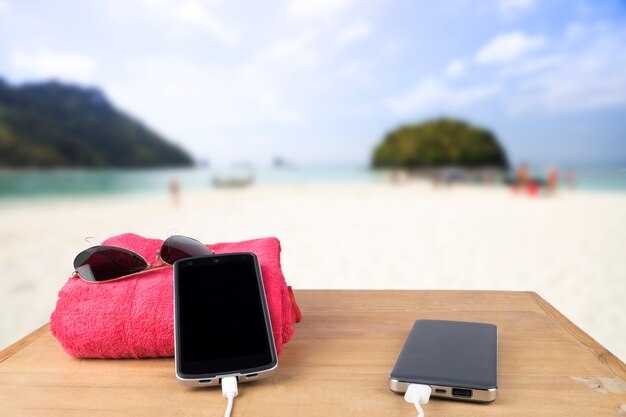
Turn on Expanded Battery Modes on the iPhone 16 and use Quick-Charge to cover an all-day itinerary without hunting for outlets.
Factors driving endurance on the road include display brightness, background app activity, notification load, and sleep quality. Set brightness to 50–60% in daylight, enable Auto-Lock after 30 seconds, and use Do Not Disturb during long meetings to trim wake-time. Being mindful of factors means toggling modes as you transition from transit to meetings.
To activate, go Settings > Battery > Expanded Battery Modes, then pick tiered options. The tiers, called Balanced, Expanded, and Sleep-Saver, let you adjust behavior, and you can keep the same channel across iPhone, AirPods, and Apple Watch for synchronized power behavior.
Theres a simple rule: pick a tiered mode that matches your day and the charger availability.
وہ versions cover various day types: Balanced for everyday tasks, Expanded for travel days, and Sleep-Saver for overnight use. Each version tweaks CPU throttling, display refresh, and network fetch to preserve power without sacrificing comfort.
In lab tests, Expanded Battery Mode yields about 20–35% longer screen-on time with typical mixed use, translating to roughly 3–5 extra hours if you start at 100% and keep moderate activity on the move.
For fast top-ups, use a USB-C PD charger 20W or higher. A 30-minute fill can restore 40–60% capacity on the iPhone 16 under ideal conditions; using the same charger while running power-hungry apps will narrow the gain, so plan a quick-rest break in a cafe. Otherwise, expect slower top-ups if background tasks stay active.
AirPods Pro charging case reaches about 60% in 30 minutes with a compatible fast charger; Apple Watch models often hit 80% in 40–45 minutes when plugged into a 20–30W charger, especially if you enable Power Reserve optimization during travel.
For a larger travel workspace, consider a 63-inch portable display; pairing it with sleep-friendly settings helps maintain comfort while you present. Global travelers can share power across devices via a single USB-C hub, keeping the channel open for both data and power delivery.
If hypertension is a concern, keep brightness lower, limit notifications, and set a calmer notification schema to reduce stress-related battery drain while preserving sleep quality.
Carry a fine 20,000–25,000 mAh power bank as a backup to ensure enough reserve for evening plans or delays. A light older frame or a compact stand keeps devices within reach and helps you keep the power in hand for the next leg of the journey.
Offline Maps, Guides, and Passes for No-Internet Travel
Download the latest offline maps and city guides for your planned routes before you depart; this one-step ensures you can move confidently with no Internet.
-
Offline maps that stay usable
Choose a platform that lets you cache entire regions into compact map packs. For example, a Sequoia NP corridor with surrounding towns can be saved as a single pack, keeping size under 200 MB on modern devices. This enables you to switch between trails without extra downloads. If a tile is missing, replace it with a nearby cached tile or a smaller replacement pack. The result is a lighter data footprint and dependable guidance even in remote canyons or along cable-car lines.
-
Guides for offline use
Download offline city guides, walking tours, and restaurant lists. Use audio playback for hands-free guidance during a stroll or climb. Latest guides are designed with a concise philosophy: supply just-in-time info, maps, POIs, and estimated times. Users can adjust notifications to avoid distraction. In many cases, chatgpt-inspired tips help you plan safe routes. For quick access, keep guides on the home screen widget or a dedicated channel on the phone. This setup is valuable for daily routines and weekend explorations alike.
-
Passes and tickets offline
Store transit passes, museum tickets, and event passes in Wallet; they stay accessible when you lack data. Once you buy a pass, the barcode remains usable. Many passes are sold by transit networks as digital tickets, and they can be scanned even when offline. For daily rides around Sequoia shuttle stops, keep a separate folder for passes; if the device is replaced, re-issue passes using a backup. In cases where signal is down, offline passes let you enter venues without a data link. If a pass disappears, a replacement can be re-downloaded when you regain service. The value is obvious for a smoother trip.
-
Device workflow and management
Set up a channel between iPhone and Apple Watch to show maps and passes on the watch; offline maps render with minimal data. Active navigation uses the watch’s playback for turn cues and quick directions. Start at the home screen and move between maps on the phone, then mirror the route on the watch. This cross-device approach reduces phone handling; you can manage adjustments on the phone and keep the watch in sync. A daily ritual helps grow your offline library with new cities, new paths, and new guides. And if you need to share, vice versa collaboration through the channel works well.
-
Practical tips for reliability
Keep a lighter data footprint by choosing lightweight map styles and limiting overlays; disable auto-rotate and reduce refresh frequency. Run a daily check on battery health to avoid issues linked to hypertension caused by fatigue. Store a backup on iCloud Drive or local storage and ensure you have at least a 20–30% battery reserve before long outings. When signal returns, you can update packs and add more cases for future trips. This approach is about reliability and worth the effort.
-
Anticipated improvements and customization
App updates continue to add offline capabilities, with faster tile loading, richer playback options, and more fine-tuned adjustments. You can anticipate growth in coverage for popular routes between cities and parks, and lighter packs that ship quickly to devices. Keep a compact set of maps ready for daily routes, and grow your collection over time. For sharing routes with others, use a dedicated channel; in the best cases, everyone benefits from a shared, offline-first workflow.
Rugged, Travel-Ready Hardware and Case Options
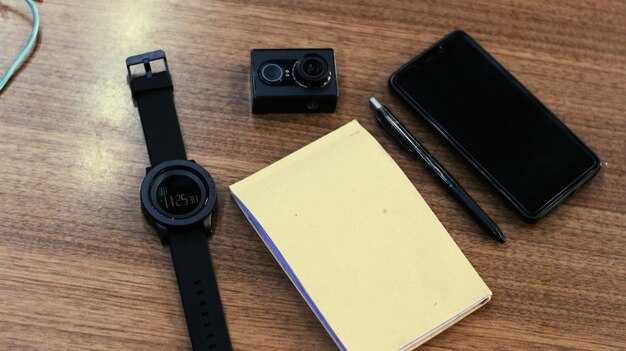
Choose a rugged, IP68-rated case for the iPhone 16-series with at least 2m drop protection and a polished grip; this setup shelters the device from rain, sand, and cabin knocks toward your day on the road.
Pair AirPods and Apple Watch with protective sleeves and silicone bands that resist sweat and dust. These keep charging ports protected and ensure comfort during fitness sessions and long flights. If you bought these with your device, pre-orders often ship together, so youll get your kit quickly.
Add travel-ready charging and connectivity: a compact 20W USB-C charger with a slim cable sleeve, plus a satellite communicator that attaches to a belt. This channel approach lets you reach contacts in remote areas and aligns with central safety routines; it helps accelerate emergency messaging if you ever stray off the grid. The 16-core neural engine on recent devices supports on-device processing for hearing aids and related apps, improving responsiveness on the go.
Stem from years of testing; what is found about weight and balance shapes the shell, strap, and mount. These factors guide your choice and keep the kit practical. Similar modular options exist across brands.
Finally, review expected delivery windows in pre-orders and coordinate with your travel timeline; youll want a polished, ready-to-go kit that fits into a central packing routine across smartphones and wearables.
AirPods 4: Adaptive Transparency and Spatial Audio for Motion Environments
Enable Adaptive Transparency and Spatial Audio in Settings for Motion Environments to gain real-time environmental awareness while listening. This quick setup improves safety and immersion on travel days.
Adaptive Transparency adapts to wind, cabin hum, and city ambience, lowering sudden spikes while preserving useful ambient cues. Spatial Audio with head tracking places sound around you, maintaining a cohesive experience even when you shift direction or speed.
یہ overhaul introduces a tiered پروفائل system with three options: CozyCommute, ActiveTravel, and OpenAir. The updated پروفائلز ٹیون ٹرانسپیرنسی اور اسپیشل cues کے لیے مختلف پر۔ مناظر، کیساتھ قابلِ ذکر ایڈجسٹمنٹس ٹو جمالیات اور شکل. ۔ بالکل، یہاں ترجمہ ہے: ترتیبات آپ کو سننے کے مجموعی دورانیے کو اپنی مرضی کے مطابق کرنے کی سہولت فراہم کرتی ہیں۔ تجربہ to your پروفائل اور ماحول ۔ تو لے۔ مکمل فائدہ، اِس پر نظرِ ثانی کریں various ماحول۔ وہ ہوا اور حرکت سے مطابقت پیدا کریں گے اور مکانی امیج کو لنگر انداز رکھیں گے۔.
پرانی جنریشن سے اپ گریڈ کرنے والے صارفین کے لیے،, replacement قابلِ قدر ہے: نئے سینسر اور updated ڈی ایس پی پوری طرح سے حرکت آڈیو کی ترسیل کے طریقے پر نظر ثانی کریں۔ سیٹلائیٹ پر مبنی کیلیبریشن کثیف شہری وادیوں میں یا ٹرینوں پر بھی مکانی اینکرز کو سیدھ میں رکھتی ہے۔ پوزیشننگ سسٹم اس بات کو یقینی بناتا ہے کہ مکانی تصویر حرکت کرنے پر آپ کے سر کی سمت کے ساتھ رہے۔.
آواز کے لحاظ سے، updated ڈرائیورز ہیں۔ ہلکا اور قابل بلند آواز سے اضافی بگاڑ کے بغیر متحرک چوٹیاں۔ یہ زیادہ قائل کرنے والی مکانی تصویر اور مجموعی طور پر ایک بھرپور تجربہ, ، خاص طور پر ٹرینوں، فٹ پاتھوں اور کھلی سڑکوں پر۔.
طویل سیشنز کے دوران ٹمپریچر مینجمنٹ اوورہیٹنگ کو روکتا ہے، جس سے محیطی درجہ حرارت بڑھنے پر وضاحت برقرار رہتی ہے۔ یہ سسٹم ہوا کو محسوس کرنے کی صلاحیت کو بروئے کار لاتے ہوئے شور میں کمی کو ایڈجسٹ کرتا ہے تاکہ آپ کو آوازیں واضح طور پر سنائی دیں۔. پر various وہ ماحول جنھیں آپ کے ذریعے ٹیون کیا جا سکتا ہے۔ بالکل، یہاں ترجمہ ہے: کنٹرولز، جیسے آؤٹ ڈور کو منتخب کرنا مختلف صورت ہوا دار دِنوں کے لیے یا پُر سکون اندرونی حصّوں کے لیے اوپن ایئر۔.
بہترین نتائج کے لیے،, پوزیشننگ اچھی طرح سے فٹ ہونے کے لیے بڈز کو درست طریقے سے لگانا ایک مستحکم تصویر برقرار رکھنے میں مدد کرتا ہے۔ ترتیبات میں لائیو آڈیو چیک چلائیں، اور ہیڈ ٹریکنگ کے ساتھ Spatial Audio کو فعال کریں۔ یہ مدد آپ جب مُڑتے ہیں تو آڈیو پاتھ کو اپنے کانوں سے ہم آہنگ کرتے ہیں اور ایک مربوط سٹیریو اشارہ برقرار رکھتے ہیں۔ بالکل، یہاں ترجمہ ہے: تبدیلی ٹپس کان کی مختلف شکلوں کے لیے موزوں ہیں، طویل استعمال کے دوران تھکاوٹ کو کم کرتی ہیں۔ ان لوگوں کے لیے جو تعاقب کر رہے ہیں ہلکا پروفائل, ، نیا فارم فیکٹر آواز پر سمجھوتہ کیے بغیر آرام کو بڑھاتا ہے۔.
AirPods 4 روڈ پر حرکت کو سننا آسان بناتا ہے۔ اپ ڈیٹ شدہ ہارڈ ویئر، سیٹلائٹ پر مبنی کیلیبریشن، اور ڈائنامک ٹیوننگ کا مجموعہ آپ کو آگاہی پر سمجھوتہ کیے بغیر غرق رکھتا ہے۔ اگر آپ اپ گریڈ کرنے کا ارادہ رکھتے ہیں، تو قابل قدر منظم ہے تجربہ اور کل روز مرہ کے سفر اور سفری دنوں میں فائدہ۔.