


 Русский
  English (UK)
  বাংলা
বাংলা  العربية
  日本語
日本語  한국어
한국어  Magyar
  Norsk nynorsk
  Türkçe
  עִבְרִית
  Español
  Čeština
  Svenska
  Português
  Ελληνικά
  Suomi
Suomi  Nederlands
  Română
  Italiano
  Français
  Polski
  Українська
  Deutsch
  简体中文
简体中文  Slovenčina
  Српски језик
  اردو
اردو  Azərbaycan dili
  O‘zbekcha
  አማርኛ
አማርኛ 

Choose iphone 16 Pro as your travel hub and pair it with over-ear AirPods Max and Apple Watch Ultra for a seamless trip. This setup centers on nine upgrades designed to ease daily routines, boost reliability, and cut planning time on the road.
Upgrade 1 iphone 16 Pro extends daily battery life by up to 20% in GPS-heavy use and trims weight by about 10 g, making long transit days easier. Across millions of travelers, that light design reduces fatigue and keeps essential apps running through layovers. The refreshed aesthetics and finishes remain durable in магазины and on the road.
Upgrade 2 bandwidth and connectivity sharpen what you can do on the move: Wi‑Fi 7 and a stronger 5G modem provide higher bandwidth for maps, offline translations, and streaming. It automatically switches across networks to keep navigation smooth, even in windy concourses.
Upgrade 3 Diagnostics on the iPhone 16 Pro run in the background for battery life, storage status, and sensor health; the hardware-accelerated engine speeds up on-device editing, photo capture, and AR previews, so your content is ready faster at the gate.
Upgrade 4 AirPods Max improve wind noise suppression, so podcasts and calls stay intelligible when you stand near a jet engine or airport doors. The over-ear design remains comfortable for long sessions, and the soundstage stays reassuringly stable across crowded environments.
Upgrade 5 AirPods with new adaptive spatial audio and automatically switching across devices keep music, calls, and videos in sync as you move from iPhone to iPad to Mac. The improved bandwidth management preserves quality on busy networks while you commute.
Upgrade 6 Apple Watch Ultra expands travel-friendly features: a more precise multi-band GPS, offline maps, and SOS that works when cellular is spotty. Diagnostics report sensor status before you head to the next flight, so you know your battery, heart rate, and compass are ready.
Upgrade 7 Find My gains leverage a broader network to locate items across stores and airports, helping you recover gear during layovers. The system remains privacy-conscious and fast, with hardware-accelerated processing for quick updates.
Upgrade 8 Aesthetics get a refresh: lighter bands, tougher finishes, and improved comfort for long flights, so your gear looks as good as it performs. The reveal signals a shift toward lighter materials that boost water resistance and durability while you move through crowded terminals and stores.
Upgrade 9 Security and diagnostics shine: on-device processing reduces data sent off-device, while Find My and system health checks help you stay aware of device status on the road. The experience remains cohesive across iPhone, AirPods, and Apple Watch for daily travelers across millions of trips.
9 Travel-Focused Upgrades for iPhone 16, AirPods, and Apple Watch
Begin with a travel-optimized bundle: iPhone 16, AirPods Pro, and an Apple Watch with cellular, then apply these upgrades toward a smoother trip.
Upgrade 1: Battery efficiency and readability on the go. Enable Low Power Mode on long flights, curb background refresh to essential apps, and keep brightness at a comfortable level. In a hotel room with a 63-inch TV, mirror critical boarding and itinerary notes via AirPlay to avoid extra wake time.
Upgrade 2: Offline maps and translation apps. Download offline maps in Maps and Google Maps and preload language packs for quick phrases. This approach minimizes roaming costs and keeps receiving directions even without data.
Upgrade 3: AirPods Pro for cabin audio and calls. Noise cancellation reduces engine hum, while Transparency mode helps chat with flight attendants. Store the white charging case in your carry-on for quick top-ups.
Upgrade 4: iPhone 16 with cellular data via eSIM. Switch to a local plan on arrival to avoid roaming friction. The biggest gain is staying connected toward maps, messaging, and delivery updates.
Upgrade 5: Apple Watch travel efficiency. Choose a Milanese loop for versatility, set a world-time watch face, and enable offline maps and compass to navigate airports. The combination remains capable through long days.
Upgrade 6: Wallet, passes, and deals. Load boarding passes, hotel keys, and retailer deals into Wallet; enable automatic updates for gate changes. Receiving timely alerts shortens delays.
Upgrade 7: Travel-ready accessories. Carry a compact power bank, a USB-C cable, and a white case for accessories; keep below-seat storage free of clutter in your carry-on.
Upgrade 8: Trade-in and september deals. Check trade-in credits to lower the upfront cost of your next device; september often brings bundled offers from carriers that extend value toward your upgrade.
Upgrade 9: Final prep and polished routine. Before departure, verify all apps are updated, ensure offline content exists, and test key functions like camera, translation, and payments. finally, adopt a polished routine to minimize effort.
| Upgrade | Преимущество |
|---|---|
| Battery efficiency and readability | Longer use on flights; easier mirroring to a 63-inch TV via AirPlay |
| Offline maps and translations | No roaming data needed; directions remain available |
| AirPods Pro for travel audio | Quieter cabins; easier calls with staff |
| eSIM global data | Roam-free connectivity; fewer roaming friction |
| Apple Watch travel features | Airport navigation; world-time faces; Milanese option |
| Wallet, passes, and deals | Boarding passes and deals in one place; instant updates |
| Travel-friendly accessories | Power bank and cables organized; below-seat storage reduces clutter |
| Trade-in and september deals | Lower upfront cost; added value toward your upgrade |
| Final prep and polished routine | Pre-departure checks; reliable updates |
Travel-Ready Upgrades Across iPhone 16, AirPods 4, and Apple Watch: What to Expect
Upgrade now to travel lighter and stay connected: iPhone 16 brings the largest battery capacity among this year’s models, an ultra-thin frame, and a 6-core CPU paired with a 16-core neural engine that accelerates maps, translation, and offline services. This makes upgrading even more compelling while you juggle itineraries.
AirPods 4 boost travel comfort with smarter sensors, improved beamforming mics, and stronger noise reduction that cuts engine and cabin noises. The design supports over-ear compatibility and tighter seals for isolation during long flights, while adaptive transparency keeps you aware of announcements. A revamped total features suite adds personalized hearing profiles and Spatial Audio that remains precise with head movement, bringing consistent signaling across cabin noise levels. It also includes nearly universal device compatibility for sharing audio with a partner.
Apple Watch upgrades undergo an overhaul to travel-focused features. Enhanced sensors deliver consistent signaling for workouts and location reminders, while improved GPS accuracy and a more durable frame support longer journeys. New bands offer comfort for varying climates, and water resistance supports use around pools or rainy days. The watch’s battery life now reliably covers a full travel day, with faster charging for quick top-ups at the gate.
To maximize value this year, look for bundles and deals that combine iPhone 16, AirPods 4, and Apple Watch, since total services across devices unlock seamless continuity, maps, and health data sharing. If you’re upgrading incrementally, the biggest gain comes from the iPhone’s 16-core neural engine and AirPods’ sensors, which keep calls and translations flowing while you move between airports. Most travelers will notice a smoother experience in noisy environments, with direct handoffs and consistent performance across tasks.
Year-round, firmware updates tune sensors, frame stability, and signaling. For upgrading this year, this trio provides a consistent, travel-ready experience that keeps you organized and reachable on the move.
Extended Battery Modes and Quick-Charge for All-Day Travel
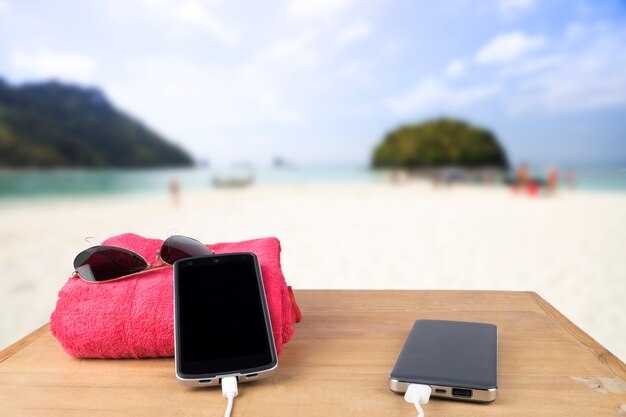
Turn on Expanded Battery Modes on the iPhone 16 and use Quick-Charge to cover an all-day itinerary without hunting for outlets.
Factors driving endurance on the road include display brightness, background app activity, notification load, and sleep quality. Set brightness to 50–60% in daylight, enable Auto-Lock after 30 seconds, and use Do Not Disturb during long meetings to trim wake-time. Being mindful of factors means toggling modes as you transition from transit to meetings.
To activate, go Settings > Battery > Expanded Battery Modes, then pick tiered options. The tiers, called Balanced, Expanded, and Sleep-Saver, let you adjust behavior, and you can keep the same channel across iPhone, AirPods, and Apple Watch for synchronized power behavior.
Theres a simple rule: pick a tiered mode that matches your day and the charger availability.
Сайт версии cover various day types: Balanced for everyday tasks, Expanded for travel days, and Sleep-Saver for overnight use. Each version tweaks CPU throttling, display refresh, and network fetch to preserve power without sacrificing comfort.
In lab tests, Expanded Battery Mode yields about 20–35% longer screen-on time with typical mixed use, translating to roughly 3–5 extra hours if you start at 100% and keep moderate activity on the move.
For fast top-ups, use a USB-C PD charger 20W or higher. A 30-minute fill can restore 40–60% capacity on the iPhone 16 under ideal conditions; using the same charger while running power-hungry apps will narrow the gain, so plan a quick-rest break in a cafe. Otherwise, expect slower top-ups if background tasks stay active.
AirPods Pro charging case reaches about 60% in 30 minutes with a compatible fast charger; Apple Watch models often hit 80% in 40–45 minutes when plugged into a 20–30W charger, especially if you enable Power Reserve optimization during travel.
For a larger travel workspace, consider a 63-inch portable display; pairing it with sleep-friendly settings helps maintain comfort while you present. Global travelers can share power across devices via a single USB-C hub, keeping the channel open for both data and power delivery.
If hypertension is a concern, keep brightness lower, limit notifications, and set a calmer notification schema to reduce stress-related battery drain while preserving sleep quality.
Carry a fine 20,000–25,000 mAh power bank as a backup to ensure enough reserve for evening plans or delays. A light older frame or a compact stand keeps devices within reach and helps you keep the power in hand for the next leg of the journey.
Offline Maps, Guides, and Passes for No-Internet Travel
Download the latest offline maps and city guides for your planned routes before you depart; this one-step ensures you can move confidently with no Internet.
-
Offline maps that stay usable
Choose a platform that lets you cache entire regions into compact map packs. For example, a Sequoia NP corridor with surrounding towns can be saved as a single pack, keeping size under 200 MB on modern devices. This enables you to switch between trails without extra downloads. If a tile is missing, replace it with a nearby cached tile or a smaller replacement pack. The result is a lighter data footprint and dependable guidance even in remote canyons or along cable-car lines.
-
Guides for offline use
Download offline city guides, walking tours, and restaurant lists. Use audio playback for hands-free guidance during a stroll or climb. Latest guides are designed with a concise philosophy: supply just-in-time info, maps, POIs, and estimated times. Users can adjust notifications to avoid distraction. In many cases, chatgpt-inspired tips help you plan safe routes. For quick access, keep guides on the home screen widget or a dedicated channel on the phone. This setup is valuable for daily routines and weekend explorations alike.
-
Passes and tickets offline
Store transit passes, museum tickets, and event passes in Wallet; they stay accessible when you lack data. Once you buy a pass, the barcode remains usable. Many passes are sold by transit networks as digital tickets, and they can be scanned even when offline. For daily rides around Sequoia shuttle stops, keep a separate folder for passes; if the device is replaced, re-issue passes using a backup. In cases where signal is down, offline passes let you enter venues without a data link. If a pass disappears, a replacement can be re-downloaded when you regain service. The value is obvious for a smoother trip.
-
Device workflow and management
Set up a channel between iPhone and Apple Watch to show maps and passes on the watch; offline maps render with minimal data. Active navigation uses the watch’s playback for turn cues and quick directions. Start at the home screen and move between maps on the phone, then mirror the route on the watch. This cross-device approach reduces phone handling; you can manage adjustments on the phone and keep the watch in sync. A daily ritual helps grow your offline library with new cities, new paths, and new guides. And if you need to share, vice versa collaboration through the channel works well.
-
Practical tips for reliability
Keep a lighter data footprint by choosing lightweight map styles and limiting overlays; disable auto-rotate and reduce refresh frequency. Run a daily check on battery health to avoid issues linked to hypertension caused by fatigue. Store a backup on iCloud Drive or local storage and ensure you have at least a 20–30% battery reserve before long outings. When signal returns, you can update packs and add more cases for future trips. This approach is about reliability and worth the effort.
-
Anticipated improvements and customization
App updates continue to add offline capabilities, with faster tile loading, richer playback options, and more fine-tuned adjustments. You can anticipate growth in coverage for popular routes between cities and parks, and lighter packs that ship quickly to devices. Keep a compact set of maps ready for daily routes, and grow your collection over time. For sharing routes with others, use a dedicated channel; in the best cases, everyone benefits from a shared, offline-first workflow.
Rugged, Travel-Ready Hardware and Case Options
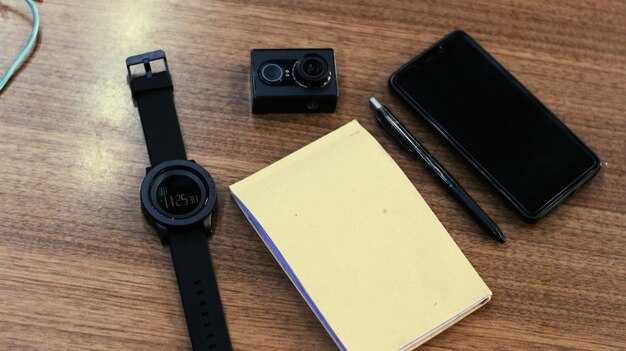
Choose a rugged, IP68-rated case for the iPhone 16-series with at least 2m drop protection and a polished grip; this setup shelters the device from rain, sand, and cabin knocks toward your day on the road.
Pair AirPods and Apple Watch with protective sleeves and silicone bands that resist sweat and dust. These keep charging ports protected and ensure comfort during fitness sessions and long flights. If you bought these with your device, pre-orders often ship together, so youll get your kit quickly.
Add travel-ready charging and connectivity: a compact 20W USB-C charger with a slim cable sleeve, plus a satellite communicator that attaches to a belt. This channel approach lets you reach contacts in remote areas and aligns with central safety routines; it helps accelerate emergency messaging if you ever stray off the grid. The 16-core neural engine on recent devices supports on-device processing for hearing aids and related apps, improving responsiveness on the go.
Stem from years of testing; what is found about weight and balance shapes the shell, strap, and mount. These factors guide your choice and keep the kit practical. Similar modular options exist across brands.
Finally, review expected delivery windows in pre-orders and coordinate with your travel timeline; youll want a polished, ready-to-go kit that fits into a central packing routine across smartphones and wearables.
AirPods 4: Adaptive Transparency and Spatial Audio for Motion Environments
Enable Adaptive Transparency and Spatial Audio in Settings for Motion Environments to gain real-time environmental awareness while listening. This quick setup improves safety and immersion on travel days.
Adaptive Transparency adapts to wind, cabin hum, and city ambience, lowering sudden spikes while preserving useful ambient cues. Spatial Audio with head tracking places sound around you, maintaining a cohesive experience even when you shift direction or speed.
This overhaul introduces a tiered профиль system with three options: CozyCommute, ActiveTravel, and OpenAir. The updated profiles tune transparency and spatial cues for upon various scenarios, with notable adjustments to aesthetics и shape. The included settings let you tailor the total listening experience to your профиль and environment. To take full advantage, refine it upon различные environments. theyll adapt to wind and motion and keep the spatial image anchored.
For users upgrading from an older generation, replacement is worthwhile: the new sensors and updated DSP полностью rethink how motion audio is delivered. Satellite-based calibration keeps spatial anchors aligned, even in dense urban canyons or on trains. The positioning system ensures the spatial image stays with your head orientation as you move.
In terms of sound, the updated drivers are lighter and capable of louder dynamic peaks without added distortion. This contributes to a more convincing spatial image and a richer overall experience, especially on trains, sidewalks, and open roads.
Temperature management prevents overheating during long sessions, keeping clarity steady when ambient temperatures rise. The system also uses wind sensing to adjust attenuation so you hear voices clearly. Upon различные environments you can tune via the included controls, such as selecting the Outdoor variant for windy days or OpenAir for calmer interiors.
To optimize, positioning the buds correctly for a secure fit helps maintain a stable image. Run the Live Audio Check in Settings, and enable Spatial Audio with Head Tracking. This помогает you align the audio path to your ears and maintain a coherent stereo cue as you turn. The included replacement tips fit a range of ear shapes, reducing fatigue during long uses. For those chasing a lighter профиль, the new form factor increases comfort without sacrificing sound.
AirPods 4 makes motion listening easier on the road. The combination of updated hardware, satellite-based calibration, and dynamic tuning keeps you immersed without compromising awareness. If you plan to upgrade, the worth is in the cohesive experience и total benefit across daily commutes and travel days.