


 עִבְרִית
  English (UK)
  Русский
  বাংলা
বাংলা  العربية
  日本語
日本語  한국어
한국어  Magyar
  Norsk nynorsk
  Türkçe
  Español
  Čeština
  Svenska
  Português
  Ελληνικά
  Suomi
Suomi  Nederlands
  Română
  Italiano
  Français
  Polski
  Українська
  Deutsch
  简体中文
简体中文  Slovenčina
  Српски језик
  اردو
اردو  Azərbaycan dili
  O‘zbekcha
  አማርኛ
አማርኛ 

אמת את המקור לפני שתלחץ על קישור כלשהו בתוצאות החיפוש. רחפו עם העכבר מעל קישורים, בדקו את הדומיין והצליבו עם האתר הרשמי של חברת התעופה. אם כתובת האתר נראית מוזרה, אל תמשיכו.
פושעים דוחפים דיוג הודעות וזיוף websites שמחקים ספקים גדולים. של גוגל אלגוריתם יכולות להציג דפים אלה בתוצאות המובילות, ובתשלום מודעות עשויים לחקות מותגים אמיתיים. הקשה תמימה על הנחיה עלולה לחשוף אתכם לזיוף טקסט ובקשות לתרומות.
Use a דלפק גישה: לפתוח את האתר הרשמי של חברת התעופה בכרטיסייה חדשה, לבצע חיפוש משם, ולהשוות הזמנות פרט במה שראית. אם הזמנת דרך אקספדיה, בדוק את הקבלה שלך ב- רשומות ולאמת מספרי טיסה, תאריכים ומחירים. כשאתה רואה בקשה לשתף נתוני כרטיס או נתונים אישיים באמצעות הודעות טקסט, הסירו את הדחף להגיב ולפנות אל המציאות assistance באתר הרשמי של חברת התעופה מרכזים.
אם אתם חושדים בהונאה, שמרו צילומי מסך והודעות חשודות, ודווחו עליהם לחברת התעופה דרך הערוצים הרשמיים שלה או לגוגל. אם אינכם בטוחים, עצרו ובדקו באמצעות דרכי תמיכה רשמיות, או בקשו מאדם מהימן לעזור בבדיקה מהירה. בדקו את הבנק שלכם הצהרות ובמידת הצורך, צור קשר עם מנפיק הכרטיס שלך כדי לחסום חיובים לא מורשים.
הגן על ה- כסף על ידי הפעלת אימות דו-שלבי, שמירה על תוכנה מעודכנת ושימוש ב- אפליקציה או אתר ולא קישורים מתוצאות חיפוש. שמור על רשומות עבור months ולשתף מידע עם נתיב התמיכה הרשמי כדי למנוע מאחרים ליפול באותה מלכודת.
מדריך מעשי להגנה עצמית מפני הונאות של חברות תעופה בתוצאות חיפוש ובאימיילים
ודאו את הדומיין המדויק של האתר הרשמי של חברת התעופה לפני שתלחצו על קישור כלשהו. נוכלים משתמשים בדומיינים ומספרים דומים בכתובת האתר כדי להטעות צרכנים; אם הדומיין לא תואם, צאו אחורה. הודעות דוא"ל עשויות להיראות לגיטימיות, אך כותרות השליחה והדומיין שממנו הן מגיעות מספרות סיפור אחר, אז היזהרו כאשר הן לא תואמות את מה שאתם מצפים.
בתוצאות החיפוש, שימו לב למבצעים סנסציוניים המופיעים ומסומנים כ"חינם"; לעתים קרובות הם מובילים לדפים מזויפים המחקים אתרים אמיתיים של חברות תעופה. אם הופתעתם מטענה שמבצע הוא אמיתי, סמכו על האינסטינקטים שלכם ודלגו על הקישור. בדרך כלל הם כוללים סימני פיסוק מוזרים או גופנים שנראים מעט שונים, סימן לדוגמה להונאה.
כשנחתתם בדף אחרי לחיצה, בדקו את כתובת האתר, ודאו את הגופנים ואשרו שהאתר משתמש ב-https עם אישור תקף. דפים מזויפים משתמשים פעמים רבות בסגנונות של מותגים, אך מציגים חוסר יישור עדין בכותרות או בפריסה, שאולי תחמיצו במבט ראשון.
בדוא"ל, בדוק את שורת השולח ואת כותרת השליחה; הודעות חברת תעופה אמיתיות מגיעות מדומיינים רשמיים ועוקבות אחר פורמט עקבי. הודעות שקריות משתמשות לעתים קרובות בלוגוים מוכרים עם שגיאות כתיב מגוחכות, או מבקשות נתונים באמצעות טופס שמבקש מספרים, פרטי דרכון או מידע על תשלום. אם משהו מבקש מידע שלא הייתם מספקים במהלך צ'ק-אין אמיתי, עצרו ובדקו.
בצעו צ'ק-אין באתר או באפליקציה הרשמיים במקום לעקוב אחר קישור בהודעה. אם אתם זקוקים לאישור, פתחו כרטיסייה חדשה והקלידו את שם חברת התעופה כדי להגיע לדומיין האמיתי; דפי נחיתה הדורשים נתונים הם דגלים אדומים. זה מונע סיכון בטיחות במהלך תכנון הנסיעה ובמהלך משימות הצ'ק-אין בפועל.
הפעל הגנות סייבר, שמור מכשירים מעודכנים והשתמש במנהל סיסמאות עם אימות דו-שלבי בחשבונות חברת תעופה. צעדים אלה מפחיתים סיכון בעת התרחשות תקרית ועוזרים לצרכנים להישאר מוכנים, במיוחד אם דף פישינג מחליק לתוך סדר העבודה שלך. הפקד את הבטיחות שלך בידי כלים ושגרות אמינים, לא קיצורי דרך.
אם נתקלת בהודעה חשודה, התחל דיון מהיר עם צוות האבטחה שלך או עם מחלקת ההונאה של חברת התעופה; אסוף ממצאים ושתף דוגמה מצונזרת כדי לעזור לאחרים. דיווח על תקריות מוקדם מגן על קריירות בסייבר ומחזק את המודעות הקהילתית בקרב מטיילים שצריכים להישאר מעודכנים לגבי הונאות.
הנה רשימת בדיקה קומפקטית ושימושית שתוכלו להיעזר בה במהלך תכנון נסיעות באינטרנט כדי להגן עליכם מפני ניסיונות הונאה ועמודים מזויפים. העבירו מדריך זה לעמית או חבר כדי להרחיב את המודעות במעגל שלכם, כי יחד אנחנו מצמצמים סיכונים ומשפרים את הבטיחות הכוללת.
| אינדיקטור | מה לעשות | דוגמה |
|---|---|---|
| דומיין או כתובת URL חשודים | סגור את הכרטיסייה; אמת את הדומיין על ידי הקלדת שם האתר הרשמי בשורת הכתובת; בחן היטב אם יש תווים נוספים או קודי מדינה לא תואמים | airline.com לעומת airlіne.com (שימו לב ל-i לעומת l) |
| אימייל לא רצוי מבקש נתונים | אין לשתף מספרים, פרטי דרכון או נתוני תשלום באמצעות דוא"ל או דפי נחיתה | “נא לספק את מספר הדרכון שלך כדי להמשיך” |
| שפה דחופה או איומים | התעלמו מטקטיקות לחץ; אמת באמצעות האפליקציה או האתר הרשמיים | “ההזמנה שלך תבוטל כעת” |
| קישורים ללא https או דפים לא מאובטחים | הימנע; לחץ רק על קישורים מאובטחים או פתח את האפליקציה הרשמית | http://example.com/login |
| פרטי שולח לא עקביים | Match the From address and header to the airline’s domain; hover links to reveal the true destination | From: [email protected] |
Spotting phishing attempts in Google search results and airline ads

Verify the domain and ad label before clicking. Please keep this text: search results and unsolicited airline ads can contain fraud. This article provides concrete checks you can perform across channels to protect consumers from deceptive offers.
In the header of a result, inspect the right URL. Hover the link to see the full address. If the domain contains a mismatch with a known airline, back away and reach the official site by typing the address manually. Beware unsolicited pages that imitate real airlines, including mentions of a fake hub like Phoenix.
Ads may seem convincing because the search algorithm prioritizes engagement. Check for signs of manipulation: pages that contain login fields, forms asking for sensitive data, or fare sections that request personal details. If you spot cancelled flights or past-due dates, exit and verify on the official site. Video ads promising miracle fares deserve extra scrutiny; skip them and verify on the airline’s site.
Rely on reliable sources: visit the official airline site or contact support through known channels. Do not rely on a single ad; cross-check with an article from a trusted source. If something seems off, speaking to a real agent helps clarify status and availability.
For context, giant travel portals may be formerly reputable but can still push dubious links. Consumers should scan multiple signals: the header text, the domain, the presence of a secure connection (https), and whether the page contains a legitimate flight booking form. If any element seems out of place, exit and verify.
If you suspect fraud, report it via Google’s feedback channels or through the airline’s customer support. This simple step protects other readers and helps improve search quality. In this kind of situation, speaking up matters for the whole community.
Verifying flight deals without following risky links or attachments
Do not click on unsolicited links or open attachments. Verify the fare right on the airline’s official site or a trusted aggregator like expedia to check the offer directly. These checks give you concrete evidence you can rely on.
Check the details on the flight page: origin, destination, times, layovers, baggage rules, fare rules, and the total price. If the price on the deal differs from the airline’s site by more than a few dollars, there is a risk of a scam or a hidden fee.
Use safe steps to verify links: hover to see the URL, look for domains that end with .com or the official company domain. If you see a strange domain or a misspelling (e.g., expediaa.com or phony domains), avoid it.
Never share sensitive data or pay information via email or message. Do not reveal paycheque details or access codes. If a request asks for that kind of data, they would be scammers. Use a trusted payment method such as a credit card with fraud protection.
If you need to check where a deal is genuine, contact a representative of the airline or the services desk of expedia. They can respond with verified offer details and confirm whether a free or discounted fare is real. You can report suspicious messages to the platform or to the airline’s security team.
Keep an eye on changs in flight details or price; if there are frequent updates, get a second opinion from a trusted source. Consumers should access official channels and not rely on shortened links in texts or posts.
Be mindful of dialing numbers in messages; use the number from the official site or your account page to reach customer service. A quick call can confirm whether the offer is legitimate and whether you need to act soon or shortly, since deals can disappear. If a call comes with a suspicious voice, hang up and dial the official number yourself.
In a pinch, you can access your booking using the airline’s official app or the primary web store; you would avoid exposing sensitive data through third-party pages. If you notice a change in the flight times or routes (for example, a phoenix hub), re-check with the airline directly.
As a rule, give yourself time to compare across services. Consumers should not rush into a deal that appears too good to be true; nearly all legitimate offers come with clear terms, and expedia often coexists with the airline’s direct offer. If an offer seems free or without restrictions, verify it before you react. If something feels off, report it.
Smishing red flags: how to recognize fraudulent airline text messages
Do not tap any links in an airline SMS. Verify through official channels: open the airline’s app, visit the brand’s real site by typing the URL, or call the toll-free number published on your ticket or on the official site.
Red flags to spot quickly: pressure to react now; requests to confirm a flight or to share ticket numbers, payment details, or sensitive information via text; messages that use odd fonts, sloppy logos, or links that resemble the airline but lead to another site. If something feels off, you can pause and double-check.
Suspicious links often come via shortened URLs or domains that differ slightly from the airline’s address. Do not click–hover or copy the link into a browser to check where it lands, and compare with the official site. Domains which differ slightly from the airline’s address are red flags.
Text messages may claim a flight was delayed, landed, or altered, or threaten to block your ticket if you do not respond. They may push you to act by a deadline or to dial a number in the message. Some messages use speaking urgency and chase customers with a timer, which adds pressure to share details.
Never reveal sensitive data or login details by text. Do not reply with codes, passwords, or authentication questions. If you need assistance, contact the airline using official channels.
Keep your guardrails: ignore unsolicited messages, use official assistance channels, and move to the centre of their protection routine by reporting the message to the airline or to your bank. Make sure your notifications are from verified sources and use a password manager for extra safety. Tell family members about these signs to protect their accounts.
Incident examples showed scammers chasing customers with urgency; after clicking a link, they found themselves on spoof pages that asked for payment. The incident spread when users moved between sites and entered data they believed was safe.
Learn from news posts about scam attempts and share tips with fellow passengers; airlines themselves warn about phishing texts and remind customers that the only safe path is to use verified routes. If you found a suspicious message, move it to spam and report it so the centre can act and alert other travellers. This approach helps curb an explosion of similar messages and keeps travel plans on track, with landed flights and smooth assistance when problems arise.
Vishing tactics used by scammers posing as airline support and how to respond
Do this now: if you suspect a vishing call, hang up and verify through the official airline contact listed on your booking confirmation or the airline’s website. Never provide passwords, full PINs, or 2FA codes, and avoid sending money or gift cards to anyone claiming to be airline support. These scammers rely on fear and urgency to move you from flight to funds.
They commonly claim a flight was cancelled, your vacation is at risk, or that your account has a hold on it. They push for you to confirm details by name, booking reference, or by referencing the header from an email, and may reference records from a past booking to seem legitimate. Some calls try to get you to move money or to send a payment link. These tactics are popular because they exploit travel stress, especially around busy travel periods. If you found a similar message in a news post, treat it as suspicious until verified.
To respond effectively, do not respond to requests for personal data, and do not hold on the line waiting for a so-called verification. If the caller asks you to provide a code or to log in on a counterfeit page, end the call. Use a separate channel to check your flight status by opening the official airline app, the official website, or the confirmed contact number in your records. Respond with caution and avoid clicking any links or emojis in texts from unknown numbers.
Verify with the booking header and reference. Look for inconsistencies in the caller’s story, and do not rely on the emojis or the promise of a free upgrade. If you feel afraid, step back and confirm on the official line. If you suspect a scam, report it to the airline’s security team and to consumers protection authorities. You would be surprised how often such reports help protect others and homes away from risk while planning a trip.
Real-world notes show that scammers try to feign urgency around cancelled segments, changed itineraries, or moved seats. In a report cited by richardson, the caller used a spoofed header and a calm tone to sound credible. Always stay skeptical and found red flags: the caller refuses to provide a callback number, avoids giving the official channel, or asks you to authorize a payment. If that happens, contact the airline using the official number to confirm what happened to your accounts and whether any requests came from the airlines’ staff.
Immediate steps to safeguard your Google account and devices after a scare
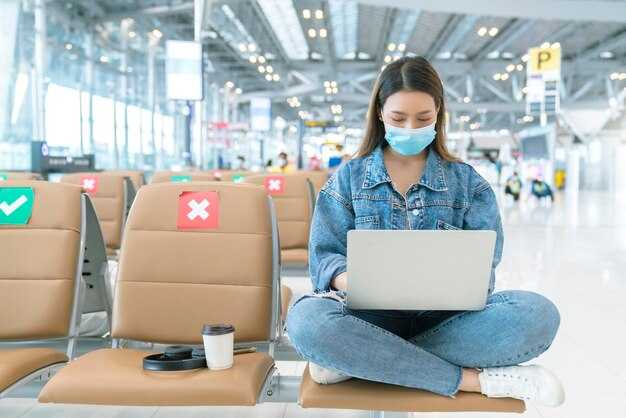
Change your Google password now and enable 2-Step Verification to lock login access immediately. This blocks fraudsters trying to reuse stolen credentials.
- Secure login and devices – Sign in to myaccount.google.com/security, set a very strong new password, and turn on 2-Step Verification using a trusted phone or security key. Review the Devices list and sign out from any unfamiliar devices or sessions, then remove them from your account.
- Update recovery options and alerts – In Google Account, update recovery emails and phone numbers so you receive alerts for new logins. Ensure you can receive security emails, and enable alerts for suspicious activity.
- Harden your devices – Run a full malware scan on all computers and mobile devices, install the latest OS and app updates, and remove apps you don’t recognize using your account. Using updated software makes it harder for attackers to steal credentials.
- Audit connected services and apps – In the Apps with account access section, review third-party services using your Google sign‑in. Revoke access for any you don’t recognize; this includes travel sites and companies. If you see expedia or other services appearing, remove them from use. Be cautious of apps that request more access than needed, and remove those that may misuse their data.
- Guard against phishing and suspicious emails – Do not click on emails appearing to be from Google or other services asking you to log in. Make sure you avoid suspicious links and verify the sender. If in doubt, report the message and keep a record of the case. Do not respond to requests via chat or social media.
- Monitor activity and purchases – Check recent activity and findings for unusual logins or orders. If you receive unfamiliar charges, sign out from those sessions and contact support via a formal ticket. If you found suspicious activity, document it and keep a record. If you find something odd, act soon and escalate.
- Maintain privacy controls – Review data-sharing settings and limit what apps can access. This is part of a long-term shield against data leakage by fraudsters and helps protect your privacy.
Perform checks nearly every month to catch new threats early, and keep a detailed record of changes and findings. The process requires effort, but the result is a safer online experience for you and your family. If you want help, open a support ticket and ask for guidance. In a case like this, share what you found with trusted contacts without emojis to keep communication clear and safe. Note every detail in your record. Avoid silly shortcuts.