


 简体中文
简体中文  English (UK)
  Русский
  বাংলা
বাংলা  العربية
  日本語
日本語  한국어
한국어  Magyar
  Norsk nynorsk
  Türkçe
  עִבְרִית
  Español
  Čeština
  Svenska
  Português
  Ελληνικά
  Suomi
Suomi  Nederlands
  Română
  Italiano
  Français
  Polski
  Українська
  Deutsch
  Slovenčina
  Српски језик
  اردو
اردو  Azərbaycan dili
  O‘zbekcha
  አማርኛ
አማርኛ 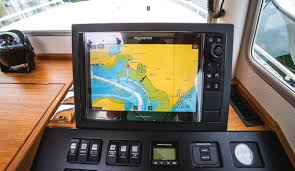 如何配置海图仪,自信进行沿海和离岸导航">

Modern multifunction displays (MFDs) ingest NMEA2000, Ethernet OneNet and AIS data from radar, depth, wind and speed sensors to support autorouting, anti-grounding alerts and anchor modes—but these capabilities demand correct 数据, depth settings and GPS quality to avoid dangerous misinterpretation.
GPS fundamentals: accuracy, HDOP and backups
Chartplotter reliability starts with an accurate position fix. Ensure the chartplotter and any paper or raster charts share the same geodetic datum (default WGS84). A mismatch between chart datum and receiver can place your vessel tens or hundreds of metres off the true position.
监视器 HDOP (horizontal dilution of precision): values of 1–2 indicate high accuracy, while values above 10 suggest poor satellite geometry and reduced trust in the plotted position. For redundancy, carry a battery-powered handheld GPS or laptop plotter and keep paper charts and a notebook with planned waypoints, tidal calculations and bearings.
Protecting against GPS failure and spoofing
Complete failures can come from power loss, jamming or sophisticated spoofing attacks. Consider a dedicated GPS receiver such as Digital Yacht’s OneFix, which cross-checks multiple constellations to resist spoofing attempts. Also keep a charged VHF and know how to use DSC features linked to your MFD for emergency comms.
Essential chartplotter settings to check before departure
| Setting | Recommended value / action | Why it matters |
|---|---|---|
| Datum | WGS84 or match chart datum | Prevents positional offsets between charts and GPS |
| Depth vs draught | Set safety depth slightly greater than keel draught | Ensures autoroute and anti-grounding use safe margins |
| HDOP threshold | Alert if >4; avoid navigation if >10 | Maintain confidence in plotted position |
| Screen orientation | North Up for chart cross-reference; Head Up for tight channels | Improves situational awareness depending on task |
Common pitfalls and human factors
Even professionals can be caught out by machine behaviour—failing to zoom in on vector charts or letting automatic decluttering hide hazards has caused groundings. Always cross-check autoroutes, especially when navigating near shoals, traffic separation schemes or shallow approaches.
Dos and don’ts
- Do update digital charts in port where internet access is reliable.
- Do test and familiarise with MFD menus ashore or during calm conditions.
- Don’t position waypoints directly on top of fixed marks—use an offset.
- Don’t rely solely on screen cluttered with redundant data; pare back to essentials.
Autorouting, autopilot and the temptation to “set and forget”
Autoroute features can produce efficient passages in seconds by factoring tide, traffic schemes and recommended tracks, but every suggested route should be reviewed and adjusted for your vessel’s performance and local conditions. Use anti-grounding alarms and harbour/offshore scan modes to tune how far ahead the system scans.
Practical setup checklist
- Confirm datum and chart versions.
- Enter vessel draught and safety margins.
- Validate GPS HDOP and satellite constellations.
- Build and review autoroute legs manually before engaging autopilot.
- Test DSC and VHF integration, and pair wearables (e.g., Garmin Quatix) if available.
Model-specific features worth learning
Manufacturers add useful integrations: Garmin’s GPSMAP systems pair with inReach for SOS and messaging; B&G offers safety alerts and adjustable satellite-image blending; Raymarine supports thermal cameras and Doppler radar classifications. Know the model-specific strengths and set them up before leaving the berth.
Highlights: correct datum alignment, tidy data displays, routine chart updates, GPS backup and deliberate review of autoroutes are the key defensive measures for safe navigation. Yet even the best descriptions and reviews can’t replace hands-on familiarity: practice with your own boat, test settings in harbour and rehearse emergency fallbacks. On GetExperience, you book your experience from verified providers at reasonable prices. This empowers you to make the most informed decision without unnecessary expenses or disappointments, while benefiting from secure payments with voucher confirmation and the option to request tailored tours or excursions from providers that match your preferences. GetExperience offers a wide variety of nautical tours and boating experiences worldwide to suit any preference and budget — 立即预订GetExperience.com
In summary, modern chartplotters deliver powerful tools for safer and more enjoyable cruising when configured correctly: keep datum aligned, maintain GPS redundancy, set sensible depth margins, trim screen clutter to essentials and always review autorouted passages. Practise onshore or in calm conditions and combine digital convenience with traditional seamanship to unlock the best travel experiences, from yacht parties and cruise packages to eco-friendly wildlife safaris and museum tours with live guides, plus interactive online cultural workshops and even adventure activities like rafting or beginner esports coaching sessions. Personal experience remains the final test—so get out there and enjoy the voyage.