


 简体中文
简体中文  English (UK)
  Русский
  বাংলা
বাংলা  العربية
  日本語
日本語  한국어
한국어  Magyar
  Norsk nynorsk
  Türkçe
  עִבְרִית
  Español
  Čeština
  Svenska
  Português
  Ελληνικά
  Suomi
Suomi  Nederlands
  Română
  Italiano
  Français
  Polski
  Українська
  Deutsch
  Slovenčina
  Српски језик
  اردو
اردو  Azərbaycan dili
  O‘zbekcha
  አማርኛ
አማርኛ 

Tile Pro is the best starting point for Android users seeking reliable luggage tracking. It offers a 400 ft Bluetooth range and a 120 dB loud alarm to locate a bag quickly in airports, car parks, or hostel halls. The device sends its last-known position back to the app, and you can use the map to trace your path to the bag. With millions of paired devices worldwide, crowdsourced finds extend coverage across crowded areas, reducing search time. The battery is replaceable, and the rugged housing withstands rain and dust along long trips.
Chipolo One and similar trackers broaden the functionality for Android, with simple pairing and a loud alert. They perform well in areas where you spend most time, such as gate corridors and baggage belts. The app shows location history to help you see where the bag was moved, and if your mates have access, you can share tracking within a group for supervision of multiple bags. example setups include pairing one Chipolo with a Tile on the same luggage to increase coverage.
If you have a Samsung phone, Galaxy SmartTag+ offers precise locating with Ultra-Wideband when you are within a few meters, and its integration with the Google/Android ecosystem improves connectivity. It leverages the millions of Galaxy devices to locate a tag even when you’re not nearby, which is especially useful for longer trips. The tags are loud and easier to spot, and you can pair them quickly with your account, so supervision of a group bag is straightforward. maybe you want to use SmartTags for larger suitcases, since the network expands as more devices connect.
For subject-level coverage, you can combine trackers from different ecosystems: a Tile Pro for day-to-day travel and a Samsung SmartTag+ for airports with larger footprints. googles cloud-backed features help refresh locations, and an example of finds across different devices shows how quickly you can pinpoint a bag. The key is to keep tags paired to your account and connecting to your phone’s notifications in real time, so supervision of a group bag remains seamless.
To choose, consider: if most trips use Android devices only, Tile Pro plus Chipolo as a secondary tag covers more areas; for frequent travelers with Samsung devices, SmartTag+ is a strong choice. Look for replaceable batteries and rugged shells, and keep your back pocket organized with an example pairing plan that your mates can follow. Always test placement in your luggage and adjust notification settings within the app for check-ins and transfers, then rely on supervision to stay on top of belongings during long layovers.
Practical Android Tracking Solutions for Luggage and Privacy Protection
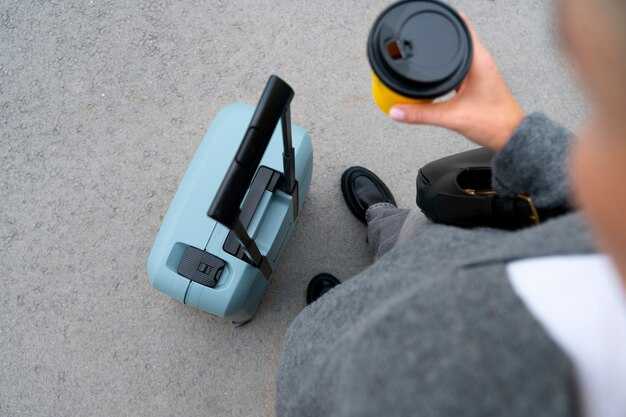
Start with a compact android-based tracker rated ip67, and pair it with your phone for real-time updates. This solid option supports crowdsourced location when Bluetooth is out of range and delivers an audible alert you can press to test. The device and app should be tested and approved by users for reliability.
Real-time tracking relies on a capable app that shows the current position on screen, with geofence alerts and a predictable update cadence. The mechanism sends updates to youre device as soon as luggage moves, and youre in control of notifications, with a clear screen showing the latest location. You can tweak the alert volume through the volume controls on the app or the connected device.
Attachment matters: choose an attached mechanism that stays secure–rugged strap, reinforced loop, or clip. For luggage, ip67 protection matters; test by light exposure (without submersion). The popular choices pair compatibility with Android devices and a low-profile form factor. Look for a solid build that fits a suitcase pocket and doesn’t add bulk. Expect price ranges in the 30-60 USD range for basic android-based trackers, with higher-end models offering longer battery life and louder alarms.
Privacy controls let you limit location sharing to trusted contacts. Use a separate account, enable two-factor authentication, and switch off background location when not traveling. In courtesy to others, avoid broadcasting your location on public networks. If you need to share, use a dedicated access list and revoke it when you return. The app can still work offline if the device stores last-known position and updates later when in range. Travelers tend to appreciate a simple, privacy-first setup.
First-time setup should be quick: enable pairing, confirm the map shows the device on screen, and test by moving the luggage a few meters to trigger a real-time alert. Press the test button on the tracker or in the app to verify that the alert is received within a few seconds. For the best experience, choose an android-based model with a straightforward pairing flow and a clear user manual. If something went wrong in the past, re-pair from scratch to avoid cross-device interference.
Choice matters: select a model with a tested privacy policy and an easy method to disable sharing on the fly. Look for an app that runs on Android 9+ with regular updates and an optional web dashboard. The writer behind this guide tested several models and finds that those with a tight pairing flow and strong ip67 durability maintain accuracy in transit. The previous tracker sometimes drifted when the luggage was stacked in cargo; testing shows replacing the battery and re-syncing helps.
In practice, a solid android-based setup with real-time updates, ip67 rating, and a robust attached mechanism offers protection against loss. The best solution blends privacy controls and a friendly UX, letting you monitor luggage without sacrificing privacy. This combination tends to meet most needs and is more compatible with current travel habits than other options. If you want a practical approach, start with one model and expand to a second for a backup, ensuring you can still locate both items in real-time when scanning the screen.
Choose Android-Compatible Trackers: Key Features for Luggage
For Android users, samsung-made SmartTag2 paired with SmartThings is the strongest starting point for luggage tracking on every trip.
Choose trackers that are truly Android-compatible, offer long battery life with replaceable cells, and support locating via an active network. SmartTag2 works with Samsung devices and, when available, provides locating cues in the app to guide you toward the tag. Look for a device that supports scan and directional locating so you can follow a directional cue right to the tag, even in a crowded room.
Security matters: encrypted location data, clear opt-in controls, and privacy protections protect your location. Being mindful of privacy helps you travel without exposing details. If you carry luggage on a busy trip, dont rely on a single beacon; ensure the tag supports an opt-in mode for search signals and shows when someone else scans the tag. The system should be able to keep located items private and safe, otherwise exposing sensitive data.
Regular use-case: while you travel, travelers benefit from alerts if a bag is left-behind in a hotel room or taxi. The app shows the last known location and prompts a search when within range. If you locate the item, it can be carried again to avoid trouble, giving you peace of mind being on top of every step.
For Galaxy users, the directional feature helps you locate luggage even in large airports. If you dont own Galaxy or other Samsung phones, you still get locating via Bluetooth when within range, but the precision is lower. Scan the area to confirm the tag is located, and use the map view to see approximate proximity.
Focus on ecosystem compatibility: smartthings support widens room of options for travelers using multiple brands. A samsung-made tracker paired with SmartThings simplifies cross-device locating and reduces the risk of left-behind bags, since most people carry their phone and watch together. In practice, it feels intuitive to search and scan in one app rather than juggling several tools.
Bottom line: if you want a reliable Android-compatible option for luggage, smarttag2 is a strong pick, especially if you already use Samsung-made devices. It works with Android, supports directional locating on supported phones, and benefits from Samsung’s Find network for broader coverage. If you prefer a broader Android ecosystem, Tile and Chipolo offer good alternatives, but expect different network reach and privacy controls. Always verify battery type, replacement availability, and whether the tag supports left-behind alerts align with your travel style.
Compare Leading Tags: Tile, Chipolo, Samsung SmartTag, and Others
Tile Pro is the best all-around Android luggage-tracking tag. Its android-based app, huge network, and tested reliability make it the easiest choice when you want quick location hints and clear alerts for your luggage. Lets break down how Tile, Chipolo, Samsung SmartTag, and other options perform in real-world travel, and which one fits your needs.
-
Tile Pro
- Network and reach: the largest crowd-network among consumer trackers, which boosts chances of locating a bag even far from you.
- Platform: strong Android-based app experience; works well with a wide range of phones.
- Tracking style: Bluetooth with crowd-sourced location updates; turn-by-turn directions appear in the app when the device is nearby.
- Battery and maintenance: replaceable battery; tests show reliable performance over months of travel.
- Best use: general luggage-tracking where you want broad coverage and simple setup.
- Limitations: no UWB; locating inside dense crowds can sometimes feel slower if few Tile users are nearby.
-
Chipolo (ONE / ONE Slim)
- Cross-platform appeal: excellent option if you share tracking with others who use iOS as well as Android.
- Tracking style: Bluetooth with an accessible app that supports audio search and last-seen locations; price-friendly and lightweight.
- Battery: long-lasting and often replaceable, which helps on long trips and keeps total cost down; generally quite straightforward to register.
- Best use: multi-device households or groups, and situations where quick tag pairing matters more than ecosystem depth.
- Limitations: network size is smaller than Tile’s; you may rely more on proximity rather than broad crowd updates.
-
Samsung SmartTag / SmartTag+
- Ecosystem and compatibility: shines with Samsung devices via the SmartThings Find network; Android-based users can still track via Bluetooth, but the network strength is best with Samsung hardware.
- SmartTag+ advantage: UWB provides more precise, turn-by-turn style locating on supported devices; great for pinpointing a bag in a large terminal or parking area.
- Battery and use: standard CR2032 battery with solid lifecycle; register the tag in the SmartThings app and link it to your account.
- Best use: when you primarily use Samsung devices and want tight integration with your other smart-home gear.
- Limitations: network reach is smaller for Android-only setups; non-Samsung users may not get the same network density as Tile.
-
Other options (Orbit, TrackR-inspired models, and similar)
- Orbit and similar trackers offer solid Bluetooth performance with water resistance and straightforward apps; some models emphasize longer battery life or slimmer profiles.
- Network size varies by brand; these tags can be a good budget pick, especially if you’re coordinating with a single ecosystem or partner devices.
- Best use: secondary backup tags or when you want a slimmer, cheaper option for occasional trips.
- Limitations: smaller crowds in the network mean less robust location updates, and some models don’t provide as seamless Android integration as Tile or Chipolo.
For most Android users who want straightforward luggage-tracking with broad coverage, Tile Pro remains the chosen option due to the huge network and reliable app experience. If you’re deeply invested in Samsung’s ecosystem, SmartTag+ delivers precise location with UWB and SmartThings Find, but its benefits are most noticeable with Samsung devices. Chipolo serves as a solid cross-platform alternative, especially when you need Android and iOS compatibility without locking into a single brand. Whatever you pick, register the tag in the respective app, keep the device inside your luggage, and avoid pressing any pins or buttons during setup unless instructed–the goal is to let the network do the work, not to cause misreads.
Setup and Use: Pairing, Notifications, Geofencing, and Battery Life
Pair the luggage tag by installing the Android-compatible app from Google Play, turning on Bluetooth, and pressing the tag’s pairing button until the LED blinks. In the app, tap Add Device, select the model, and name it (Carry-on). This creates a fast, reliable connection you can trust whеn you travel.
Enable notifications: choose alert tones and vibrations, and set events like “Arrived home” and “Left airport” to trigger automatically. Test the alert by moving the tag from a room to another area to confirm the reach of the signal on your phone. If you share the device, add sarah as a user so notifications appear on her tablet as well.
Geofencing: configure a fence around home or your luggage pickup point. Start with a 150–200 m radius and adjust based on the environment. Use separate geofences for home, car, and hotel floors if the app supports it. Keep the tag carried in the bag’s interior pocket for best performance, and note that metal
elements can affect accuracy there.
Battery life: most tags use a replaceable CR2032 cell; typical life ranges from 6 to 12 months under normal use, with upgraded chipolos-based models reaching 12–18 months. Check battery status in the app and carry spare cells for longer trips. Tends to be longer when the device isn’t signaling constantly, so customize notification frequency to conserve power.
There are android-compatible versions to match your routine, and those looks differ by model. There is vast room to tailor settings, from lite alerts for everyday carry to excellent, feature-rich options for frequent travelers. Thanks to the upgraded chipolos, connectivity tends to stay solid in busy spaces, and you can pick a version that fits your luggage and life. The information stays accessible there, so you know when your goods are in reach, whether you’re at home or away.
Manage from a phone or tablet, and, if you use sarah’s tablet, she can see the same information. This setup tends to be easy to maintain, and you can adjust as your needs change–like when you upgrade to a larger bag or switch to a different room in the house.
| Model | Battery life (approx.) | Geofence radius | Android-compatible | Notes |
|---|---|---|---|---|
| Chipolos Tag Basic | 6–12 months | 150–200 m | Yes | Affordable; basic notifications; toddlers should not play with it |
| AndroidMate Pro | 12–18 months | 200–300 m | Yes | Upgraded chipolos module; excellent performance in busy areas |
| LuggageTag Ultra | 18–24 months | 300–500 m | Yes | Best for frequent travelers; bigger tag, better signal |
| Chipolos Mini | 8–12 months | 120–180 m | Yes | Small, light; ideal for compact bags; keep away from toddlers |
Privacy Settings and App Permissions to Limit Data Exposure
Disable background location access for third-party tracker apps to minimize data exposure. Grant location only when the app is actively used, and activate smart privacy controls on Android and iOS to enforce data minimization. This helps your privacy experience everywhere when you use smarttags or other finders for your luggage. If you rely on a dedicated finder, keep permissions restricted.
To reduce the amount of data sent, review app permissions in one place: Android’s Permission Manager or iOS Privacy settings. For each tracker app, set Location to ‘While in use’ or deny, turn off Nearby device scanning, and disable background activity where possible. Because location is often the most sensitive, this step directly limits exposure during shipping and transit of goods, and along the route to your arrived destination. If you rely on a dedicated finder, keep permissions restricted.
Limit data flows by restricting access beyond location: disable contacts, microphone, and camera unless a feature requires them. This keeps the finder data and status updates limited to the device, not sent elsewhere. Activate privacy discipline across both ecosystems to ensure the best privacy experience.
- Audit and minimize permissions for every tracker app: Location should be restricted to ‘While in use’ or denied; disable Bluetooth scanning unless the app needs it; turn off access to Contacts, Microphone, and Camera unless strictly required. This reduces data exposure while keeping core functionality for locating your luggage. Keep a tight grip on tops privacy controls to stay in control.
- Manage your advertising footprint: opt out of ads personalization and reset your Advertising ID on Android, so tracking across apps is less tied to your activity. This step lowers data visibility everywhere across services you use during your trip.
- Review privacy dashboards and data sharing: use built-in tools to see what data apps access and revoke permission for anything not essential. Look for options to restrict sharing with partners and suppliers, especially during shipping and transit of goods to destinations you visit.
- Practice device-ready testing before a trip: run a quick check of your current setup to ensure the tracker finder works without exposing extra data. If you travel with pets or valuable gear, verify that alerts are sent to you directly rather than broadcast publicly.
- Keep policies handy and stay updated: check the vendor’s privacy policy and the newsletter for any change in data practices. Unsubscribe from newsletter promotions that request broad permissions; rely on the official app store listing for the latest guidance.
For best results, choose trackers with clear privacy controls and a lightweight data footprint. The right combo of settings keeps your luggage privacy-focused while maintaining precision and reliability, whether you are arriving at a busy airport or a quiet gate, and whether you ship goods across borders or move with your belongings everywhere you go. This approach looks simple while delivering a wide shield of protection for your goods and supports compatibility across devices and ecosystems, making your experience more seamless in real life.
Guard Against Tracker-Based Stalking: Safety Tips and Response Steps
Disable audible beeps on trackers and enable silent mode; if you cannot verify ownership, remove the device from your luggage and store it in a secured pocket until you can identify the owner. Check whether the device has a removable battery to prevent accidental signaling during transit.
Register the incident with the airline, airport security, or hotel staff, and log the time, location, and any alerts. Use googles Find My Device or another app to scan for trackers around your baggage, assess the distances they can reach, and note any patterns. Maintain caution and stay in well-lit areas when you test signals so you can back away if a device seems to be following.
Response steps if you suspect stalking: move to a public, safe space; theyre a real hazard if left unchecked; contact local authorities if you feel threatened; preserve evidence by saving screenshots, location history, bag tag numbers, and timestamps. Share these details with the carrier and police, and request a formal incident report; do not delete logs for hours after the event so they remain usable.
Prevention and smarter choices: for Android users, start with smaller, well-reviewed picks that offer clear privacy settings; consider additional options from another brand to compare, including moto devices and maybe tested solutions from googles ecosystem. Look for picks that can cover larger areas, offer precision alerts, and provide quick removal or disable options. When you register a device, ensure you can work with a backend app that supports back-end control and reliable tracking within a safe reach; read reviews from users to gauge reliability and hazard indicators. If a device seems easy to misuse or signals become erratic, remove it and notify the vendor for a replacement or refund; use these steps to stay ahead and keep luggage protected and within your reach.