

Recommendation: putting your focus on a solid inflight plan, choosing Qatar Airways for your next long-haul journey from Hamad International Airport to maximize your inflight entertainment experience. The Oryx One system offers a large library of films, TV shows, music, and games on most seats, with personal headphones included.
Oryx One delivers high-resolution seat-back screens across the fleet and a streamlined menu you navigate via touch or a compact remote. Expect hundreds of hours of content, including curated film collections and regional selections chosen for the region you are flying to, with quick search by genre, language, or era. The catalog is updated regularly and includes fresh releases from studios around the world to keep the offering current for passengers with diverse needs.
Doha–Auckland is among the longest non-stop routes in Qatar Airways' network, with flight times approaching 17 hours, which makes a strong case for a rich inflight lineup.
Practical tips to maximize value: putting your watchlist together before boarding helps you jump into content quickly after you settle. Board with a plan to use Oryx One throughout the flight, keeping your needs in mind. Ensure your devices are fully charged and use the supplied headphones or your own for best sound.
Qatar Airways maintains a modern fleet that includes the Airbus A350-900 and A350-1000, the Boeing 777-300ER, and a growing number of 787s, ensuring uniform Oryx One access across cabins and a steady experience on long legs within a global connectivity network.
The Oryx One interface uses a clean white-on-dark theme, making navigation quick during boarding and busy periods. For families, a separate kids’ section offers age-appropriate options, while business travelers can quickly locate language-learning programs, news, and short-form documentaries to stay informed without leaving the seat.
Bottom line: If your priority is solid inflight entertainment, Qatar Airways delivers a compelling option across its network.
Qatar Airways Inflight Entertainment: Practical Guide
The inflight system streams into your seat screen or personal device, and the content catalog spans cabins across the fleet.
Content spans movies, episodes, podcasts, and games. Filters by language help you tailor the library, and quick switches on the seat screen or the app keep you moving. Mocktails and other amenities in the cabin pair nicely with your viewing, with much to sample to keep the pace steady.
To maximize value, the inflight system is an asset designed to entertain on long legs; you don’t need to spend money on extra content mid-flight, since the catalog is available aboard. The same library is accessible across the fleet, so your choices stay familiar on any Qatar Airways route.
Use the app to queue an episode or a podcast for later, then resume where you left off with uninterrupted playback across aircraft segments.
Content Library: Movies, TV, Music, and Games – Availability by Route and Aircraft

Movies availability by route: On wide-body, long-haul aircraft you get new releases and regional favorites; on narrower jets for shorter legs the selection focuses on family-friendly titles and evergreen picks. The actual catalog across destinations can differ, so check the table above for the details.
TV and series: Long flights benefit from serialized dramas, documentaries, and kids' shows. Availability by route depends on the aircraft, but you will often see continuity so you can watch multiple episodes in one sitting. For the most accurate choice, consult the above list; it shows the actual titles by destination.
Music and audio: A broad mix spans global pop, regional tracks, and classics. On many routes you can download playlists for offline listening, with quick access from the platform. The fizz of a fresh playlist keeps you entertained without slowing your pace.
Games: Casual puzzles and trivia add a break during your journey; the selection varies by aircraft type and route, so the available games go wide on long hauls and lean on shorter flights. If you want to pause a game, use the stop control, and check the above table for what’s offered where. Perfect for family travel.
Tips to tailor your experience: Use the management tools to customize your preferences and maximize your time. Communicate with cabin staff if you want recommendations; quick feedback helps improve suggestions on future flights. If you miss a title, pick a close alternative and continue along the line of options toward your destination; delivering a smooth experience for your family means you can land refreshed. The reason catalog choices vary by route is aircraft type and schedule, where the journey goes, and how many miles you rack up–points, which reflect your priority, and actual availability shape what you see in the list above.
Screen and Device Experience: Seatback vs. Personal Device, Touch Controls, and Language Options
Choose the seatback screen as your default on Qatar Airways’ long-haul flights for instant access and a reliable picture; your private device remains ready for a personalized lineup when you want to tailor subtitles, audio, or favorites to your mood with flexible options. This setup works great for those traveling to diverse destinations, like india, who value consistency and speed.
Seatback vs personal device: The seatback display responds to fingertips with bright, intuitive navigation and quick-access shortcuts on the armrest, delivering practical control for a straightforward cruise through the library. Your own device offers familiar gestures and the freedom to adjust brightness, language, and audio tracks, which makes the seat feel private. When the cabin is bumpy, the seatback interface stays steady; on a quiet flight, a personal device lets you customize the layout and search speed, and you can continue watching without interruption. The options are not expensive, so you can pick the setup you love without breaking the budget. You may wonder how smooth the transition feels between seatback and private device.
Language options: The Oryx One interface adapts to a broad set of languages. If you speak English, Arabic, Hindi, or other regional tongues, you can switch the menu and subtitle tracks easily. For travelers from india or those visiting dominica and other destinations, the library includes content dubbed or subtitled in multiple languages, helping you speak with crew and fellow passengers without missing the plot.
Platform and content strategy: Oryx One keeps expanding with thousands of hours of entertainment across the region, and the airline puts practical efforts into localization and access. The platform feels similar across devices, so you can love the experience whether you stick with seatback or move to a private device mid-flight. For aviation enthusiasts, the library includes aviation-themed titles and region-focused content, reinforcing the global reach of the network. If polish matters to you, you’ll notice the polish in navigation, language choices, and clear cues that help you move between destinations with ease, continue your journey, and miss nothing that matters to your travel plan.
Access and Navigation: Browse, Search, Save, and Resume Across Devices
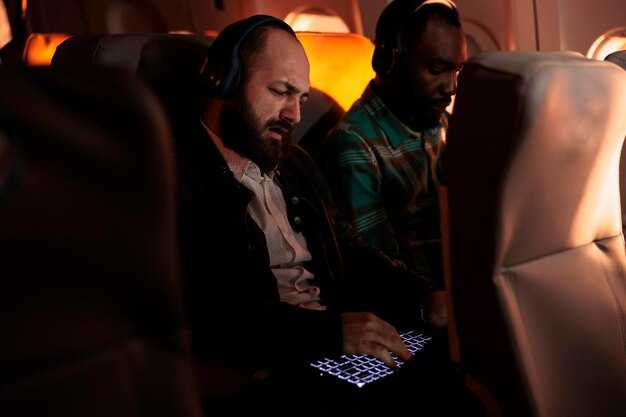
Browse by genre, language, and mood across the cabin screen and mobile view; the layout keeps your position and highlights new arrivals so you miss nothing.
Save titles to your Watchlist with a single tap; saved items appear on seat screen and in the app, so content is ready when you want it.
Your progress is stored in the cloud when you sign in, so you can resume playing exactly where you left off, whether you switch from seat to phone or tablet.
Download titles for offline viewing when available; downloads stay tied to your profile, so you’re invested content can be enjoyed away from connectivity on any device.
Tip: keep the app updated and switch to a lower resolution if the connection is weak; clear communication prompts guide you through menus and ensure your preferences persist across devices.
Connectivity: Starlink, and what it actually costs
Qatar Airways runs Starlink on board, and on its own connectivity page the airline calls it free — internet from gate to gate at no cost. Access runs for 45 minutes for anyone, or for the full duration of the flight if you join Privilege Club, the airline’s loyalty programme. Starlink is fitted to the Boeing 777, Airbus A350 and Boeing 787, on routes to more than 130 destinations (qatarairways.com, checked 1 September 2026).
Two things follow. There is no paid tier to buy, so ignore any advice about picking a plan once you are on board: sign in, and if you want the whole flight rather than 45 minutes, join Privilege Club before you fly. And because the fitment goes by aircraft type, the aircraft rostered on your flight decides whether Starlink is there at all — the cabins still waiting for it are the older ones.
Accessibility and Family Features: Subtitles, Audio Languages, and Kid-Friendly Content
Enable subtitles in your preferred language on every Qatar Airways flight where available, and select a matching audio language during setup to keep every passenger in the loop from takeoff. This simple step helps kids stay engaged and supports non-native speakers during the flight.
The library is digital and refreshed regularly, with selected titles rotating to reflect popular demand and regional preferences. Some titles offer subtitles in English, Español, Français and العربية, while Arabic audio options tend to be highlighted for routes serving the Middle East and North Africa. Regions like dominica, belize, and venezuela often see additional language tracks to aid understanding and enjoyment. Availability varies by aircraft, route, and title, so some flights present broader options than others. These changes demonstrate ongoing innovations aimed at enhancing accessibility and making family travel smoother.
For families, the Kids section marks kid-friendly episodes and clearly flags scenes that are suitable for younger audiences. Parents can preview episodes by looking for the kid icon, and they can use parental controls to limit content to age-appropriate selections. The goal is to keep younger travelers entertained without compromising safety or comfort, so you’ll find calm scenes, mild humor, and engaging educational clips that suit a long night flight.
To access and tailor the experience, use the main entertainment menu and the on-screen Accessibility options. You can switch subtitles, choose an audio language, and enable a dedicated Kids mode before the flight crew completes safety demonstrations. If you’re traveling with a group, you’ll appreciate that multiple devices can sync settings, helping everyone stay on the same page while looking out for younger passengers. These settings mean passengers notice faster access to their preferred language and fewer interruptions during the flight, contributing to a smoother overall journey.
| Feature | What to Expect | How to Access | Notes |
|---|---|---|---|
| Subtitles | Languages typically include English, Español, Français and العربية | Use the subtitles toggle in the on-screen reader or the remote menu | Availability varies by title and aircraft; some titles rotate by route |
| Audio languages | Multi-track options on selected titles; priority given to English and major regional languages | Open the audio language selector within a title’s player | Not all episodes support every language; check the title metadata |
| Kid-friendly content | Curated episodes with safer scenes and clear labeling; a dedicated Kids mode | Enter Kids section from the main menu; enable parental controls if needed | Selected titles only; content is updated periodically |
| Accessibility and access | Clear navigation aids, larger text options, and straightforward controls for caregivers | Access the Accessibility menu in the reader controls | Innovations focus on ease of use for families and diverse passengers |
During long-haul journeys, Kepnes-inspired pacing can appear in some teen-friendly episodes–fast dialogue, tight cuts, and engaging setup–without overwhelming younger viewers. If a scene feels intense, you can pause, switch to subtitles in a calmer language, or switch to a milder episode to keep everyone comfortable. The goal is to stay attentive to family needs and maintain care for every passenger, whether you’re flying for business or leisure.
Selected routes continue to expand language coverage and kid-friendly offerings, reinforcing Qatar Airways’ excellency in entertaining passengers across diverse markets such as dominica, belize, and venezuela. If you’re trying to plan ahead, check the on-board catalog before you fly, confirm available languages, and select your preferences early in the flight setup. Your choices today strengthen access for all passengers and help make every flight a more enjoyable experience for families and solo travelers alike.