


 Português
  English (UK)
  Русский
  বাংলা
বাংলা  العربية
  日本語
日本語  한국어
한국어  Magyar
  Norsk nynorsk
  Türkçe
  עִבְרִית
  Español
  Čeština
  Svenska
  Ελληνικά
  Suomi
Suomi  Nederlands
  Română
  Italiano
  Français
  Polski
  Українська
  Deutsch
  简体中文
简体中文  Slovenčina
  Српски језик
  اردو
اردو  Azərbaycan dili
  O‘zbekcha
  አማርኛ
አማርኛ 
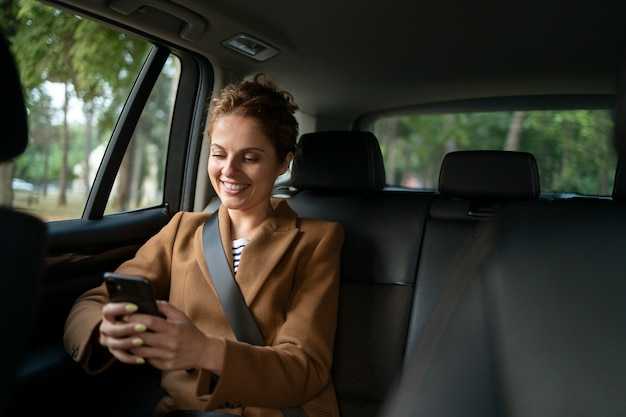
Start with verifying the pickup details in the app within the hour of ordering. Confirm the driver’s name, plate, and vehicle color, and match them to the car you see curbside. This quick check builds confiança and minimizes the chance you pick up the wrong ride.
If something feels off, cancel and rebook. The biggest safeguard is speaking up when you sense a mismatch. In two-hour interviews with safety experts, riders explained that early cancellation prevents potential injury and reduces exposure to risk. believe your instincts and pick another ride if the route or driver looks suspicious.
Share your ETA with a friend and enable live location during the ride. This rider-friendly habit gives someone a check-in point and makes it easier to react if something goes wrong. As a rider, you set the tone for safety. Starting with clear expectations helps everyone stay calm when the ride begins. Riding with a plan makes the process smoother for you and the driver.
During the ride, use the safety features: tap SOS, verify the driver and car mid-route, and watch the real-time map. If the route deviates or the driver begins a detour, speak up and request a stop or cancellation. This approach keeps you in control even if the ride becomes uncomfortable. The app’s safety signals show live trip status and enable quick actions.
After the trip, rate the ride and report any concerning behavior. The confiança ganho by these steps grows when you share feedback, helping platforms surface issues and protect other riders. The small checks you made can prevent future problems.
These seven ways began with feedback from riders and safety experts who ganho confiança through candid interviews and data sharing. Pick a plan, check details, stay observant, and you’ll minimize risk whether you ride with Uber or Lyft tomorrow.
Before you ride: verify driver identity, vehicle, and license plate
Verify the driver’s identity before you ride: check the name and photo in the app and confirm it matches the person who pulls up at the pickup. Also, this simple step builds trust and makes the pickup smoother for you, the driver, and anyone nearby.
Cross-check the vehicle details: color, make, model, and the license plate shown in the app must match the car you see. Also, if the plate or description differs, cancel the ride and request a new pickup to avoid a headache later.
The algorithm behind the app cross-references drivers’ photos, vehicle descriptions, license plates, and your pickup location. Drivers giving up-to-date photos improve accuracy. This power gives high confidence for anyone involved in the ride, including members of the community, anywhere you ride, and the checks can depend on ride type.
Use a quick, four-point checklist: verify identity, verify vehicle, verify license plate, verify pickup spot. If any mismatch appears, don’t board and start a new request–this multiple-check approach minimizes risk and protects your drop-off experience. Skipping checks would eventually create risk.
On arrival, stay outside the door until you confirm the driver’s name and plate, then greet them and get in only if everything aligns. If the car isn’t the one picked in the app, walk away and request a new pickup.
Remember the advantage: reviews, photos, and plate data align to reduce lack of clarity before pickup; anyone traveling benefits from these checks. As a veteran rider, you protect yourself and others by sticking to them wherever you ride.
If you notice something off, report it to the companys safety team and to anyone who can help; your alert reduces risk for drivers, riders, and the broader community involved in the ride.
During the ride: stay alert, buckle up, and avoid sharing personal information
Fasten your seat belt immediately and keep it fastened for the entire ride. A secure restraint reduces the odds of injury in sudden stops and crashes, and it protects you and others in the car.
Stay alert by scanning the road ahead, watching for pedestrians, and noting any aggressive maneuvers from other cars. Build habits of checking the driver’s name, the plate, and the trip details in the app. This is evident safety practice known in markets, learned over years of rideshare experience.
Limit what you speak about and never disclose personal data. Whats at stake includes your privacy and the real risk of data leakage. Know whose information is being requested and only share what the app confirms through official channels.
During trips, keep conversations focused on the ride and avoid sensitive topics. This kind of discipline could help when getting late or facing a surge in requests from others, and reduces the odds of a surprise interaction. If prompted, then pause and use the safety options in the app.
Use protections built into the platform’s program: in‑app SOS, route sharing with a trusted contact, and the option to switch rides. If you notice a surge, a strange detour, or suspect unsafe behavior, end the ride safely and report the incident later to help improve the system.
Note the real risks: dead zones, poor lighting, or a driver asking you to veer off the planned route. If you feel uneasy, request a different car or driver. Your safety matters most in this case, and that is why you should act when needed.
Between trips, learn from years of experience. Whats common across markets is a simple pattern: stay alert, keep data private, and use protections from the program. The odds are higher when the driver or riders are unknown, but following these steps can be a great way to reduce risk and avoid a surprise later.
They know that years of field experience show a simple rule: stay alert, protect data, and report concerns.
| Ação | Why it matters |
|---|---|
| Keep belt fastened | Protects you in sudden stops; lowers injury odds |
| Limit what you share | Preserves privacy and reduces data risk |
| Verify trip details | Prevents getting into the wrong car or with the wrong driver |
| Use in‑app protections | Access SOS, share trip, and route with a trusted contact |
Safety features and sharing: enable trip sharing with trusted contacts and use the in‑app SOS

Starting your ride, enable trip sharing with trusted contacts to track real-time progress and arrive safely. This step keeps your information private and avoids public exposure while giving someone you trust visibility through the route.
Enable trip sharing with trusted contacts
- Open the Safety or Trip Sharing section in the app, and select 1–4 trusted contacts who would receive updates. These contacts must be listed and accepted before they can see your location.
- Share your live location, ETA, and route through the ride so they can follow progress through the map in real time.
- You can start sharing for the duration of the trip or stop sharing at any time; you decide what to reveal and for how long.
- Keep the sharing private: avoid posting or sending the link publicly, and review your list of contacts after each ride. If you dont see updates, check connectivity.
- Note: you can add a short written note about the pickup or drop-off to help contacts understand to take action if something changes.
- If a case arises where you want to modify the audience, you can replace or remove contacts during the ride.
Use the in-app SOS and related safety steps
- In danger situations, tap the SOS button; the app immediately sends an alert with your real-time location, trip ID, and a brief message to your emergency contacts and local responders.
- The information is shared through encrypted means and only with accepted contacts; this means you can rely on trusted people without exposing data to strangers.
- After you trigger SOS, you can still communicate in the chat if you can, providing additional details; this helps responders act quickly.
- Veteran riders with years of travel generally activate SOS only when needed, but a quick experiment in a safe setting can show you how it works–more practice makes you confident in danger scenarios.
- Starting from the moment you press SOS, the system continues to update through the longer ride until you arrive at a safe drop-off or help arrives.
- If you leave the ride or end the trip, the in-app alerts automatically stop and sharing ends for that session unless you re-enable it for a new trip.
Pickup and dropoff: meet in well‑lit public areas, verify the pickup spot, and confirm the destination
Meet in a well-lit public area and verify the pickup spot in the app before approaching the vehicle. Note the details: plate, car make, model, and color, along with the driver’s name and photo. Morning rides or late-night shifts demand extra caution, so choose popular pickup zones with visibility and foot traffic. Develop safe habits that started with your first ride: always check the plate and the driver’s photo, and also keep your distance until you confirm the match.
Verify the pickup spot by cross-checking the app’s GPS with the curb you see and ask the driver to confirm the destination before you enter. The route shown in the app should align with the direction you expect; if it veers, request clarification before stepping in. If the plate or color doesn’t match, the same caution applies across services; never enter a car that doesn’t correspond to the app’s details, and if the driver didnt match, cancel and try again.
Be mindful of strangers and crowds; if you’re headed to a wedding or a big event, choose a popular pickup zone that other riders frequent. Use the same precautions at morning or night as you would during the day; never accept a ride from a driver who can’t confirm the destination or route. If you notice a driver asking you to go off the planned route, say no and request a stop in the app to adjust the direction before continuing. This reduces the influence of miscommunication or surprise detours.
During pickup and while waiting, keep a small supply of necessities–phone, power bank, and wallet–close, and avoid sharing sensitive details. If you need a bathroom break, ask the driver to stop at a safe, well-lit location. A spokesman from the platform notes that staying in public spaces and checking the plate, name, and photo improves safety, and the same practice helps during morning or evening rides. Also, stay aware that higher surge pricing can tempt quick decisions, so consider waiting for a stable rate and a familiar driver, and keep in mind that workers and drivers alike benefit from clear guidelines and timely communication.
After drop-off, confirm you reached the destination in the app and thank the driver; if the route ended up gone to a wrong place, report the incident and any injury or accident to support. If something felt off, you can start a new ride later and review the story of what happened to refine your habits. If you were charged unexpected fees, request a review and check the same details–plate, route, and destination–to ensure accuracy. In all cases, keep the direction of your next ride clear and avoid letting a stranger influence your choices; at least you will walk away with a stronger, safer routine.
After the ride: review the driver, report concerns, and save ride details
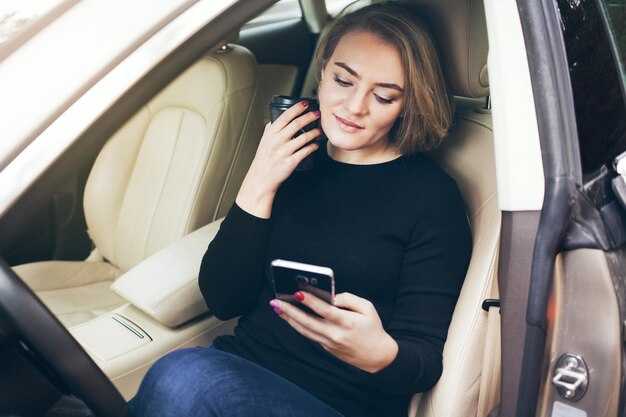
Complete a five-step review immediately after your ride: rate, summarize, report concerns, save ride details, and note follow-up needs. In the app, tap the completed trip, give a five-star rating if the driver was professional, and add a concise, fact-based note about what happened. This quick action builds a clear record you can reference later, helps safeguard strangers in public spaces, and supports safety improvements across markets.
Report concerns through the Safety Center or support if you observe aggressive driving, disrespectful behavior, inappropriate remarks, or strangers in the car who made you uncomfortable. Document the time, location, vehicle details, and the specific actions you found worrying. If you feel in immediate danger, call emergency services. You should describe how the event affected your safety and how your rights were impacted, and provide any available evidence such as messages or screenshots to strengthen the report.
Save ride details: record the trip ID, start and end times, pickup and drop-off points, and the vehicle information (model, color, and license plate if shown). Save the fare breakdown and, if possible, a map screenshot. Keep this record handy as Источник of truth for future reference or for any discussion with support, insurers, or employer safety programs.
Where the information goes matters: the saved details and reports are reviewed by safety teams and rider-protection staff, then used to refine driver screening, policies, and training. This helps public systems and the supply of safe rides, and theres ample value in maintaining complete records to inform upcoming checks and improvements across wide-ranging markets.
Five practical ways to improve your next rides: verify the car matches the description shown in the app, confirm the driver name, check the license plate, share your trip details with a trusted contact if you wish, and keep the app ready to call for help. If something feels off, pick another car from the app rather than continuing the ride, and save the current ride details for reference. There are plenty of details you can gather from each trip–use them to build your own story and reduce risk in future journeys with cars they might pick or encounter on upcoming routes.