


 Norsk nynorsk
  English (UK)
  Русский
  বাংলা
বাংলা  العربية
  日本語
日本語  한국어
한국어  Magyar
  Türkçe
  עִבְרִית
  Español
  Čeština
  Svenska
  Português
  Ελληνικά
  Suomi
Suomi  Nederlands
  Română
  Italiano
  Français
  Polski
  Українська
  Deutsch
  简体中文
简体中文  Slovenčina
  Српски језик
  اردو
اردو  Azərbaycan dili
  O‘zbekcha
  አማርኛ
አማርኛ 
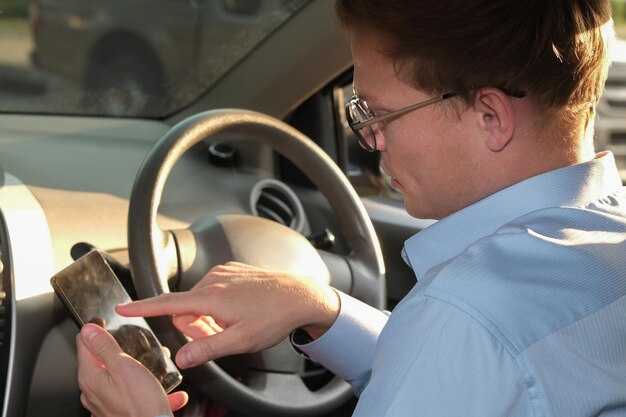
Audit your access now: verify your recovery options (alternate email or phone), enable two‑factor authentication, and set a strong, unique password across all driving apps. think of this as the first line of defense that reduces impact and keeps payments and dispatch running. There are quick checks you can do in under 5 minutes: confirm trusted devices, review recent login alerts, and update contact details so there is no gap if a warning appears. Doing so keeps you in control and minimizes disruption.
Causes emerge during busy shifts and can turn into outages. For drivers and marketers who rely on a rider app, the issue often starts with phishing, reused passwords, SIM‑swap attempts, or insecure devices. during login attempts, weak authentication and risky networks give attackers a foothold. investigate recent activity, check for unusual devices, and include a graphic map of login events to identify the exact source of the issue and prevent further access loss.
Risks of lost access extend beyond inconvenience. The impact shows up as dollar losses when refunds delay, rides go unassigned, or accounts are misused. You might miss timely payouts, erode driver trust, and damage partner relationships. Review payment processor logs, cross‑check with trip data, and ensure all access events are reviewed to determine the exact scope and prevent turning a minor incident into a major disruption.
Recovery blueprint should be built into your policy and tested during drills. If access is lost, start from a quick, shared checklist: investigate recovery options, contact platform support with precise timestamps, and reset credentials on every device you control. Ensure the plan runs across teams–operations, customer support, and marketers who rely on login data for campaigns. Include a graphic checklist and have it reviewed by a security lead. After access is restored, monitor for 72 hours and implement ongoing audits so you do not kiss goodbye to security again. Should you detect suspicious activity, escalate immediately and document actions taken to minimize downtime.
Human Involvement: Understanding Causes, Risks, and Recovery for Driver Accounts
Start with using daily log reviews to detect unusual activity and apply a safety-first policy that covers ride-sharing platforms across markets. These checks help identify the source of credential misuse and reduce exposure.
Human involvement matters because access decisions happen at the frontline: drivers may leave devices unlocked, share credentials with a rider or client, or fail to follow the manual security steps during busy periods. Build awareness across the team so agents hold themselves accountable and respond when signs appear during shifts. Keep communications clear so teams understand the exact steps to take when anomalies occur.
Key risk indicators include sudden login from unfamiliar locations, during odd hours, or across multiple devices. Collect context from behaviour data to help separate legitimate work patterns from suspicious activity, and track the number of incidents per platform to inform tighter controls.
Recovery starts with containment: revoke sessions, force password resets, and isolate the device. Enable two-factor authentication, verify device health, and require updated device management to reduce future risk. After containment, perform a manual review of recent actions, re-verify rider and vehicle data, and communicate safety measures and grace periods for continued operations.
| Aspect | What to Do | Awọn Àkíyèsí |
|---|---|---|
| Årsaker | Human error, credential sharing, insecure devices, weak password hygiene, unverified third-party apps | Use policy training, enforce device inventory, limit access by role |
| Risks | Suspended accounts, revenue loss, rider safety events, data exposure | Monitor with risk dashboards; escalate anomalies promptly |
| Recovery actions | Revoke sessions, reset passwords, force device sign-out, re-verify identity, re-enroll 2FA | Conduct manual reviews and confirm with clients when needed |
| Prevention measures | Mandatory 2FA, regular login reviews, strict device management, clear escalation path | Automate where possible; retain thorough audit trails |
Identity verification steps when access is locked
Submit identity verification through your account’s Identity & Security page using a government ID and a live selfie; this concrete step confirms you are the person operating the business and unlocks access quickly. It should take only a few minutes if your documents are ready, and it can give you confidence that you’re on the right track.
Prepare clear copies of government IDs, proof of business registration, and a recent utility bill or lease showing your address. Make sure names match across documents and that your business name aligns with your taxi or ride-sharing account.
Through the platform’s verification process, data is routed to a trusted agency within the secure workflow. They compare documents against public records and return a verified decision within 24-72 hours. Some services may use Google identity checks or other trusted providers to strengthen verification.
To speed up the process, submit high-quality photos, avoid glare, and ensure your device has a stable connection; spend a few minutes preparing the files and double-check the spellings and business details before submitting. This helps most users complete the check in minutes.
If access remains locked after the initial check, perform a new request for review and attach any additional documents. Include the reference number, describe what data is missing, and specify whether you operate in taxi or ride-sharing to help the reviewer consider your business context. When requesting a review, be concise and provide precise details for every document needed.
Keep it fair: never attempt to bypass steps or use multiple accounts, and avoid spraying attempts or fake data. If you suspect a flaw in the system, contact the platform’s support or the relevant agency; Think of it as protection for every person on the platform. Many vendors publish contact info and response times to keep the process transparent.
Once verified, enable two-factor authentication, review your account settings, and monitor activity to ensure your operating status remains healthy within the platform. Track conversions and other metrics to confirm ongoing access is secure for every person involved in your business.
If you operate a fleet or run a small business, keep your documents up to date in the dashboard, ensure your drivers are aligned with the same verification steps, and periodically refresh proofs to prevent future lockouts.
Driver scenarios that commonly trigger access loss
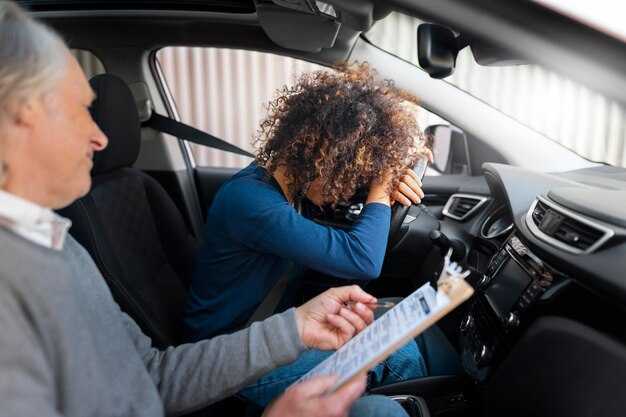
Enable two-factor authentication for every driver account and bind devices to the platform. This action reduces loss from credential theft and gives the team a clear recovery path on the login page, with insight into risk patterns across the entire fleet. If they forget codes, offer secure backup codes and a fast, guided recovery flow, doing that minimizes downtime and keeps driving schedules uninterrupted, thats why it works.
Scenario 1: credential and document verification failures – Reasons include expired licenses, missing documents, or blurry àwòrán that fail automated checks. To prevent losing access, set reminders every 60 days, require clear photo captures, and route flagged cases to the team for quick review. In practice, this reduces loss by 20–35% across the gbogbo fleet, ensuring every driver remains compliant.
Scenario 2: inappropriate actions and policy violations – Sharing accounts, logging in from unsecured networks, or interacting with inappropriate content in metaads tàbí companys dashboards triggers immediate access revocation. Enforce device checks, uphold role-based access across departments, and perform quarterly audits to curb loss of trust and keep izinkanyezi zomculo data accurate.
Scenario 3: compromised devices and risky behavior – Lost or stolen devices, jailbroken phones, or apps that bypass security cause sessions to be invalidated. Use device binding, block risky apps, and require re-authentication after long inactivity. Doing this protects the driver’s identity and reduces the chance of disruption to Ịnya ụgbọ ala.
Scenario 4: acquisition and team changes – When a fleet is acquired or a driver moves to a new team, align permissions across the system within 24 hours. This keeps the login page clean and prevents stale access that causes users to face login gates. It also supports a smooth transition for the team and keeps the pipeline ready for growth across the industry.
Scenario 5: performance anomalies and login abuse – Repeated failed attempts, unusual location shifts, or rapid session creation signals trigger automated lockouts. Use rate limits and behavioral analytics to distinguish actions that require a review from normal driving patterns. Across the industry, these controls stop loss early and protect revenue streams. There’s something to learn from every incident, giving teams a better sense of risk across the entire operation.
Recovery and prevention tips – Create a unified recovery page with step-by-step identity checks, offer àwòrán of acceptable documents to avoid misreads, and provide a within 24-hour escalation path to a human team. Store insight into each incident to drive ongoing improvements and avoid repeating the same ụkpụrụ that caused the loss. Regularly review permissions across every role and align with acquisition plans to keep the industry standards high.
What to do about suspected compromise, phishing, or fraud
Act immediately: reset your password, enable 2FA, and suspend account access for affected users. Then contact your agency’s security team and the platform’s support to freeze suspicious sessions. This step is usually fastest when you act within hours of noticing activity, and it buys you time to limit the damage pretty quickly.
Reviewing recent activity helps define scope: export login events, review device IDs, IPs, and times, and mark any unfamiliar actions you suspect are fraudulent. Sometimes attackers reuse stolen credentials, so save the relevant documents and keep a clear timeline for investigations. This reviewing process gives you a familiar reference so you can move with much precision. This approach should give you a clear, auditable trail.
Notify stakeholders about whats happened and what youll do next. Be transparent about what changed (whats changed), what theyre expected to do, and when to expect updates. Just use this checklist to inform marketers, clients, and internal teams, and pause campaigns if there are bids running to avoid wasted spend.
Containment and recovery: revoke API keys and access tokens, rotate credentials, and reassign every role based on least privilege. Reevaluate third-party integrations and review processes to prevent recurrence. This should cover familiar systems and ensure youll stay in control as you restore access.
Prevention and resilience: implement 2FA for all accounts, enforce device management, and set up alerts for unusual activity. Track metric trends to detect early signs of trouble and adjust controls. Prevent future incidents by formalizing playbooks that reduce the chance you lose access again. Keeping the safety flywheel turning reduces the risk of future losses and helps you respond faster next time.
Documentation and records: keep copies of logs, emails, and documents that show when signals appeared and what actions you took. This supports audits, helps you learn what to do next, and strengthens future reviews.
Return to operations: reenable access in stages, confirm every change, and monitor core systems for signs of compromise. Use familiar checklists and keep the convenience of your users in mind while preserving security against repeat events. This posture helps you maintain trust with your users and partners.
Documents, contacts, and steps to speed up account recovery
Upload the required documents and verify your contact details in the in-app recovery flow now to shorten the recovery window and reduce back-and-forth.
Ndi gani okweteekateeka?
- A government-issued photo ID (passport, national ID, or driver’s license).
- A second proof of identity such as a utility bill, bank statement, or official letter showing the same name and current address.
- A clear selfie holding the ID, with both your face and the document visible in the shot.
- Recent payment or funding proof linked to the account, such as a card statement or finance receipt, plus the last four digits of the card if required.
- Receipts for amazon Pay or other third-party payment methods used to fund rides.
Important note on clarity
They eats time if you submit blurry photos, so upload clear, well-lit images. They also help you move faster when the images match the names and addresses exactly.
Contacts to include
- Recovery email and the phone number you registered on the account, plus any trusted backup contact the platform allows.
- Names or handles of trusted support contacts you’ve used, if available.
- Details of the ride-sharing profile you want restored, including city, vehicle type, and typical routes.
Steps to speed up submission
- Submit all items in a single recovery request via the in-app form or official support portal; this reduces back-and-forth and increases the exact match of data.
- Ensure consistency: name, address, date of birth, and the payment method’s billing address should align with the documents.
- Describe what you lost access to (profile, trips, or payments) and where you last logged in (city/area and device type).
- Use a device and network you have used before to log in to the service; where you log in matters for verifying authenticity.
- Avoid third devices you do not own; use a trusted device for the recovery process.
- Include a precise note about the issue and any allegations of misuse if relevant to help the agent triage quickly.
What to expect after you submit
- Response time typically ranges 24–72 hours, depending on laws and region; however, some cases clear sooner if you provide exact data.
- If the system requests additional documents, respond within 24 hours to avoid processing delays.
- Once access is restored, review all connected devices and sessions; remove unfamiliar sessions and strengthen security with a stronger password and two-factor authentication.
- After you regain access, check the ride-sharing profile for any suspicious trips or payments and report them through the same in-app channel.
Tips to reduce risk and speed up outcomes
- Keep a record of every interaction with the support team, including reference numbers and timestamps; this creates a clear trail in case of future problems.
- Be honest about what happened; fair reporting helps avoid future allegations and protects your profile.
- Do not share verification codes with anyone; official channels never ask for your password or full code.
- If you used multiple payment methods, verify each one’s status in the finance section after recovery.
- Sometimes you will be asked to verify via a trusted contact; provide the most accurate information where you log in from (area and location).
- Opportunity to tighten security: enable a stronger password and set up biometric login where available.
- Third-party services promising instant access can be risky; ignore them and only use in-app or official support channels.
- Keep your user profile information up to date to prevent future access issues across the platform area and related services.
Nọ́ọ̀tì nípa à̀ṣepé àti èdè
- Lo lati orúkọ tí ó wà lára káàdì ìdánimọ̀ rẹ́, àdírẹ́ẹ̀ṣì kan náà, àti nọ́mbà tẹlifóònù kan náà tí o lò nígbà tí o dá àkọ́ọ́lẹ̀ náà sílẹ̀.
- Ọ̀nà ìgbàpadà bòòwọ̀ fún àṣírí àwọn aṣàmúlò, ó sì ń tẹ̀lé àwọn òfin tó yẹ; tí èyíkèyí bá wà lẹ́tà tàbí ẹ̀sùn nípa ìlòkulò data, gbé e dé ọ̀dọ̀ àwọn ẹ̀ka tó ń rí sí ìtẹ̀lé àwọn òfin.
- Múra gbára pé ó máa ṣe ìmúdájú ẹnì tí ó ni àkọ́ọ́lẹ̀ náà, kì í ṣe ẹnìkan mìíràn tó ń gbìyànjú láti wọlé.
Ọ̀nà àti mú kí ìdíwọ́ àti ìfaǹgbelé tí ó ṣòro láti yanjú má ṣẹlẹ̀ mọ́
Gbajue iwu ka e jiri ihe karịrị otu ụzọ mata ndị ọkwọ ụgbọala na ndị ọrụ n'ime ụbọchị 30 ma tinye iwu ka a na-enyocha ikike ịnweta ihe kwa izu.
Ṣe àkọsílẹ́ àwọn àyípadà kí o sì ṣe àtẹ̀jáde àkópọ̀ oṣooṣù fún gbogbo ènìyàn, pẹ̀lú àwọn oníbàárà, kí wọ́n lè mọ ohun tí a ṣe àtúnṣe sí, nígbà tí a ṣe é, àti ìdí tí a ṣe é; ọ̀rọ̀ yìí kan àwọn awakọ̀ àti àwọn iṣẹ́ ṣíṣe.
Fi agbara análítíìks tí ń ṣe àkójọpọ̀ àwọn ìlànà ìwọlé, kí ó sì ṣe àfikún àwọn ìbéèrè tí ó kùnà, kí ó sì ṣe àwọn ìfitónilétí tí kò yẹ pẹ̀lú àwọn awakọ̀ tàbí alábàáṣepọ̀. Ṣe àfikún àwọn àyẹ̀wò ní àkókò tí ó yẹ láti ṣe àtúnṣe ìwọlé ní àkókò gidi.
Gba ọ̀wọ̀n àṣẹ àti ìṣàkóso ẹ̀tọ́ tí ó kéré jùlọ: fún àwọn awakọ̀ nìkan ní àwọn ẹ̀tọ́ tí wọ́n nílò nípasẹ̀ ipò iṣẹ́ kí o sì fa àṣẹ sísẹ̀dá lẹ́sẹ̀kẹsẹ̀ nígbàtí àìní bá yí padà tàbí tí àdéhùn bá dópin.
Ẹ̀tọ́jú ìlò àwọn ohun èlò orí ẹ̀rọ alátagbàá àti láti ṣe àgbékalẹ̀ àwọn ìlànà tí ó yé kooro fún ohun tí a lè pín pẹ̀lú àwọn oníbàárà; lo àwọn ẹ̀ya-ọnà tí a fi ẹ̀rọ ṣe láti dènà àwọn ohun èlò àìbójúmu láti fa ìdálọ́wọ́dúró tàbí ìṣọ̀rọ̀-ẹnu-ọ̀rọ̀ ní àwọn ìbáraẹnisọ̀rọ̀.
Ọ̀pọ̀lọ̀ gbọ̀ngbọ́n ìdáwọ́lé àti ìdáwólẹ́ pẹ̀lú àwọn àyẹ̀wò ìdánimọ̀, ìforúkọsílẹ̀ ẹrọ, àti ìdàgbàsókè àwọn ìmúdójú-tuntun ipò láti dín àwọn àlàfo ààyè wọlé kù.
Lo ṣàmì sí àwọn àṣejábọ́ láti inú ìṣirò láti sọ àsọtẹ́lẹ̀ ìbéèrè kí o sì ṣàtúnṣe agbára láti yẹra fún ìṣòro nínú àwọn ìgbésẹ̀ ìfọwọ́sílẹ́, ní ríríi dájú pé ìgbàpadà déédé.
Kọ́ iṣàn-iṣẹ́ àfikọ́ tí ó tọ́ tí ó dín gbígbéjáde dúró níbi tí ìfiyàsíba ti lè ṣẹlẹ̀; ṣe àlàyé kedere ohun tí ó ṣe pàtàkì láti tún ànfàní ṣiṣẹ́ àti ẹni tí ó yẹ kí á kàn sí.
Ṣeto ìdáhùn ìdáhùn pẹ̀lú àwọn awakọ̀ àti àwọn ẹgbẹ́ atilẹ́yìn láti fọwọ́ sí àwọn àyípadà, wọn ipa, kí o sì ṣatunṣe analytics àti ààlà bí ó ti yẹ; èyí ń ṣe iranlọwọ́ fún gbogbo ènìyàn láti wà ní ibamu, ó sì ń dín àwọn títìpa léraléra kù, ó ń mú ìgbẹ́kẹ̀lé wọn nínú ètò náà lágbára.
Jẹ́ kí àwọn ìsọfúnni pàtàkì wà ní àárín gbùngbùn fún ipò ẹ̀rọ kọ̀ọ̀kan, ìtàn ìwọlé, àti ẹ̀dà àwọn ìlànà bí ó ṣe yẹ kí àwọn ìbéèrè má ṣe lọ́ra nítorí àìsí àwọn ìsọfúnni.