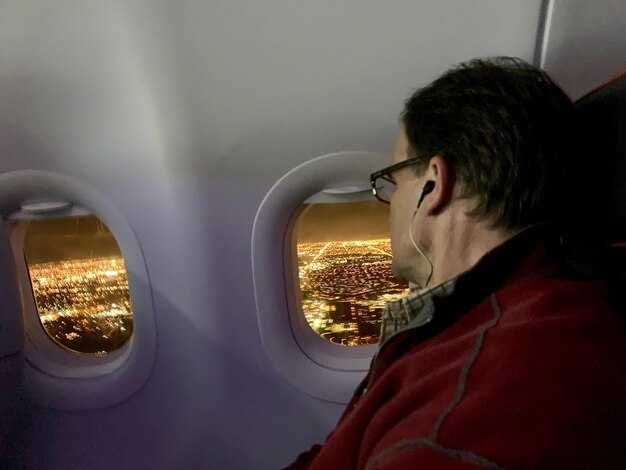

Doporučení: soustřeďte se na solidní plán zábavy na palubě, zvolte Qatar Airways pro svou další dlouhou cestu z mezinárodního letiště Hamad, abyste maximalizovali zážitek ze zábavy na palubě. Systém Oryx One nabízí rozsáhlou knihovnu filmů, televizních pořadů, hudby a her ve většině sedadel, včetně osobních sluchátek a pravidelně aktualizovaného obsahu během špičkových dopravních období, aby vás udržel v zaujetí od nástupu na palubu až po přistání.
Oryx One poskytuje obrazovky za sedadly s vysokým rozlišením napříč celou flotilou a zjednodušené menu, které ovládáte dotykem nebo pomocí kompaktního dálkového ovladače. Očkejte stovky hodin obsahu, včetně deluxe filmových kolekcí a regionálních výběrů přizpůsobených vašim preferencím destinací, s rychlým vyhledáváním podle žánru, jazyka nebo éry. Katalog je pravidelně aktualizován a zahrnuje čerstvé vydání od studií po celém světě, aby nabídka zůstávala aktuální pro cestující s různorodými potřebami.
Qatar spolupracuje s regionálními partnery na rozšíření výběru.
Trasa Dauhá–Auckland patří mezi nejdelší přímé trasy v síti Qatar Airways, s dobami letu blížími se 17 hodinám, což silně argumentuje pro bohatou nabídku zábavy na palubě. Během těchto úseků koordinují kabínová posádka s managementem rotaci titulů, aby výběr zůstal čerstvý a souladný s potřebami cestujících s různými vkusy.
Praktické tipy pro maximalizaci hodnoty: sestavení seznamu přání před nástupem na palubu vám pomůže rychle skočit do obsahu poté, co se usadíte. Nastupte s plánem používat Oryx One po celou dobu letu, s ohledem na vaše potřeby. Ujistěte se, že jsou vaše zařízení plně nabitá, a použijte dodávaná sluchátka nebo vlastní pro nejlepší zvuk. Systém zvládá vysokou frekvenci v kabině s naplánovanými aktualizacemi obsahu, aby minimalizoval přerušení pro cestující, zatímco jedete do své destinace.
Qatar Airways udržuje moderní flotilu, která zahrnuje Airbus A350-900 a A350-1000, Boeing 777-300ER a rostoucí počet 787, což zajišťuje jednotný přístup k Oryx One napříč kabinami a stabilní zážitek na dlouhých úsecích v rámci globální sítě konektivity.
Rozhraní Oryx One používá čistý motiv bílé na tmavém pozadí, což usnadňuje rychlou navigaci během nástupu a rušných období. Pro rodiny nabízí deluxe dětský program věkově přiměřené možnosti, zatímco obchodní cestující mohou rychle najít programy pro učení jazyků, zprávy a krátké dokumenty, aby zůstali informováni, aniž by opustili sedadlo. Aby byl zážitek dostupný, systém podporuje rychlé obnovení a offline stahování pro vaši destinaci bez vyčerpávání vašeho datového tarifu.
Shrnutí: Pokud je vaší prioritou kvalitní zábora během letu, Qatar Airways nabízí přesvědčivou možnost po celé své síti. Aby jste z toho vytěžili maximum, naplánujte si několik titulů před nástupem do letadla, nastavte si seznam sledovaných pro destinaci, kterou navštívíte, a ušetřete peníze tím, že setrváte u palubní knihovny místo externích předplatných, čímž udržíte pasažéry angažované od startu až po přistání.
Qatar Airways Zábava během letu: Praktický průvodce
Začněte streamovat obsah Netflixu při nástupu do letadla pro nepřerušované sledování; vyberte si epizodu a stiskněte přehrát pro okamžitý začátek. Systém zábavy během letu streamuje na obrazovku vašeho sedadla nebo osobní zařízení a katalog obsahu sahá přes kabiny po celém flotile.
Obsah zahrnuje filmy, epizody, podcasty a hry. Filtry podle jazyka vám pomohou přizpůsobit knihovnu a rychlé přepínání na obrazovce sedadla nebo v aplikaci vám umožní pokračovat. Vincent a Kelly, posádka z Trinidadu, pomáhají cestujícím nastavit jejich preference. Mocktaily a další služby v kabině se dobře hodí k vašemu sledování, s mnoha možnostmi k ochutnání, abyste udrželi stabilní tempo.
Pro maximalizaci hodnoty je systém zábavy během letu aktivum navržené pro zábavu na dlouhých úsecích; nemusíte utrácet peníze za další obsah uprostřed letu, protože katalog je k dispozici na palubě. Stejná knihovna je přístupná po celé flotile, takže vaše volby zůstávají známé na jakékoli trase Qatar Airways.
Ovládání a přizpůsobení: upravte jas, hlasitost, titulky a jazyk; úroveň kontroly vám umožňuje přizpůsobit zážitek podle vašich potřeb a pohodlí. Použijte aplikaci pro frontu epizody nebo podcastu na později, poté pokračujte tam, kde jste skončili, s nepřerušovaným přehráváním napříč letovými segmenty.
Knihovna obsahu: Filmy, TV, hudba a hry – Dostupnost podle trasy a letadla
Připravte se předem: zkontrolujte knihovnu obsahu podle trasy a letadla na platformě; výše uvedený seznam ukazuje přesnou dostupnost pro vaše destinace a letové úseky. Použijte tento rychlý odkaz k zarovnání vašich výběrů s mílemi a body a vytvořte si osobní seznam pro sebe.
Dostupnost filmů podle trasy: Na širokotrupých dálkových letadlech získáte nové vydání a regionální oblíbené tituly; na užších tryskách pro kratší úseky se výběr zaměřuje na rodinné tituly a evergreeny. Skutečný katalog přes destinace jako Honduras nebo Kajmanské ostrovy se může lišit, takže zkontrolujte výše uvedenou tabulku pro podrobnosti.
TV a seriály: Dlouhé lety těží z serializovaných dram, dokumentů a dětských pořadů. Dostupnost podle trasy závisí na letadle, ale často uvidíte kontinuitu, takže můžete sledovat více epizod najednou. Pro nejpřesnější výběr konzultujte výše uvedený seznam; ukazuje skutečné tituly podle destinace.
Hudba a audio: Široká směs zahrnuje globální populární hudbu, regionální skladby a klasiky. Na mnoha trasách si můžete stáhnout playlisty pro offline poslech, s rychlým přístupem z platformy. Bubliny čerstvého playlistu vás baví bez zpomalení vašeho tempa.
Hry: Lehké puzzle a kvízy přináší oddech během vaší cesty; výběr se liší podle typu letadla a trasy, takže na dlouhých letích je nabídka široká a na kratších letech užší. Pokud chcete hru pozastavit, použijte ovládací prvek pro zastavení a podívejte se do výše uvedené tabulky, co je kde k dispozici. Ideální pro rodinné cestování.
Tipy pro přizpůsobení vašeho zážitku: Použijte nástroje pro správu k přizpůsobení vašich preferencí a maximalizaci využití času. Komunikujte s personálem v kabině, pokud chcete doporučení; rychlá zpětná vazba pomáhá zlepšit návrhy pro budoucí lety. Pokud vám něco ujde, vyberte si podobnou alternativu a pokračujte v řadě možností směrem k vaší destinaci; zajištění hladkého zážitku pro vaši rodinu znamená, že přistanete odpočinutí. Důvodem, proč se výběr z katalogu liší podle trasy, je typ letadla a harmonogram, kam cesta směřuje, a kolik mil nasbíráte – body, které odrážejí vaši prioritu, a skutečná dostupnost ovlivňují to, co vidíte v seznamu výše. Děkuji za čtení!
Zážitky s obrazovkou a zařízením: Obrazovka na opěrce sedadla vs. osobní zařízení, dotykové ovládání a jazykové možnosti
Vyberte si obrazovku na opěrce sedadla jako výchozí na dlouhých letech pro okamžitý přístup a spolehlivý obraz; vaše soukromé zařízení zůstává připraveno na personalizovaný seznam, když chcete přizpůsobit titulky, zvuk nebo oblíbené položky podle své nálady s flexibilními možnostmi. Toto nastavení funguje skvěle pro ty, kteří cestují do různých destinací, jako je Indie, a kteří si cení konzistence a rychlosti.
Obrazovka na opěrce sedadla vs. osobní zařízení: Displej na opěrce sedadla reaguje na doteky prstů jasnou, intuitivní navigací a zkratkami pro rychlý přístup na područkáčku, což poskytuje praktickou kontrolu pro straightforward průchod knihovnou. Vaše vlastní zařízení nabízí známé gesty a svobodu upravit jas, jazyk a zvukové stopy, čímž vytváří dokonalý soukromý, luxusní pocit. Když je kabina turbulentní, rozhraní na opěrce sedadla zůstává stabilní; při klidném letu vám osobní zařízení umožňuje přizpůsobit rozložení a rychlost vyhledávání a můžete pokračovat ve sledování bez přerušení. Možnosti nejsou drahé, takže si můžete vybrat nastavení, které milujete, aniž byste přetížili rozpočet. Možná se ptáte, jak hladký je přechod mezi obrazovkou na opěrce sedadla a soukromým zařízením.
Jazykové možnosti: Rozhraní se přizpůsobuje široké sadě jazyků. Pokud mluvíte anglicky, arabsky, hindsky nebo jinými regionálními jazyky, můžete snadno přepnout menu a stopy titulků. Pro cestovatele z Indie nebo ty, kteří navštěvují Dominiku a další destinace, knihovna zahrnuje obsah dabovaný nebo s titulky v několika jazycích, což vám pomůže komunikovat s posádkou a spolucestujícími, aniž byste přišli o děj.
Platforma a obsahová strategie: Platforma neustále roste o tisíce hodin zábavy v regionu a letecká společnost vynakládá praktické úsilí na lokalizaci a přístupnost. Platforma působí podobně na všech zařízeních, takže můžete milovat zážitek, ať už zůstáváte u obrazovky na opěrce sedadla nebo přejdete na soukromé zařízení během letu. Pro nadšence do letectví knihovna zahrnuje tituly s letectví tématem a obsah zaměřený na region, což posiluje globální dosah sítě. Pokud máte rádi luxusní pocit, všimnete si dokonalosti v navigaci, jazykových volbách a jasných signálech, které vám pomohou snadno přecházet mezi destinacemi, pokračovat ve vaší cestě a nic důležitého pro váš cestovní plán nepřehlédnout.
Přístup a navigace: Procházení, vyhledávání, ukládání a pokračování napříč zařízeními
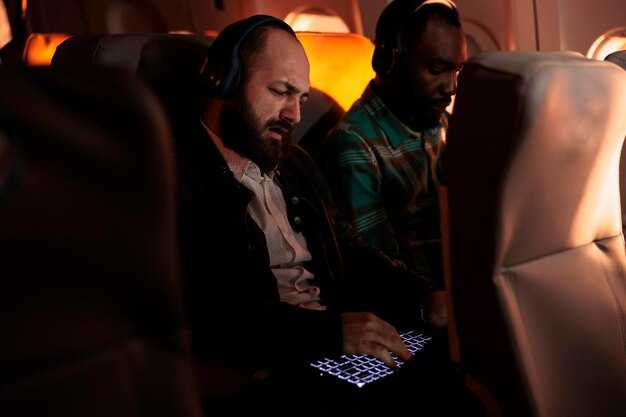
Přihlaste se ke svému profilu pro synchronizaci pokroku na obrazovkách sedadel a v doprovodné aplikaci, takže cestující může pokračovat ve sledování Netflixu nebo jiných titulů na jakémkoli zařízení – včetně tras do Hondurasu, Dominiky a Montserratu.
Procházejte podle žánru, jazyka a nálady na obrazovce v kabině i v mobilním zobrazení; rozložení si pamatuje vaši pozici a zvýrazňuje nově přidané tituly, abyste nic nepřehlédli. Uživatelské rozhraní používá písmo Montserrat pro jasnost, čímž zajišťuje čitelnost kategorií i za světla v kabině.
Použijte vyhledávací lištu k rychlému nalezení titulu, herce nebo originálu Netflixu; výsledky se zobrazí na každém zařízení, ke kterému se přihlásíte, a můžete okamžitě začít přehrávat.
Uložte tituly do svého seznamu k přehrání jedním klepnutím; uložené položky se zobrazí na obrazovce sedadla i v aplikaci, takže obsah bude připraven, kdykoliv jej budete chtít.
Váš pokrok je uložen v cloudu po přihlášení, takže můžete pokračovat v přehrávání přesně tam, kde jste skončili, ať už přepnete z sedadla na telefon nebo tablet.
Stáhněte si tituly pro offline přehrávání, pokud je to možné; stahování zůstává vázáno na váš profil, takže si můžete užít obsah bez připojení na jakémkoli zařízení.
Tip: udržujte aplikaci aktuální a přepněte na nižší rozlišení, pokud je připojení slabé; jasné komunikační výzvy vás provedou nabídkami a zajistí, že vaše preference budou zachovány napříč zařízeními.
Děkujeme, že jste si vybrali Qatar Airways; toto chytré nastavení spojuje obsah z Netflixu a dalších služeb na každé obrazovce, takže si můžete své oblíbené tituly užívat i mimo domov.
Konektivita a streamování: Wi-Fi, šířka pásma a limity streamování
Získejte prémiovou úroveň Wi-Fi na dlouhých trasách pro nejlepší zážitek ze streamování a celkového procházení internetu.
- Rozsah pokrytí a platforma: Systém běží na platformě Qatara na různých typech letadel, využívá satelitní spojení nové generace a pozemní konektivitu, aby vás udržel v kontaktu na čtyřech hlavních dlouhých trasách. Výsledkem je světově proslulá služba zaměřená na poskytování stabilního výkonu i ve výškách pro křížový let.
- Realita šířky pásma: U standardních plánů očekávejte typické rychlosti na uživatele v rozmezí 5–15 Mbps, s vrcholy blížícími se 20–40 Mbps na vybraných úsecích využívajících paprsky nové generace. V praxi to znamená plynulé procházení webu a sociálních aplikací s občasným zpomalením během špičkového využití v kabině. Prémiové úrovně mohou nabídnout vyšší rychlosti, ale rychlost se liší podle trasy a konfigurace letadla.
- Limity streamování: Streamování videa je řízeno tak, aby se vyvážila poptávka v celé kabině. Streamování ve formátu SD (přibližně 480p) je běžně dostupné u většiny plánů, zatímco HD (720p) se může objevit na deluxe nebo nejvyšších úrovních platformy na vybraných typech letadel. Na trasách s nejvyšší úrovní a silnou satelitní podporou se streamování 1080p objevuje nepravidelně, ale uživatelé by měli očekávat omezení během rušných období. Bezplatné posílání zpráv a lehké používání aplikací zůstávají neomezené napříč všemi plány.
- Nuance tras a typů letadel: Na trasách do Brazílie a Ekvádoru se rychlosti stabilizují kolem střední úrovně pro ekonomickou třídu, s lepšími výsledky u novějších širokých trupů. Na těchto trzích tým aerolinek monitoruje congesti a upravuje alokace tak, aby byl zážitek co nejplynulejší pro ty, kteří cestují z důvodu práce nebo studia na univerzitě, nebo navštěvují rodinu v zahraničí.
- Co můžete udělat pro optimalizaci: Omezte streamování na jedno zařízení na cestujícího, když je šířka pásma omezená, předem si stáhněte nezbytný obsah a vyberte nižší nastavení rozlišení pro snížení spotřeby dat. Pokud potřebujete zůstat produktivní, vypněte aplikace na pozadí a používejte offline dokumenty nebo cloudové úložiště, pokud je to možné.
- Při delších letech si vyberte plán nové generace nebo deluxe pro maximalizaci propustnosti, zejména u úseků trvajících čtyři až šest hodin, kde je využití v kabině vysoké.
- Před startem povolte automatické stahování všech potřebných médií, abyste předešli přerušením streamování ve vzduchu.
- Pokud jste student nebo profesionál spojený s univerzitou, zvažte bezplatné nebo slevové možnosti zasílání zpráv pro udržení kontaktu s členy týmu, přičemž hlavní úlohy zůstanou nevyrušeny.
- Pro rodiny nebo skupiny si koordinujte používání zařízení pro rozložení šířky pásma, takže ti, kteří potřebují videohovory nebo streamování, si mohou rezervovat menší část šířky pásma bez ovlivnění ostatních.
V praxi prioritizuje ekonomická část flotily základní konektivitu, zatímco cestující na 5hvězdičkové cestě mohou očekávat konzistentnější zážitek díky zaměřenému řízení sítě týmem agentury. Někteří cestovatelé, včetně někoho jako Vincent, kdo často cestuje, hlásí spolehlivý přístup k palubní knihovně prostřednictvím platformy, přičemž bezplatné zasílání zpráv zůstává aktivní po celou dobu letu. Celkově zůstává konektivita Qataru silným prodejním argumentem pro ty, kteří hledají produktivní nebo relaxační cestu, a přináší konzistentní, zvládnutelné rychlosti bez kompromisů v bezpečnosti nebo kvalitě služeb.
Dostupnost a rodinné funkce: titulky, zvukové jazyky a obsah pro děti
Povolte titulky ve vašem preferovaném jazyce na každém letu Qatar Airways, kde jsou k dispozici, a při nastavování vyberte odpovídající zvukový jazyk, aby byl každý cestující od startu informován. Tento jednoduchý krok pomáhá dětem zůstat angažované a podporuje mluvčí, kteří nemají daný jazyk jako mateřský, během letu.
Knihovna je digitální a pravidelně aktualizovaná, přičemž vybrané tituly se střídají tak, aby odrážely poptávku a regionální preference. Některé tituly nabízejí titulky v angličtině, španělštině, francouzštině a arabštině, zatímco zvukové možnosti v arabštině bývají zvýrazněny pro trasy sloužící Blízký východ a severní Afriku. Regiony jako Dominika, Belize a Venezuela často vidí další zvukové stopy pro usnadnění porozumění a užívání. Dostupnost se liší podle letadla, trasy a titulu, takže některé lety nabízejí širší možnosti než jiné. Tyto změny ukazují na neustálé inovace zaměřené na zlepšení dostupnosti a zjednodušení cestování s rodinou.
Pro rodiny sekce Kids označuje díly vhodné pro děti a jasně vyznačuje scény vhodné pro mladší diváky. Rodiče si mohou díly předem prohlédnout hledáním ikony dítěte a mohou použít rodičovskou kontrolu k omezení obsahu na výběry vhodné pro věk. Cílem je udržet mladší cestující zabavené bez kompromisů v bezpečnosti nebo pohodlí, takže najdete klidné scény, jemný humor a poutavé vzdělávací klipy, které odpovídají zážitku z letu s 5 hvězdičkami.
Pro přístup a přizpůsobení zážitku použijte hlavní menu zábavy a možnosti přístupnosti na obrazovce. Můžete přepnout titulky, zvolit jazyk zvuku a aktivovat dedikovaný režim pro děti, než posádka dokončí bezpečnostní demonstrace. Pokud cestujete ve skupině, oceníte, že více zařízení může synchronizovat nastavení, což pomáhá všem zůstat na stejné vlně při současném ohleduplném zacházení s mladšími cestujícími. Díky těmto nastavením zaměřeným na péči si cestující všimnou rychlejšího přístupu k jejich preferovanému jazyku a méně přerušení během letu, což přispívá k hladšímu celkovému zážitku z cesty.
| Funkce | Čeho se můžete dočkat | Jak získat přístup | Poznámky |
|---|---|---|---|
| Titulky | Jazyky obvykle zahrnují angličtinu, španělštinu, francouzštinu a arabštinu | Použijte přepínač titulků v čtečce na obrazovce nebo v menu dálkového ovládání | Dostupnost se liší podle titulu a letadla; některé tituly se rotují podle trasy |
| Jazyky zvuku | Více stopech na vybraných titulech; priorita je dána angličtině a hlavním regionálním jazykům | Otevřete výběr jazyka zvuku v přehrávači titulu | Není všech epizod podporuje každý jazyk; zkontrolujte metadata titulu |
| Obsah vhodný pro děti | Kurátorské epizody s bezpečnějšími scénami a jasným označením; dedikovaný režim pro děti | Vstupte do sekce pro děti z hlavního menu; případně aktivujte rodičovskou kontrolu | Pouze vybrané tituly; obsah je pravidelně aktualizován |
| Přístupnost a přístup | Jasná navigační pomoc, možnosti většího textu a jednoduché ovládací prvky pro pečovatele | Přístup k menu přístupnosti v ovládacích prvcích čtečky | Inovace se zaměřují na snadné používání pro rodiny a různé typy cestujících |
Počas dlouhých letů se v některých epizodách vhodných pro dospívající může objevit tempo inspirované Kepnesem – rychlý dialog, těsné střihy a poutavé nastavení – aniž by to přehlcovalo mladší diváky. Pokud se vám scéna zdá intenzivní, můžete pozastavit, přepnout na titulky v klidnějším jazyce nebo přepnout na mírnější epizodu, abyste všichni zůstali komfortní. Cílem je zůstat pozorný k potřebám rodiny a udržet péči o každého cestujícího, ať už letíte z obchodních nebo rekreačních důvodů.
Vybrané trasy nadále rozšiřují pokrytí jazyků a nabídku obsahu vhodného pro děti, čímž podtrhují Qatar Airways’ excelenci v bavití cestujících na různých trzích, jako jsou Dominika, Belize a Venezuela. Pokud se snažíte plánovat dopředu, zkontrolujte palubní katalog před letem, potvrďte dostupné jazyky a vyberte své preference brzy v průběhu nastavení letu. Vaše dnešní volby posilují přístup pro všechny cestující a pomáhají udělat z každého letu příjemnější zážitek pro rodiny i jednotlivé cestovatele. Děkuji, že jste si vybrali dopravce, který prioritu vkládá na inkluzivní zábavu, ať vám váš další let přinese klid, spojení a památné epizody příjemných scén.