


 አማርኛ
አማርኛ  English (UK)
  Русский
  বাংলা
বাংলা  العربية
  日本語
日本語  한국어
한국어  Magyar
  Norsk nynorsk
  Türkçe
  עִבְרִית
  Español
  Čeština
  Svenska
  Português
  Ελληνικά
  Suomi
Suomi  Nederlands
  Română
  Italiano
  Français
  Polski
  Українська
  Deutsch
  简体中文
简体中文  Slovenčina
  Српски језик
  اردو
اردو  Azərbaycan dili
  O‘zbekcha
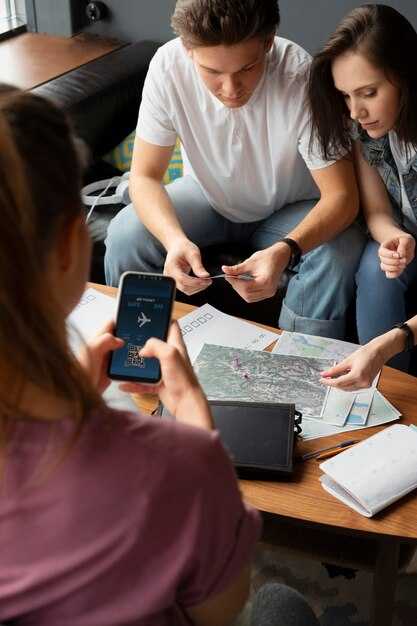
For quick, clear interactions, Google Translate offers 133 languages online and offline packs for 59 languages. It supports voice input and camera-based text capture, and the interface is available on Android እንዲሁም iOS with a smooth, familiar feel. Offline translation is especially handy during longer phases of travel when data access is limited, and results appear promptly to guide your next sentence.
Microsoft Translator shines with multi-person support across devices, including phones and PCs. It covers 70+ languages and can translate live across chats, documents, and web pages without leaving your app. It offers offline translation for several languages, integrates with Microsoft 365, and provides concise glossaries to speed up essential phrases.
SayHi Translate shines with a simple, approachable interface and natural-sounding voices in more than 100 languages. It works well for fast, casual dialogue and supports both voice እንዲሁም text input. The app emphasizes privacy and keeps data handling straightforward for everyday queries while you explore new places.
iTranslate focuses on practical phrasebooks, voice-to-voice translation, and a clean library of common expressions. It offers offline dictionaries for select languages and handy features like conjugation guides and a built-in dictionary for travelers who like to study phrases on the move.
Practical Guide to 2025’s Travel Translation Apps
Choose a single app that works offline and translates speech in real time; download offline packs for the languages you meet, having stable signal keeps travel smooth when limited. It translates spoken words into text, offers pronunciation hints, and helps you deliver a clear message to locals. This setup will work reliably in transit and in markets.
Test its recognition and the message function before you depart: ask it to translate a menu item, a street sign, and a short question. Look for least mistakes in the output, even in noisy conditions, and how it handles names, places, and numbers.
Travel-ready setup: keep your devices synced so you can switch between phone and tablet without losing translation history. If one device gets locked, the others keep working with offline mode; look for a solution that stores the conversation locally and keeps data on your device.
Use the pronunciation feature: listen to the app pronounce each phrase, then repeat. This helps you know that your tones are understood by locals in the middle of a busy world market. If the app includes a text-to-speech option, compare the audio against a native speaker to reduce mistakes.
Customize the phrases: include common requests and polite expressions, and store them somewhere easily accessible. youve got a quick Translate button, and a separate feature to translate a message from another person; both ensure you can respond quickly and stay connected with them.
Limit options to avoid clutter: choose one app with robust offline support, then use a secondary tool only for special cases. Some travelers rely on the same devices across trips, so look for multi-device sync and cloud-stored data that isn’t locked to one handset. thats why you should test in real conversations before you travel.
Google Translate: Offline access, camera translation, and real-time conversations
Start by downloading Google Translate and preload offline language packs for your destination before departure; this ensures translations stay available without a connection.
Offline access lets you convert phrases on devices that have saved packs, and the entire workflow remains fast thanks to on-device recognition, honestly giving travelers a reliable safety net.
Camera translation uses recognition to convert printed text on signs, menus, and labels in real time. Think of it as a portable guide for quick conversions; scan a storefront, and the translations appear as you move, without interrupting your pace.
Real-time conversations mode translates spoken phrases as you talk, enabling smooth two-way exchanges. A stable connection helps, but the feature also works offline after you start the trial and you can switch languages on the fly for a week of testing.
In global stores, the app is designed for travelers and supports many languages. youll find it in stores like Google Play and itunes, with regular updates and background improvements. Once you have found the app, it has been tested on multiple devices, and you can test extra features, compare with other tools, and decide if it’s better for your trips. Found offline packs, camera recognition, and real-time voice translation that works offline when packs are installed are among the core benefits, and youll appreciate what you have gotten from this app.
| Feature | ጥቅማ ጥቅም | How to use |
|---|---|---|
| ኦፍላይን ዝርጋሕ | Translations stay available without data | Open app, download language packs, then switch to offline mode |
| Camera translation | Real-time text conversion from signs and menus | Tap Camera, aim at text, ensure good lighting |
| Real-time conversations | Two-way speech translation | Use Conversation mode, speak clearly, switch languages as needed |
| Getting started | Easy setup in app stores | Install, choose destination, download offline packs |
Microsoft Translator: Multi-device conversations and offline packs
Start here: download offline language packs for your itinerary and enable multi-device conversations before you travel. This keeps you connected when wi-fi is scarce and ensures you have full translations even in flight or at sea. There, you can switch languages mid-conversation with a single click.
Across devices, Microsoft Translator synchronizes in real time. Begin a conversation on your phone, then share a code to invite others. Everyone with the app can join from Android, iOS, Windows, and websites today. The conversation stays in sync on multiple devices, and you can send text, voice, or mixed messages.
Offline packs let you translate even when there’s no internet. Download at least English and the local languages you’ll need; sizes vary from tens to hundreds of megabytes per pack. You can keep packs updated from within the app, and you can always add more later. If you cant access the internet abroad, this keeps your life on track.
For a Caribbean cruise or island sightseeing, offline packs are a lifeline. You can chat with locals, read menus, and ask directions with confidence. The final check is to test phrases before you go; keep a small list of phrases you use most.
ማስተባበያ፡ ከመስመር ውጭ ትርጉሞች ፈጣን እና ጠቃሚ ናቸው ነገርግን ከኦንላይን ውጤቶች ያነሰ ትክክለኛ ሊሆኑ ይችላሉ። ልዩነት አስፈላጊ ከሆነ፣ ለአዳዲስ ሞዴሎች ከበይነመረቡ ጋር ይገናኙ። ትክክለኛነት እዚህ ላይ አስፈላጊ ነው፣ ስለዚህም በዚህ መሰረት እቅድ ያውጡ።.
ምርጥ ልምድ ለማግኘት መሣሪያውን እንደ እርዳታ በመጠቀም ይህን ማድረግ ይችላሉ። በጽሑፍ እና በድምጽ መካከል ለመቀያየር ማይክሮፎኑን ጠቅ ያድርጉ፣ ተወዳጆችን ያደራጁ እና ቁልፍ ሀረጎችን በግል ዝርዝርዎ ላይ ያክሉ። ደረጃዎች፡ 1) ማይክሮሶፍት ትርጉም መተግበሪያን ይክፈቱ፤ 2) ከመስመር ውጭ ቋንቋዎችን ይጫኑ፤ 3) የሚፈልጓቸውን እሽጎች ይምረጡ፤ 4) አውርድን ይጫኑ፤ 5) ውይይት ይጀምሩ እና ማይክን ይጠቀሙ ወይም ይተይቡ፤ 6) ሌሎችን በኮድ ይጋብዙ።.
В итоге: Microsoft Translator – гибкий выбор для жизни в дороге. Он работает на телефонах, планшетах, ноутбуках и веб-сайтах, поддерживает многоплатформенные беседы с синхронизацией. Источник подробностей – официальные страницы и обновления службы поддержки Microsoft Translator.
SayHi ትርጉም፡ ቀለል በይነገጽ፣ ተፈጥሯዊ የድምጽ ግልጽነት፣ እና የቋንቋ ሽፋን

በጉዞ ሁኔታዎች ፈጣንና አስተማማኝ ውይይቶችን ለማድረግ SayHi ተርጉም ተጠቀም። መተግበሪያው ቀላል ገጽታ፣ ተፈጥሯዊ የድምፅ ውጤት፣ ለዋነኛ ቋንቋዎች ዓለም አቀፍ ሽፋን እንዲሁም ፈጣን ውጤት ለሚፈልጉ ተጓዦች ትልቅ ነጥብ ይሰጣል።.
ዋናው ገጽ በስተመካከል ትልቅ የማይክ ቁልፍ ያኖራል፣ ከመናገርዎ በፊት ሀረጎችን ለመጻፍ የሚያስችል የጽሑፍ ግቤትም ያካትታል። ሁሉንም ከመናገር ይልቅ፣ አስቀድመው ለመተርጎም ወይም ጉዞ ላይ በፍጥነት ለመጠቀም ጥቂት መስመሮችን መጻፍ ይችላሉ።.
በምክክር ሁነታ ውስጥ፣ ሰላም በላቸው ወደ ኋላና ወደ ፊት ይተረጉመዋል ስለዚህም ከእነሱ ጋር በሚደረጉ ንግግሮች ውስጥ ተፈጥሯዊ ፍሰትን መጠበቅ ትችላላችሁ። አንዳንድ ትርጉሞች ፍጹም አይደሉም፣ ነገር ግን ለዋና ዋና ዕለታዊ ፍላጎቶች በቂ ናቸው።.
የተፈጥሮ ድምፅ ውፅዓት ድምፆችና የንግግር ፍጥነት ምርጫዎች አሉት፤ በአብዛኛዎቹ ቋንቋዎች ግልጽና ተፈጥሯዊ ቃላትን ይሰማሉ፣ እንዲሁም በፍጥነት መተርጎምና ዉጤቱን በሰከንዶች ዉስጥ መስማት ይችላሉ። ሌላው ተጨማሪ ነገር ለተወሳሰቡ ዓረፍተ ነገሮች ወይም ለአጫጭር ማስታወሻዎች ድጋፍ መስጠቱ ነው።.
ᓄᓇᕐজুᐊᕐᒥ ᐅᖃᐅᓰᑦ ᐱᐅᓯᕚᓪᓕᖅᑎᑕᐅᕗᑦ ᓄᓇᕐজুᐊᖑ മുഴുവᓄᑦ ᐱᔨᑦᓯᕋᕈᓐᓇᖁᑎᓪᓗ, ᐊᖑᓇᓱᖕᓂᖕᒧᑦ ᐊᑏᖢᓂ, ᐊᖏᔪᓂᑦ ᐅᖃᐅᓯᕐᓂᑦ ᐅᖃᐅᓯᕐᓂᓪᓗ ᐊᑐᖔᕈᒫᓕᖕᓂᑦ ᐊᑐᕐᓗᓂ ᓂᕿᓕᐅᕐᕕᖕᓂᑦ, ᐊᖅᑯᑎᓂᑦ, ᐅᓐᓄᐊᖄᓂᖕᓂᓪᓗ ᐊᓂᒍᐃᔪᓐᓇᖁᑎᓪᓗ ᑕᒪᐃᓐᓂᑦ ᖃᓄᐃᓐᓂᓕᖕᓂᑦ.
ናይ ግምት ክግመት ዘለዎ ጉዳያት ኣለዉ፤ ገለ ትርጉማት ኣብ ዝረብሹ ክፍሊታት ወይ ድማ ብርቱዕ ዞባዊ ኣዘራርባ ጉድለት ክህልዎም ይኽእል እዩ፤ ኣብ ዳታ ምውሳድ ስለ ዘለዎም፡ ናይ ኢንተርነት ተበጻሕነት ይሕግዝ፣ ከመይ ጌርካ ብዘይ ኢንተርነትካ ትጥቀመሎም ምርጫታት ድማ ውሱን እዩ።.
መንገዶች መጓዝ፦ ትሪፕሞድን ተጠቅመው መረጃን ይጠብቁ፣ የቋንቋ ጥቅሎችን ከተቻለ ለፈጣን አገልግሎት ያከማቹ፣ እና ከተጓዦች መሳርያዎች ጋር የተቀናጀ ዝግጅት ከፈለጉ ሴትአፕን ለመጠቀም ያስቡበት። በጣቢያ ሽግግር መካከል ሳሉ፣ ሰይሂ ግልጽ ትርጉሞችን በመስጠት እርስዎን በማንቀሳቀስ ሊረዳዎት ይችላል። በተጨናነቀ ጊዜ ውስጥም ቢሆን፣ ይህ ዝግጅት ተግባራዊ ሆኖ ይቆያል።.
በአጭሩ፡ SayHi ተርጉም በጉዞ ላይ እያሉ ለመጻፍና ለመነጋገር ጠንካራ ምርጫ ነው፤ ይህም ዋና የቋንቋ ሽፋን፣ በቀላሉ የሚሠራበት ገጽታና ንግግሮችን ይበልጥ ለስላሳ የሚያደርግ ተፈጥሯዊ የድምፅ ውጤት አለው።.
iTranslate: መጽሓፍ ኣበሃህላ፡ መዝገበ ቃላትን ከመ ከመ ከመ ከመ ከመ ከመ ከመ ከመ ከመ ከመ ከመ ከመ ከመ ከመ ከመ ከመ ከመ ከመ ከመ ከመ ከመ ከመ ከመ ከመ ከመ ከመ ከመ ከመ ከመ ከመ ከመ ከመ ትእዛዝ ዘይጠልብ ሓቅታት።
ጫን ናይ መስመር ወጻኢ ፓኮታት ኣብ iphoneካን ቀደም ሎድ ግበረካ ምቁጽ ዝኾነ ስብስብ ኣበሃህላታትን መዝገበ ቃላትን ቅድሚ ምኻድካ። እዚ ከየድለየካ ኣብ ዳታ ኮነክሽን ንምምላስ ኣብ ዝርርብ የኽእለካ።.
- የሐረግ መጽሐፍት እና ሐረጎች፡ ለጉዞ የግድ አስፈላጊ የሆኑ ሐረጎች የታመቀ ቤተ መጻሕፍት ይገንቡ-ሰላምታ፣ የሆቴል ቃላት፣ ምግብ ነክ ሐረጎች፣ ቁጥሮች እና አቅጣጫዎች። ጣቢያውን ወይም የምናሌን ዝርዝር ለመጠየቅ ለመሳሰሉት የተለመዱ ሁኔታዎች የጃፓንኛ ሐረጎችን አካትት።.
- መዝገበ ቃላት እና መፈለጊያ፡ ፈጣን የቃላት ፍተሻ ትርጉሙን ግልጽ ያደርገዋል፤ አጠቃቀማቸውን እና ጾታቸውን በሚመለከት ማስታወሻዎችን በመያዝ ተደጋጋሚ ቃላትን ያስቀምጡ።.
- መንገዲታትን ኣገባባትን ስራሕ፡ ነቲ ኩነታት ንምጥጣዕ ኣብ መንጎ ሞድ መዝገበ-ቃላት ብዘይመስመር፡ ሞድ መምርሒ ሓረጋት ብዘይመስመር፡ ከምኡ’ውን ሞድ ዝርርብ ቀያይር።.
- Camera translation: aim di camera na signs, menus, ya documents; extract text na translate on di fly, den store results for later reference.
- ኤክስፖርት እና ዶክመንት፦ ትርጉሞችን ወደ ሰነድ ይላኩ ወይም ከጉዞ ጓደኞች ጋር ያጋሩ፤ የታመቀ ከመስመር ዉጭ መመሪያ በመሣሪያዎ ላይ ያስቀምጡ።.
- itranslateን ምንጭን፦ itranslate ማእከልኻ ኾይኑ የገልግል; ምንጭ ንዝርዝር መረዳእታ ተወከስ; ግቡእ ምስ ሓረግ ምጽራይ ምስ deepl ተጸምበር።.
- ማከማቻ እና መዳረሻ፡ ያልተገደበ ሀረጎችን በአገር ውስጥ ያስቀምጡ፤ በተጨናነቁ ጊዜያት መልሶ ማግኘትን ለማፋጠን በአካባቢ ወይም በአጠቃቀም ሁኔታ ያደራጁ።.
អ្វីដែលមិនដំណើរការសម្រាប់ខ្ញុំ៖ កំហុស ដំណោះស្រាយ និងជម្រើសល្អប្រសើរជាង

ዋና ትርጉም መተግበሪያህ(ች) ለማይሰራ በይነ መረብ ጥቅሎችን አውርድና ከመንቀሳቀስህ በፊት በእርግጥ የምትፈልጋቸውን ሀረጎች አስቀድመህ ጫን:: ይሄ የማስታወሻ አጠቃቀምህን ሊተነበይ የሚችል ያደርገዋል ደካማ ሽፋን ባለበት የውሂብ መረጃ ረጅም ጊዜ መጠበቅን ያስወግዳል:: ከመስመር ውጭ ስትሆንና ወሬው በአጣብቂኝ ውስጥ ሲጀመር እንኳ በአንድ አዝራር በመንካት እርዳታ ይኖርሃል::.
ችግሮች የሚታዩት የማስታወሻ መብዛት መሣሪያዎችን ሲያዘገይ ወይም የተጠቃሚው ገጽታ ወሳኝ ቃላትን ከንብርብሮች በስተጀርባ ሲደብቅ ነው። የተደበቁ የክልል ዘዬ ቃላቶች ከመስመር ውጭ ፓኮች በሕይወት አይተርፉም፣ እና በገንቢዎች የተመረጡ ቅርጸ ቁምፊዎች በአሮጌ ማያ ገጾች ላይ ጥቃቅን ሊሆኑ ይችላሉ። ይህም ትርጉሞችን ለማንበብ አስቸጋሪ ያደርገዋል እና እውነተኛ ንግግርን ያበላሻል። በአንድ መተግበሪያ ላይ ብቻ መታመን ብዙውን ጊዜ አውዱን ያሳታል፣ ትክክለኛ ቃላትን ከመምረጥ ይልቅ እንዲገምቱ ያደርግዎታል።.
ኣማራጺ መፍትሒ ፦ ሓደ ብርቱዕ ናይ ውጭ-መስመር ደገፍ ዘለዎ ኣፕን፡ መኽዘን ሓበሬታ ምስ ዚህልወኩም ድማ ካልኣይ ቀጥታ ዝርርብ መሳርሒን ተወዲብኩም ተጠቐሙ። ኣብ ማስታወሻኹም ውልቃዊ መዝገበ ቃላት ሰሪሕኩም ኣብቲ ቦታ ኣቐምጡዎ፡ ድሕሪኡ ምስ ዘድለየ ናብቲ ኣፕ ቅዳሕዎ። ቀሊል መስርሕ ስራሕ ኣዳልዉ፦ ሓንቲ ሓረግ ጽሓፉ፡ ተርጉሙዋ፡ ንመጻኢ ኣጠቃቕማ ዘገልግል ኣርኣያ ሓዙ። እዚ ንማስታውሲ ቀሊል ይገብሮ፡ ነቲ ልውውጥ እናሳለጥኩም ምስቲ ካልእ ሰብ ተሰማሚዕኹም ክትከዱ ይሕግዘኩም።.
በገበያ ልውውጥ ላይ በካሜራ ላይ የተመሠረተ ትርጉም ከመስመር ውጭ ወደኋላ ቀርቷል፣ የእንቁላል ማሳያ ደግሞ መተግበሪያው መለያዎችን በስህተት እንዲያነብ አድርጓል። ሁለተኛ መተግበሪያ ፈጣን ፍለጋ ከተደረገ በኋላ ለምርቶች ትክክለኛ ቃላትን አቅርቧል። ድርድርን፣ አቅጣጫዎችን እና ጊዜን የሚሸፍኑ ብዙ ሀረጎችን አገኘሁ፣ እና በዝግጅት ጊዜ የተቀመጡ የዝግጅት ሀረጎች ከድጋሚ ግምቶች የበለጠ ጠቃሚ ነበሩ። እንደ ዋጋዎችን፣ መጠኖችን እና የክፍያ ዘዴዎችን ስለ መጠየቅ ያሉ የተለመዱ ዓረፍተ ነገሮች ያሉት ትንሽ የማጭበርበሪያ ወረቀት መስተጋብርን ለስላሳ አድርጎታል እና ምንም ነገር የተጣደፈ አይመስልም።.
የተሻለ አካሄድ፡ ከመስመር ውጭ ሁነታ እና ጠንካራ የሐረግ መጽሐፍ ያለው አንድ ታማኝ መተግበሪያ ይምረጡ፣ ከዚያ ለአካባቢያዊ ቃላት በቀላል የማስታወሻ ስርዓት ያሟሉ። የዝውውር መረጃን ለቅጽበታዊ ፍላጎቶች ያስቀምጡ እና ቁልፍ ሀረጎችን ትውስታ በራስዎ ቃላት ያከማቹ። ቅርጸ ቁምፊዎችን በቀን ብርሃን ይፈትሹ እና በጎዳና ላይ በግልጽ እንዲያነቡት የስክሪን ብሩህነትን ያስተካክሉ። ሁኔታው አስቸጋሪ ከሆነ፣ በሚማሩበት ጊዜ ሐረግን ማረጋገጥ በሚችል የታመነ የአካባቢ ሰው ወይም ጓደኛ ላይ ይተማመኑ።.
በመጨረሻ፡ በተግባራዊ፣ ሊደገሙ በሚችሉ ደረጃዎች ላይ አተኩር – አስቀድመህ ጫን፣ ፈትሽ እና አብነቶችን ተጠቀም። ይህ አካሄድ በማንኛውም ውይይት ምቾትን በማሻሻል እና አለመግባባትን በመቀነስ ረገድ እውነተኛ ጥቅም ያስገኛል። ግቡ ፍጹም ትርጉምን መከታተል ሳይሆን የንግግር ፍሰቱን ጠብቆ ማቆየት ነው፤ የተሻለ የንግግር ልውውጥ የሚመጣው ከዝግጅት፣ ጥንቃቄ የተሞላበት ማስታወሻ ከመያዝ እና ቀላል፣ አስተማማኝ አደረጃጀት በመፍጠር ነው።.